4-118 Service Manual
5062
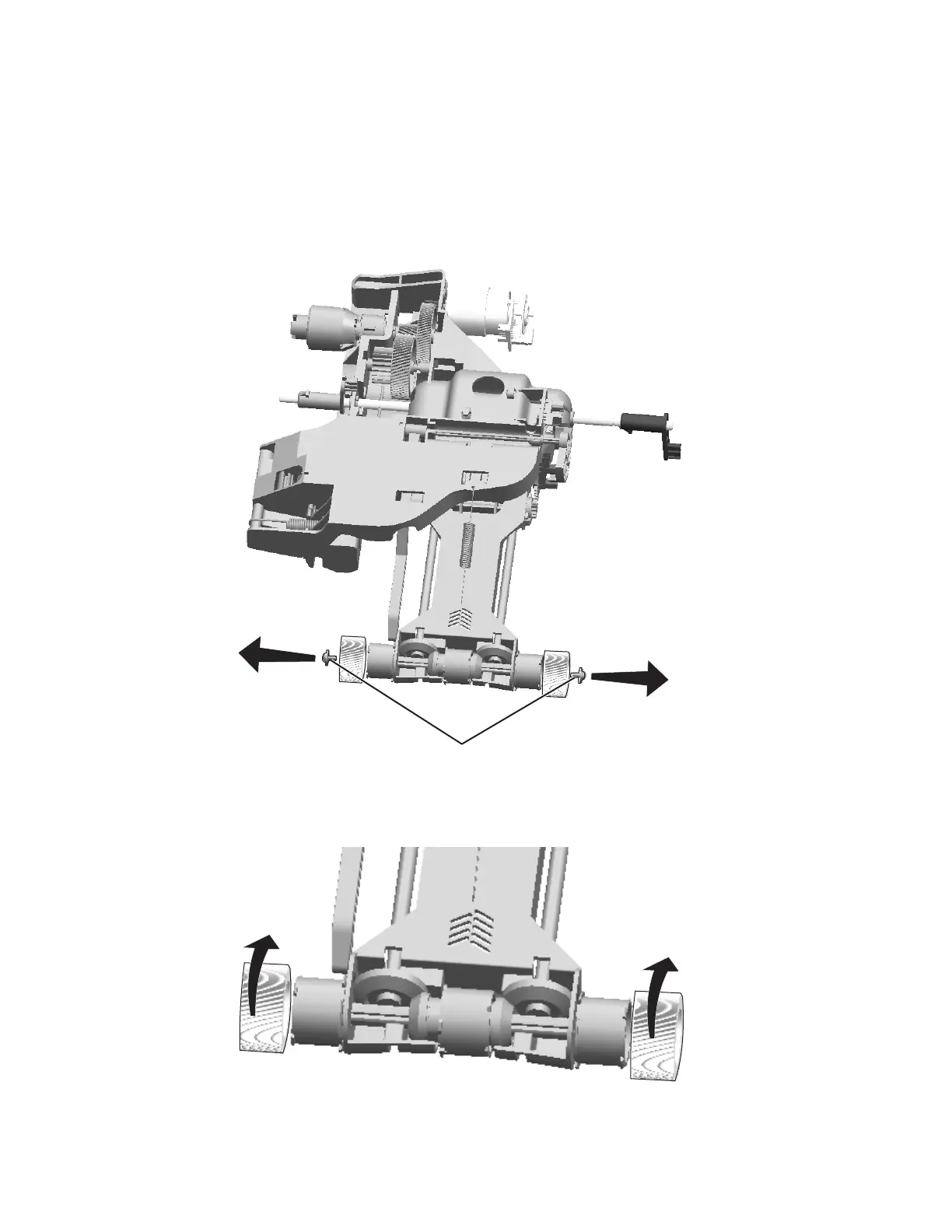
Pick rolls removal
See “Front (continued)” on page 7-9 for the part number.
Note: Replace both rolls at the same time.
1. Remove the paper pick mechanism assembly. See “Paper pick mechanism assembly removal” on
page 4-116.
2. Remove the screws (A) from both sides to release the pick roll hubs.
3. Remove the pick rolls.
Installation note: Verify the rolls turn freely.



 To Next Page