Diagnostic information 2-19
5062
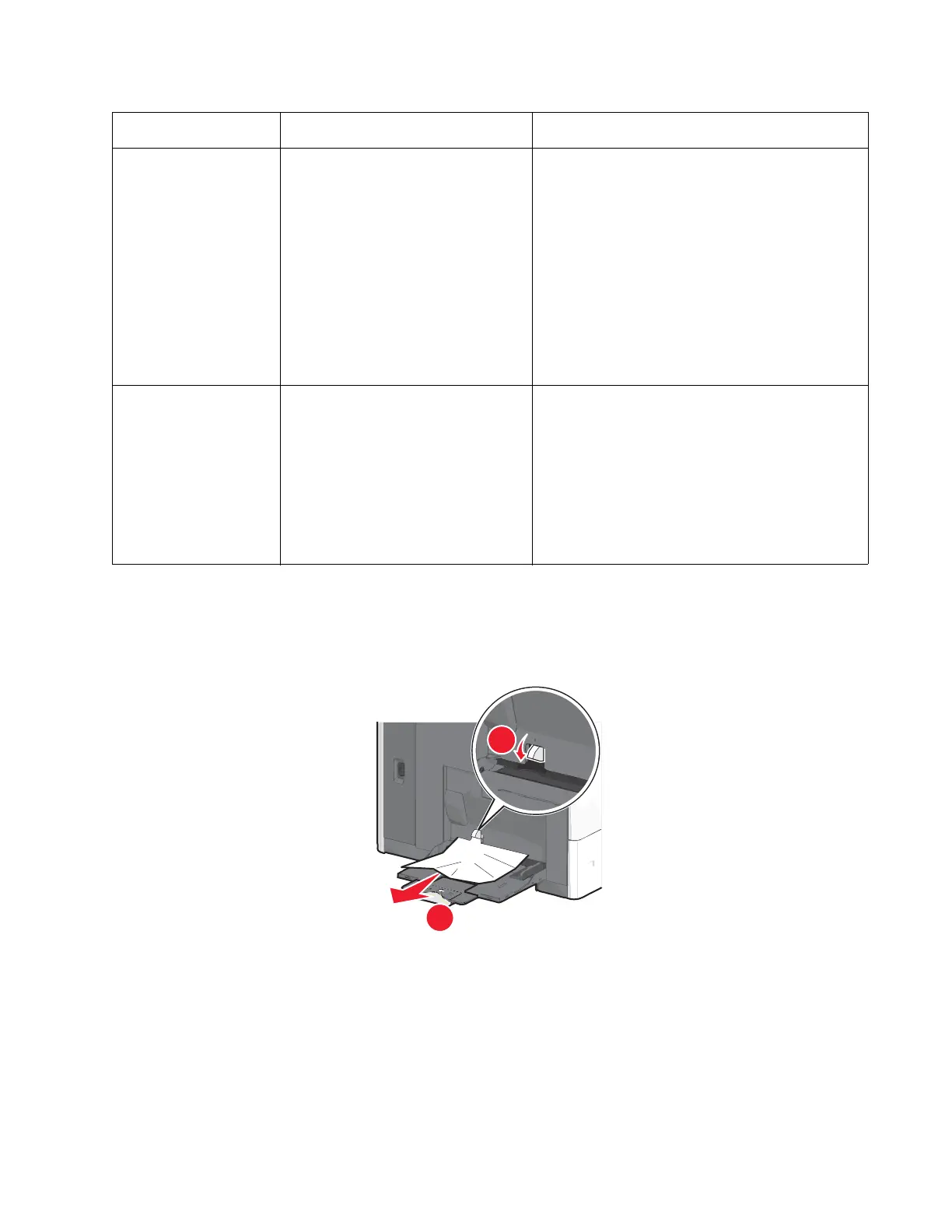
250 paper jam
1. Remove all paper from the multipurpose feeder.
2. Grasp the jammed paper on each side, and then gently pull it out.
Note: Make sure all paper fragments are removed.
3. Reload paper into the multipurpose feeder, and then adjust the paper guides.
4. From the operator panel, touch Continue, jam cleared.
245.05 While feeding from tray 5, the paper
took a long time to clear the pass thru
sensor.
Possible causes:
• Incorrect paper size
• Incorrect paper guide setting
• Obstruction on the paper path
• Drive assembly failure
• Paper pick mechanism failure
• System board failure
• Obstructed pass thru sensor
• Pick rolls failure
1. Clear the paper path.
2. Make sure the paper setting match the media.
3. Check if the pick roll are worn out.
If problem persists, go to “241.03, 242.03, 243.03,
244.03, 242.05, 243.05, 244.05, 245.05—Paper
jam (550-sheet/2000-sheet input option) service
check” on page 2-96
245.08 While feeding from tray 5, the paper
did not reached the pass thru sensor.
Possible causes:
• Contaminated or worn-out pick tire
• Damaged pick assembly
• Incorrect media loading
• Obstruction on the paper path
• Damage tray restraints
1. Check if media is loaded properly
2. Check tray restraints
3. Clear the paper path
4. Reseat the option tray 5.
5. Check the pick arm roll in tray 5 and replace if
worn.
If problem persists, go to “242.08, 243.08, 244.08,
245.08—Paper jam (550-sheet/2000-sheet input
option) service check” on page 2-98.
Error code Description Action



 To Next Page