4-252 Service Manual
5062
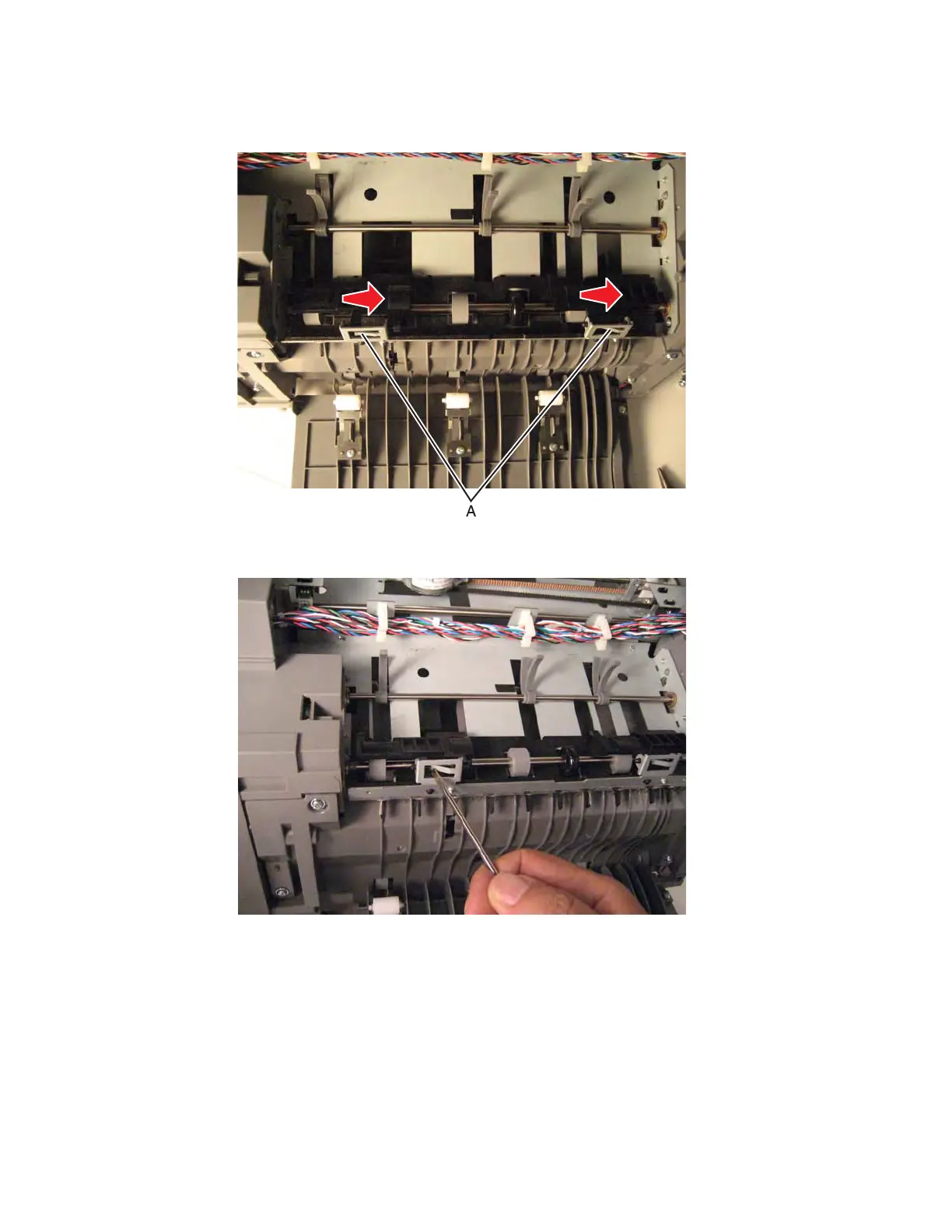
3. Use plyers to straighten the locking tab (A) of the actuator you are replacing, and then slide the actuator to
the right to remove it.
Installation note: Use a flat-blade screwdriver to bend the locking tab back into place after you position the
actuator.
Finisher or stacker option cable removal
1. Remove the option from the printer.
2. Remove the rear cover. See “Finisher or stacker rear cover removal” on page 4-257.
3. Remove the front cover. See“Finisher or stacker front cover removal” on page 4-248.



 To Next Page