4-110 Service Manual
5062
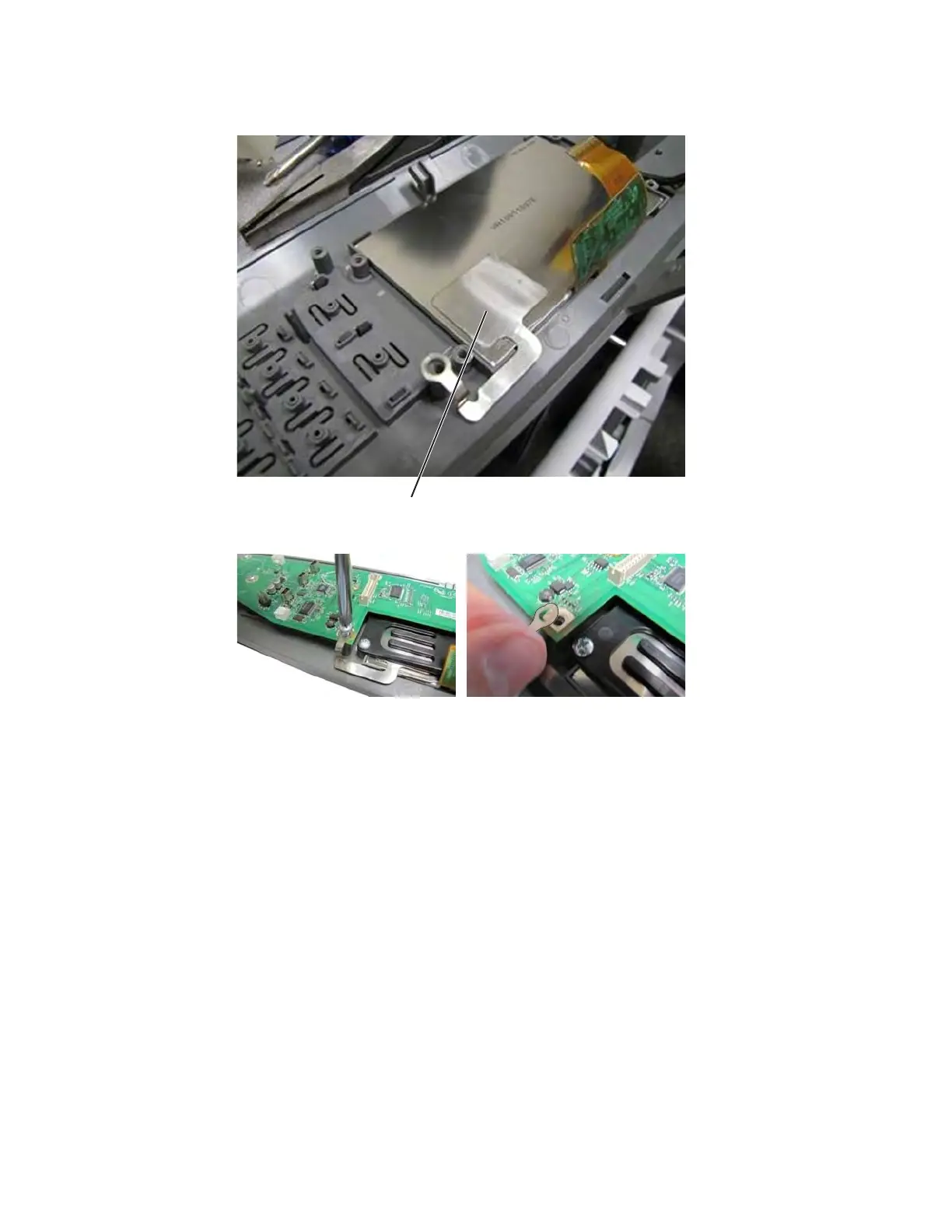
3. Remove the ESD ground (B), and remove the display.
Installation note: Be sure to secure the ESD ground on top of the UICC card.
OP panel UICC card removal
See “Top, right, and front covers” on page 7-3 for the part number.
Warning: The following components contain mirrored NVRAM. When replacing any one of the following
components, replace only one component at a time:
• System board
• UICC card
Replace the required component, and then perform a POR before replacing a second component listed above. If
this procedure is not followed, the printer will be rendered inoperable. Never replace two or more of the
components listed above without a POR after installing each one, or the printer will be rendered inoperable.
Warning: Never install and remove components listed above as a method of troubleshooting components.
Once you install one of these components in a printer and perform a POR, the component cannot be
used in another printer. It must be returned to the manufacturer.
1. Remove the operator panel assembly. See “Operator panel (OP) assembly removal” on page 4-105.


 To Next Page