4-2 Service Manual
5062
Screws and fasteners
Screw and fastener part numbers appear with the graphic callouts. See “Screw and retainer identification
table” on page 7-38 for descriptions and actual-size illustrations of the screws.
Arrangement of removals in this chapter
The removals in this chapter are arranged by area of the printer:
“Base printer cover removals” on page 4-2
“Base printer removals” on page 4-35
“Input option removals” on page 4-154
“Output option removals” on page 4-224
Base printer cover removals
Front access door assembly removal
See “Top, right, and front covers” on page 7-3 for the part number.
1. Remove the operator panel assembly. See “Operator panel (OP) assembly removal” on page 4-105.
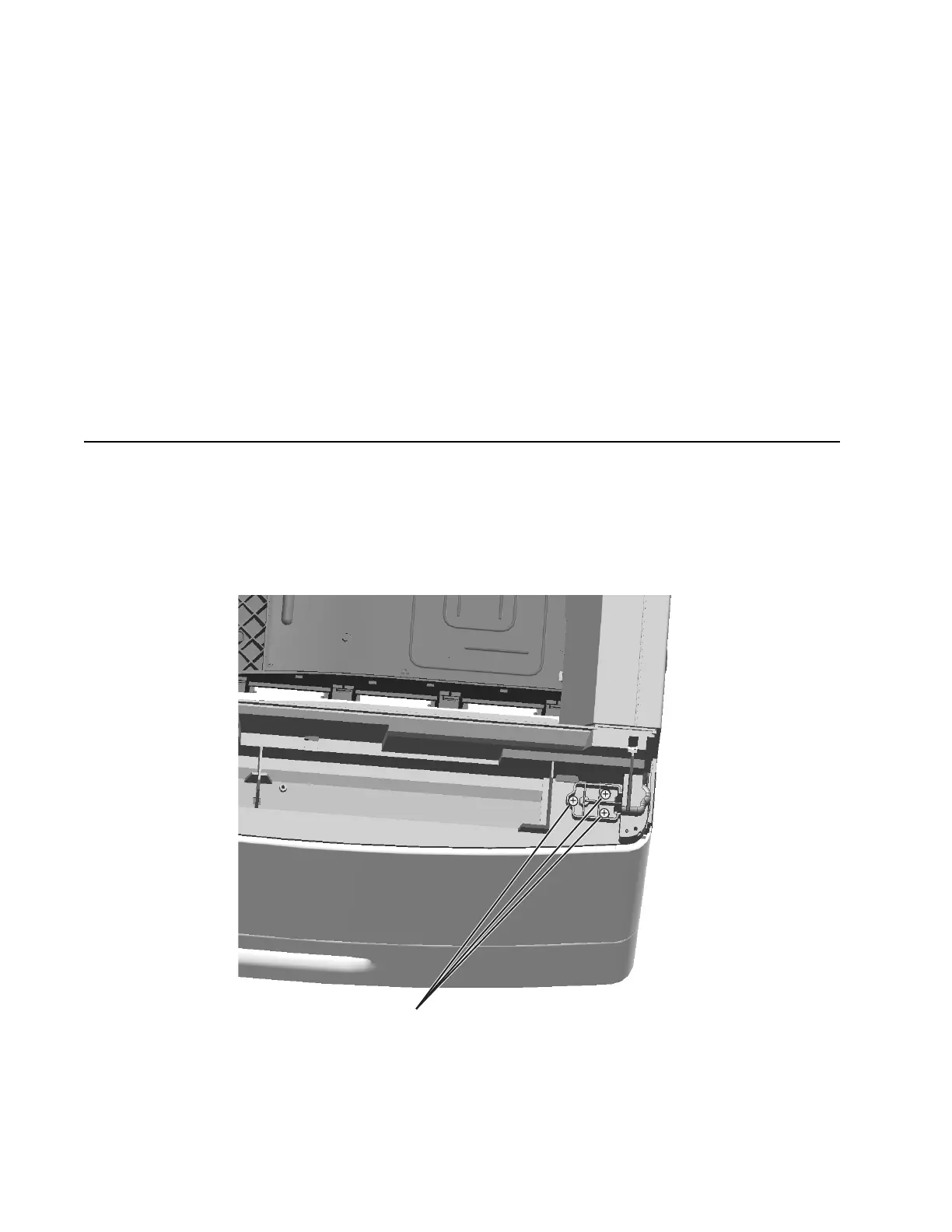
2. Remove the three screws (A) from the front access door pivot.



 To Next Page