Repair information 4-125
5062
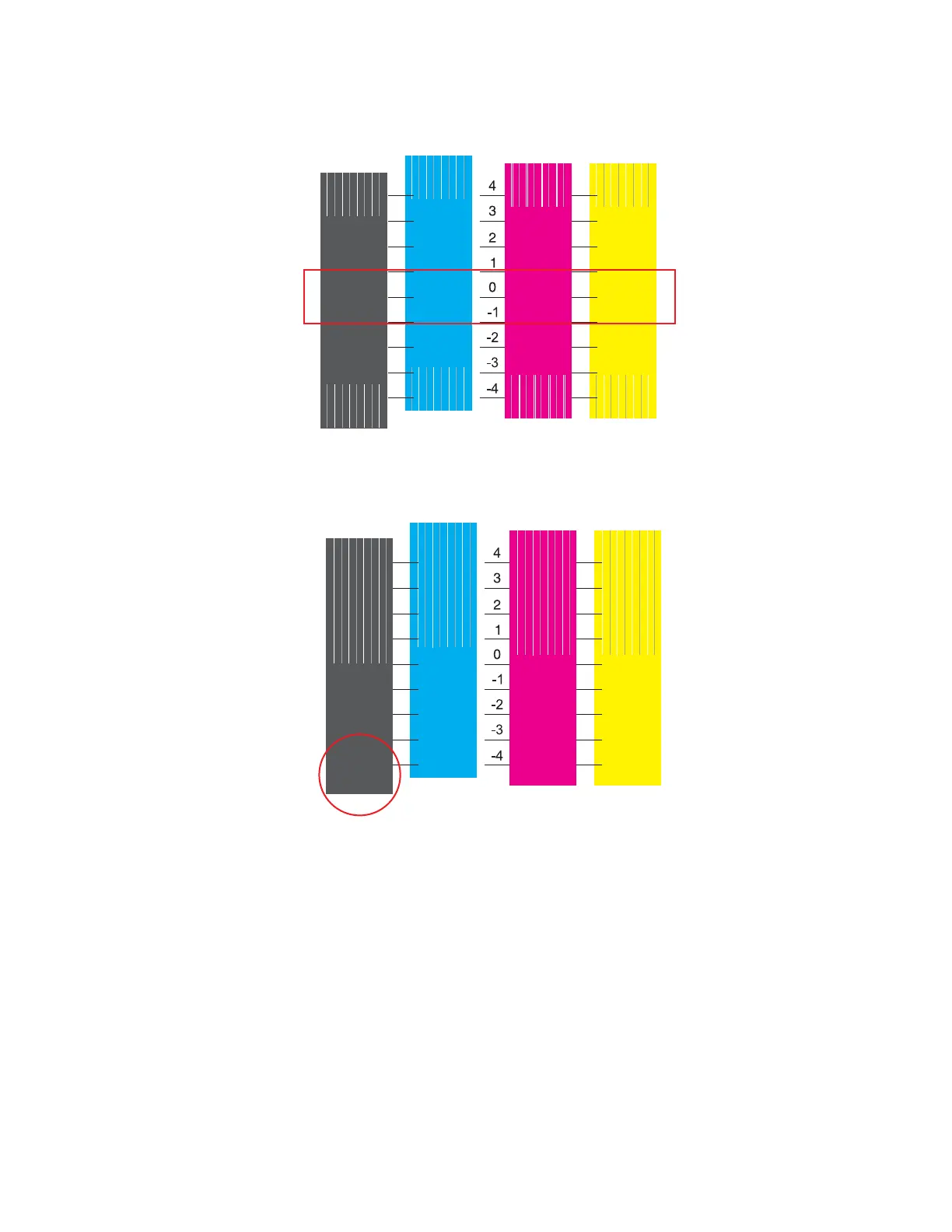
If the alignment is correct, the color bars on the page should look solid in the middle (between 1 and -1)
with white lines starting to form near the top and bottom of each bar.
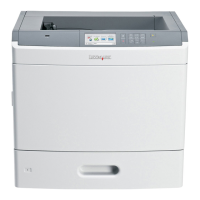
2. If the solid color area of a bar is above 1 or below -1, then adjust the Dual Diode value for that color. Enter
the number nearest the center of the solid color area to adjust it.
Example: The solid color area on the following test page is closer to -4 than 0. Enter -4 for the value to
adjust the position of the solid color area back toward 0.
3. Reprint the alignment page and make adjustments as needed until you are satisfied with the alignment.
Registration (black)
Top Margin
1.
From the Diagnostic menu, navigate to:
REGISTRATION > Quick Test


 To Next Page