Repair information 4-229
5062
5-bin mailbox bin-full beacon card and covers removal
1. Remove the mailbox from the printer.
2. Remove the mailbox front cover. See “5-bin mailbox front cover removal” on page 4-233.
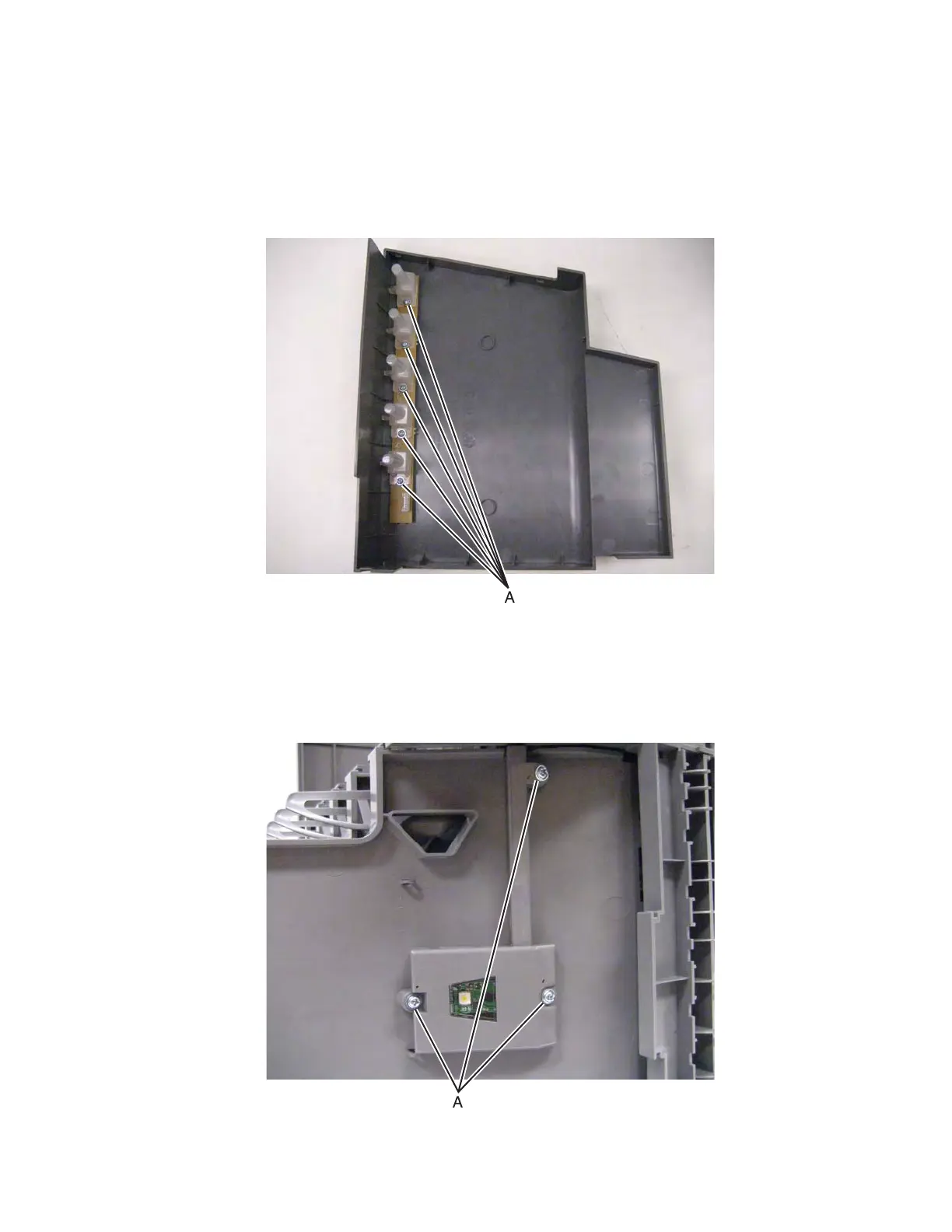
3. Remove the five screws (A), and then remove the beacon card and covers.
5-bin mailbox cave beacon removal
1. Remove the mailbox from the printer.
2. Remove the three screws (A) from the bottom to remove the cable cover.



 To Next Page