Repair information 4-61
5062
Fuser drive assembly removal
See “Rear” on page 7-15 for the part number.
1. Remove the rear cover. See “Rear cover removal” on page 4-18.
2. Remove the fuser assembly. See “Fuser assembly removal” on page 4-58.
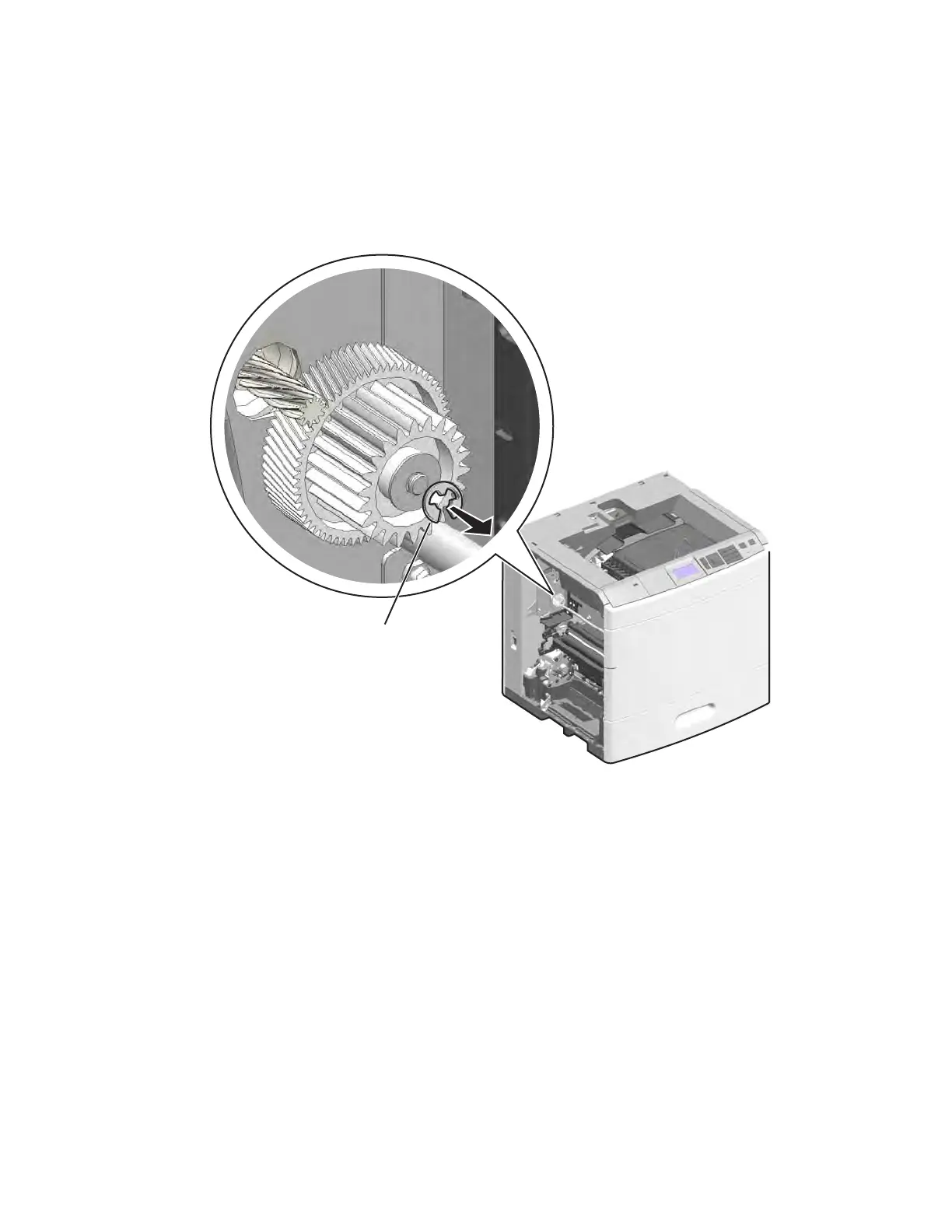
3. Remove the E-clip (A) and the washer under it from the fuser gears, and then slide the gears off the post.



 To Next Page