Diagnostic information 2-61
5062
5
Check the cable on the LVPS for damage.
Is the cable damaged?
Replace the Fuser and
system card LVPS cable.
See “Fuser system card
and LVPS cable removal”
on page 4-63.
Go to step 6.
6
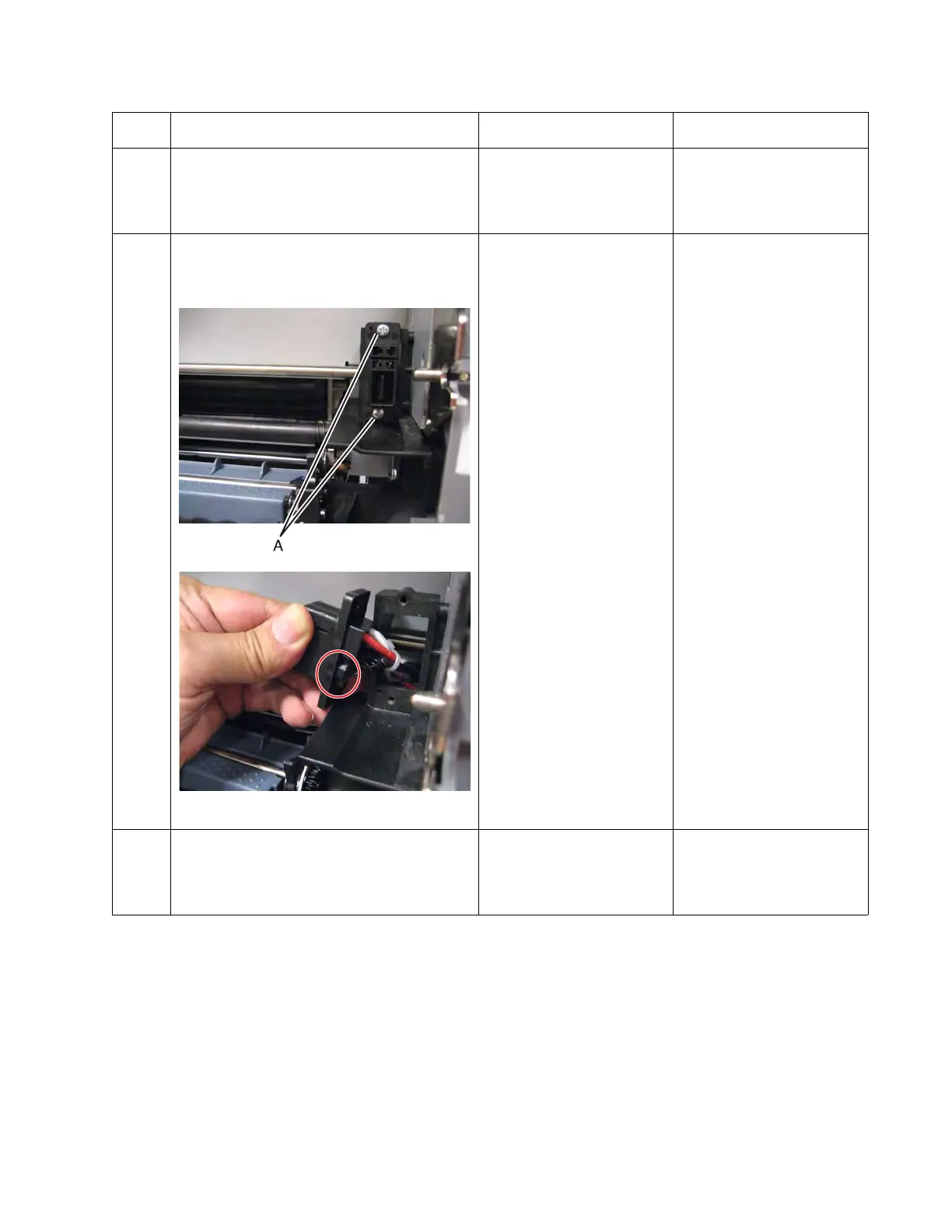
Open the left access door, remove the two
screws (A), and pull out the fuser autoconnect
enough to check the cable for proper
connection.
Is the cable properly connected?
Go to step 7. Reseat the cable.
7
Check the cable for damage.
Is the cable damaged?
Replace the Fuser and
system card LVPS cable.
See “Fuser system card
and LVPS cable removal”
on page 4-63.
Reseat the cable.
Step Questions / actions Yes No



 To Next Page