Page 106 of 182 TP1A002–1 English
Aug 2015
Linx 8900 Operating Manual —
Add other fields
Linx 8900
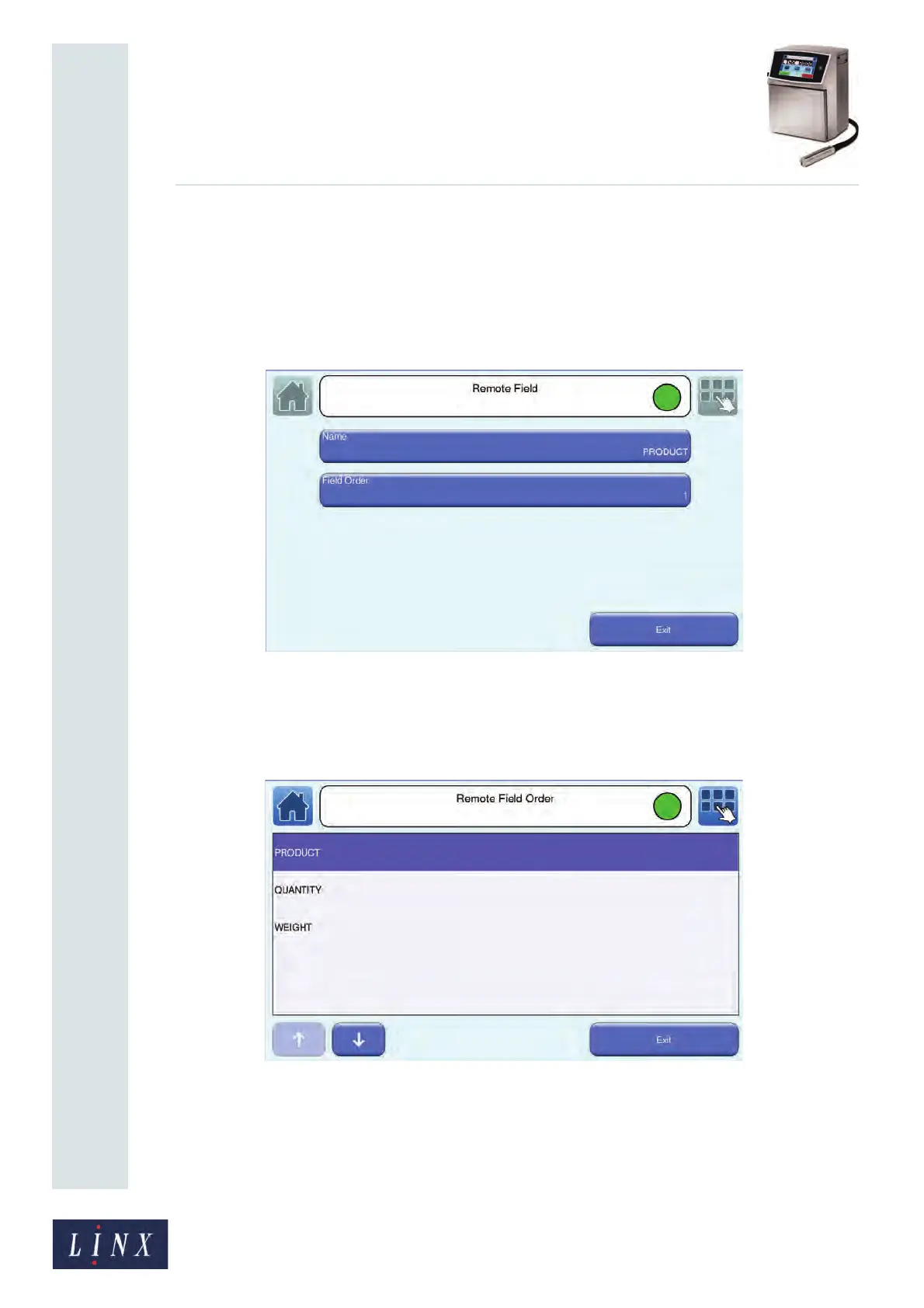
4 Touch the name of a Remote field in the list to display the Remote Field screen. You
can touch the Name button to edit the name of the Remote field. The Field Order
button shows a number for each Remote field you create. This number indicates the
order in which the fields are populated by remote data. The first field that you
create is assigned the number 1 (first to be populated), the second 2 (second to be
populated), and so on. If there is more than one Remote field in the Remote field
list, you can change the order in which the fields are populated.
Figure 115. Remote Field screen: field order
5 Touch the Field Order button of the Remote field you wish to move (for example,
“PRODUCT”). The Remote Field Order screen is displayed with a list of the names
of all Remote fields.
Figure 116. Remote Field Order screen



 To Next Page