Page 42 of 182 TP1A002–1 English
Aug 2015
Linx 8900 Operating Manual —
Change the printer setup
Linx 8900
3 Touch the Save button to display the Confirm PIN Code screen. Enter the PIN code
again, and then touch the Save button.
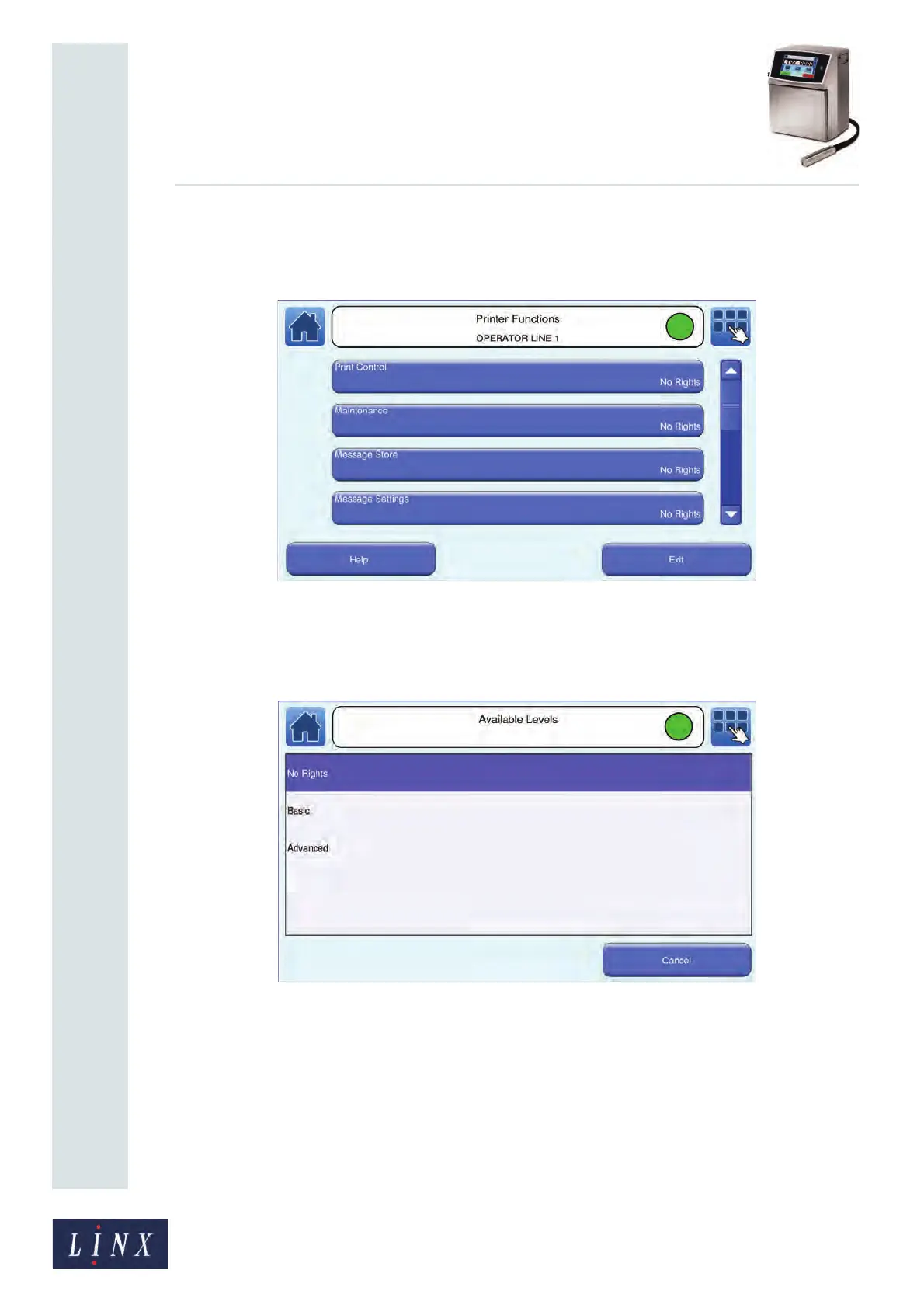
4 The printer displays the Printer Functions screen for the user.
Figure 44. Printer Functions screen
You can set a level of user access for each printer function. Touch the name of a
printer function (for example, “Message Store”) to set security access rights for that
function. The printer displays the Available Levels screen.
Figure 45. Available Levels screen
NOTE: Touch the Help button on the Printer Functions screen to display
information about the security access rights for each printer function.
5 Touch the name of the level of security access rights to set the access right and
return to the Printer Functions screen.
6 Repeat steps 4 and 5, as required, to add security access rights for other printer
functions.
89114



 To Next Page