4.5 Sequence Operation
BP4610
4-40
The operation procedures for the various items on the PROGRAM screen are described below.
Operation procedure <1>
The settings of the DC voltage/DC current operation type, superimposed AC voltage/superimposed
AC voltage operation type, frequency operation type, waveform (WAVE), waveform operation type,
step sync output (SYNC CODE), step sync output operation type, step end phase (STEP PHS), and
step termination (STEP TERM), are performed with the following procedure.
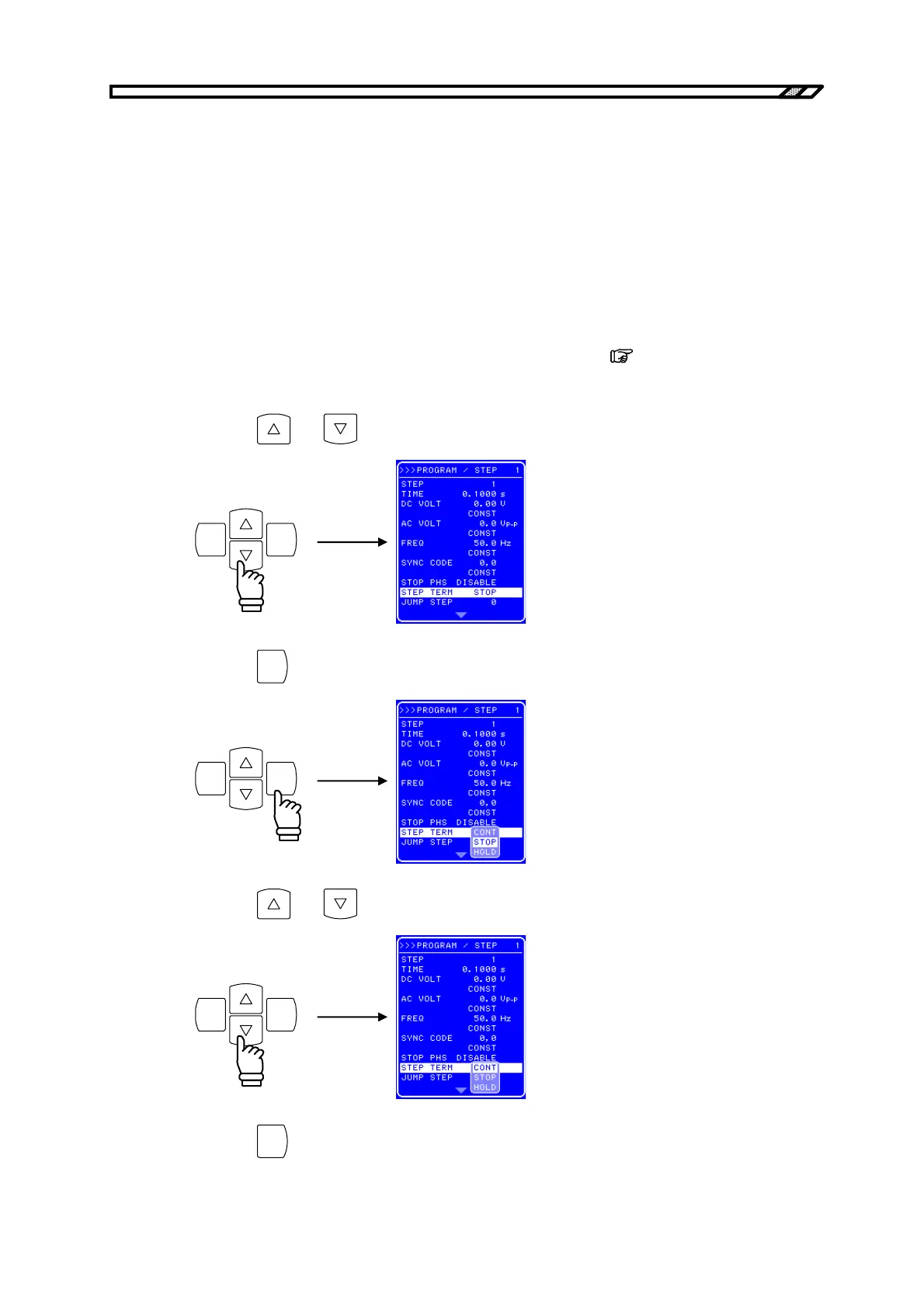
In the following example, step termination (STEP TERM) is set.
<1> Open the SEQUENCE screen and display the PROGRAM screen.
For the procedure up to the display of the PROGRAM screen,
refer to “4.5.2 Setting of
sequence”.
<2> Press the
and keys to move the cursor to [STEP TERM].
ENTERCANCEL
<3> Press the
ENTER
key to display the Select box.
ENTERCANCEL
<4> Press the
and keys to move the cursor to the operation to be set.
ENTERCANCEL
<5> Press the
ENTER
key to set the operation at step termination.



 To Next Page