Loading supplies 221
4
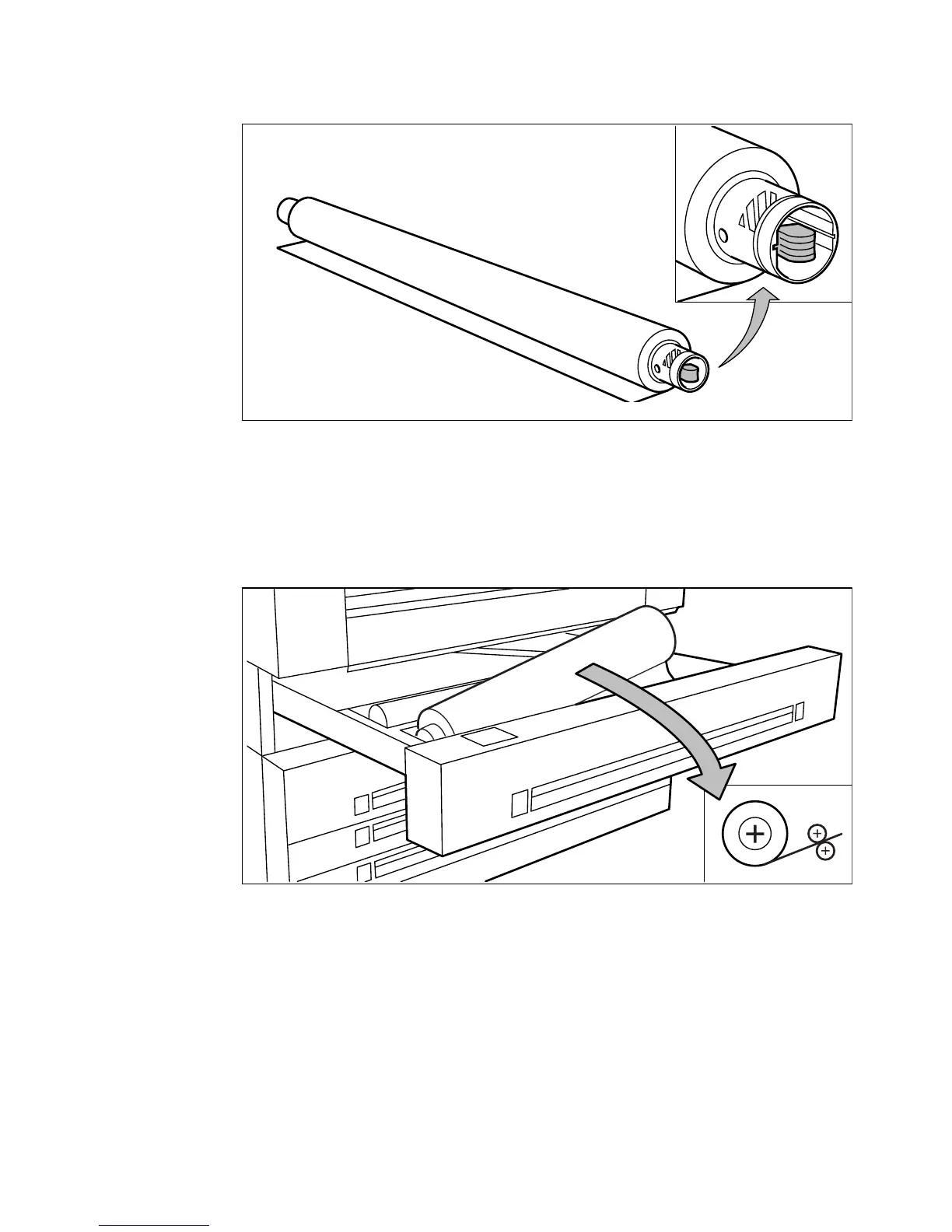
Press the green knob inside the roll holder (on the right side) to release the
locking mechanism (see figure 100) and remove the core from the holder.
[100] Pressing the green knob
Note:
You can place the new roll in the groove on top of the printer.
5
Slide the roll holder in the new roll of material while pressing the green knob.
6
Align the roll with the appropriate size indicator on the roll holder and release
the locking mechanism. This line has to be completely visible.
7
Use both hands to place the holder in the roll compartment (see figure 101).
[101] Positioning the roll
34"
A
0
36"
left view



 To Next Page