222 Océ 9600 Copier/Printer User Manual
8
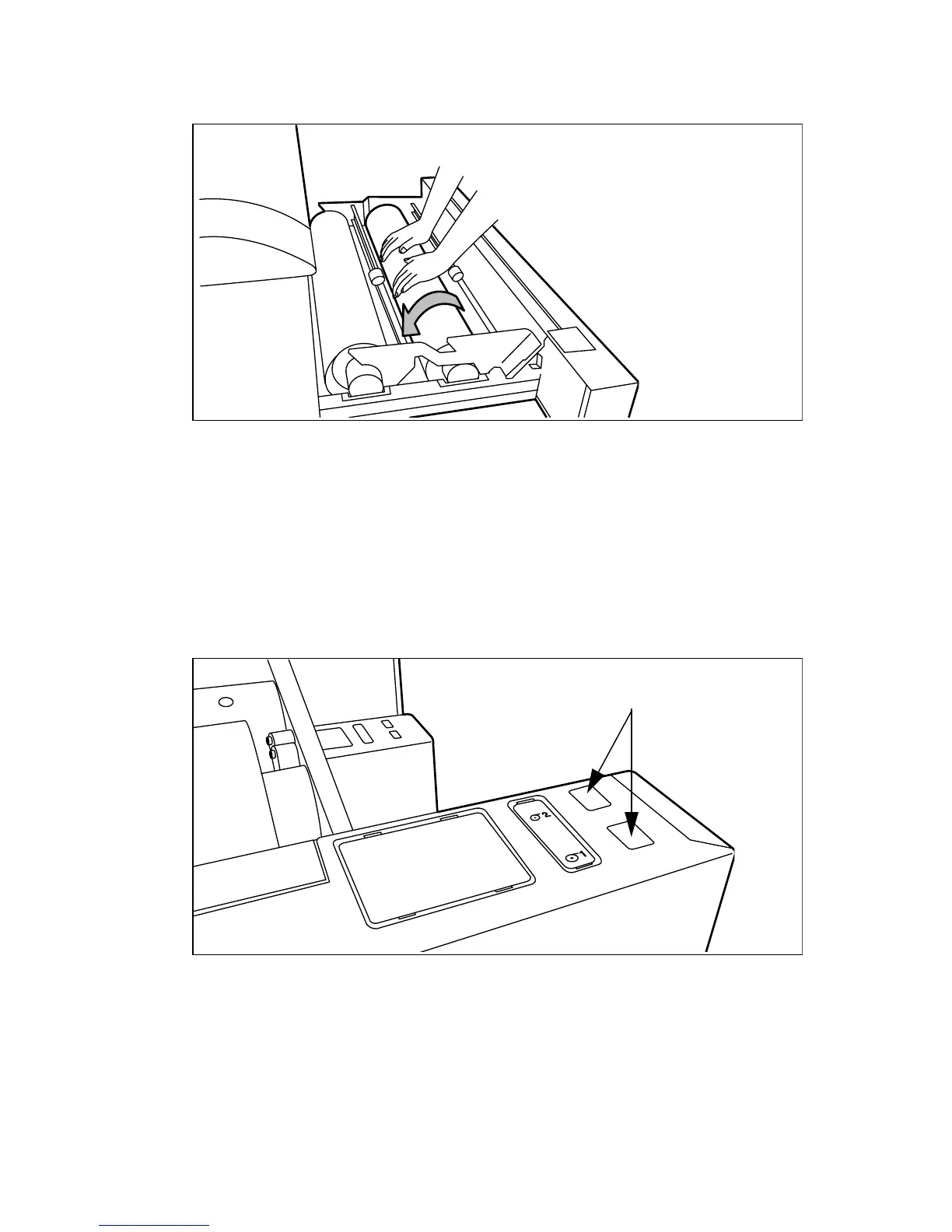
Use both hands to slide the material under the metal paper guide until it makes
contact, as shown in figure 102.
[102] Using both hands to load the material
Note:
If the print material is especially curled, it may be somewhat difficult to
slide the material under the paper guide. If this is the case, you can slightly fold
back the top few centimeters (no more than 10) of the print material to
facilitate the load process.
9
Press the appropriate green button inside the paper roll compartment (see
figure 103). The material will automatically be fed into the machine.
You may also refer to the sticker inside the drawer.
[103] Button for feeding and cutting the paper
10
Press the green button a second time to cut off the material protruding from the
paper path.
11
Remove the scrap material.
12
Close the roll compartment.
13
Press the on line button to put the system off line.
Feed/cut
buttons



 To Next Page