Performing special copy jobs 63
It is also possible to adjust the length of both the leading and trailing edge to
eliminate or add a filing strip. Leading and trailing edges can be extended up
to 400 mm (15.7 inches) or shortened up to 100 mm (3.9 inches) (see
figure 29).
[29] Example of adjusting the leading/trailing edge of an original
▼
▼▼
▼
Copy with removed filing strips along the leading and trailing edge
1
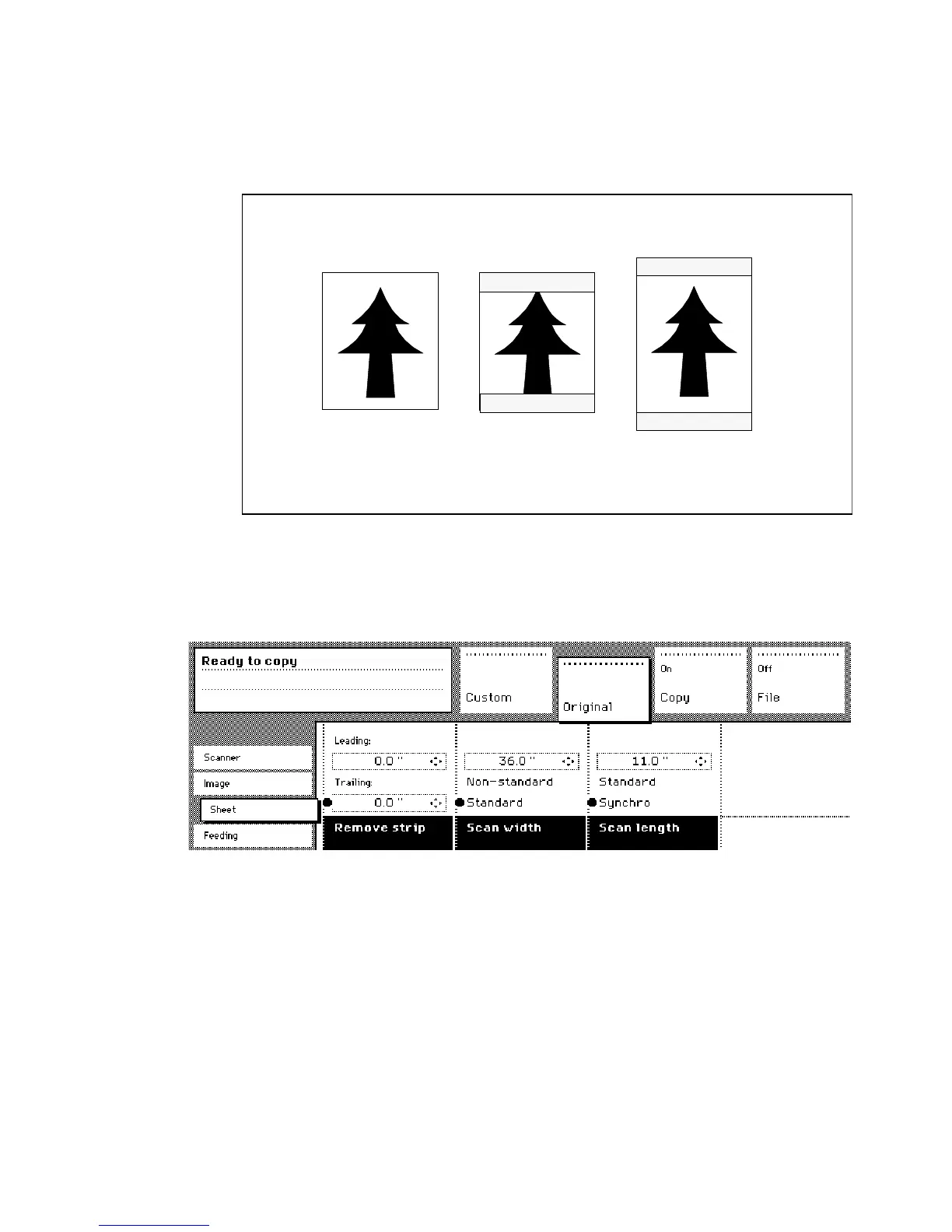
Open the ‘Sheet’ card in the ‘Original’ section.
2
Press the ‘Remove strip’ function button.
[30] Removing strip
3
Adjust the values for the trailing edge using the numeric or arrow buttons.
4
Press the ‘Remove strip’ function button again.
5
Adjust the values for the leading edge using the numeric or arrow buttons.
6
Make other settings as required.
7
Feed the original.
Leading edge:
-1.57 in
Trailing edge:
1.57 in
Trailing edge:
-1.57 in
Leading edge:
1.57 in



 To Next Page