14 0
Maintenance
8
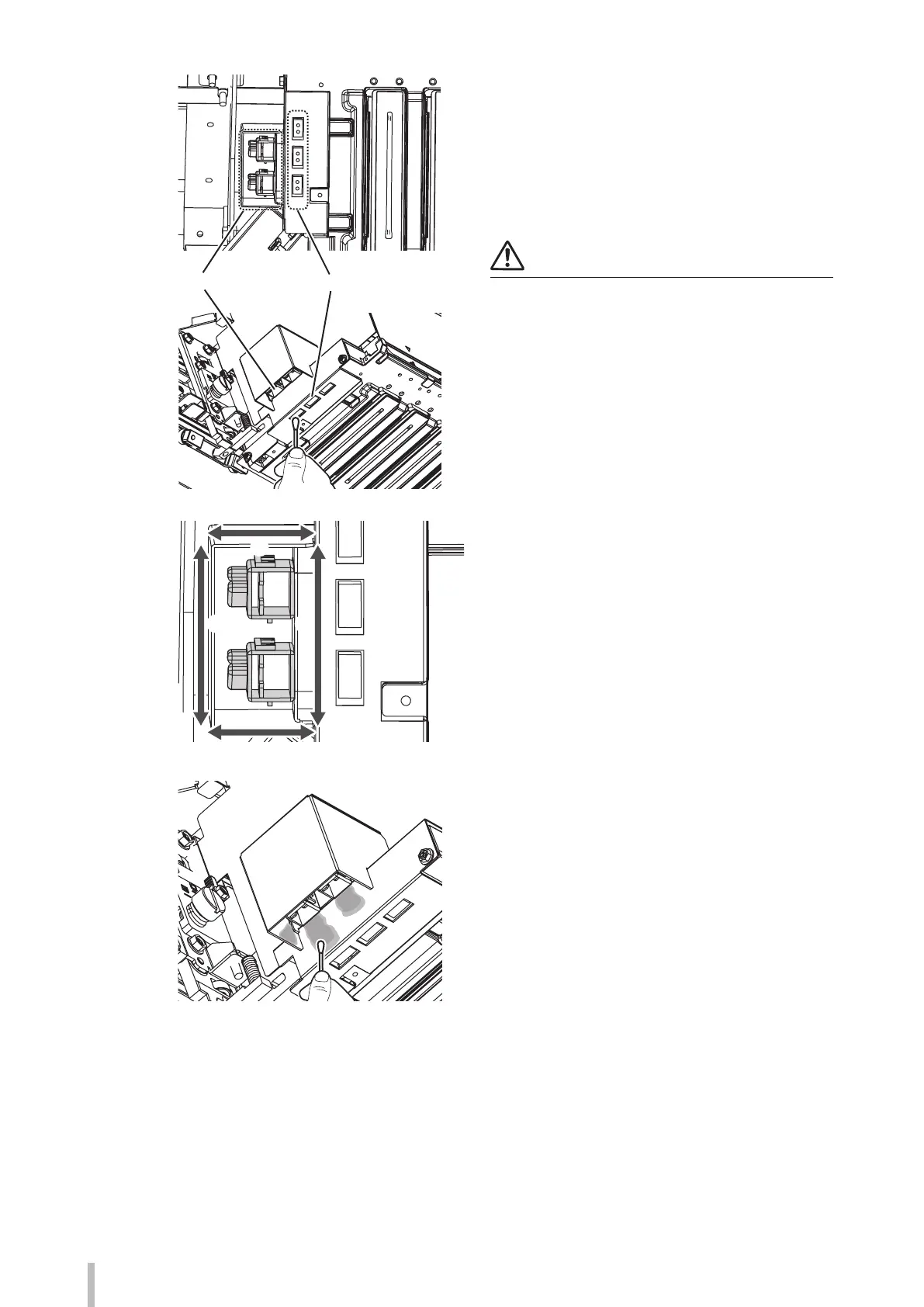
Sensors for automatic print adjustmentIonizers
Clean the surface of the sensors for automatic
print adjustment with a cleaning swab.
Three holes are aligned on the bottom plate
at the carriage left side.
There is a sensor inside each hole. Clean them
by softly wiping their surface with a cleaning
swab to remove the ink.
Note
Do not put any substances onto the cleaning swab as it
may cause the sensors to malfunction.
9
(1)
(4)
(2) (3)
Clean the areas around the ionizer nozzles
with a cleaning swab. The ink adheres
principally onto four areas ((1) to (4) in the
gure) inside the ionizers cover plate at the
bottom of the carriage.
Wipe o any ink from these areas with a
cleaning swab.


 To Next Page