APPENDIX F – Obsolete Features OMRON
Page 326 Release 2.0
Activating an Object
To activate an embedded or linked object, merely double click using the left mouse button on the
object’s graphical representation on the page (either a true representation of the object or an icon). If
the object is a document or image, Windows activates the application that created the object and
places it, ready to be edited.
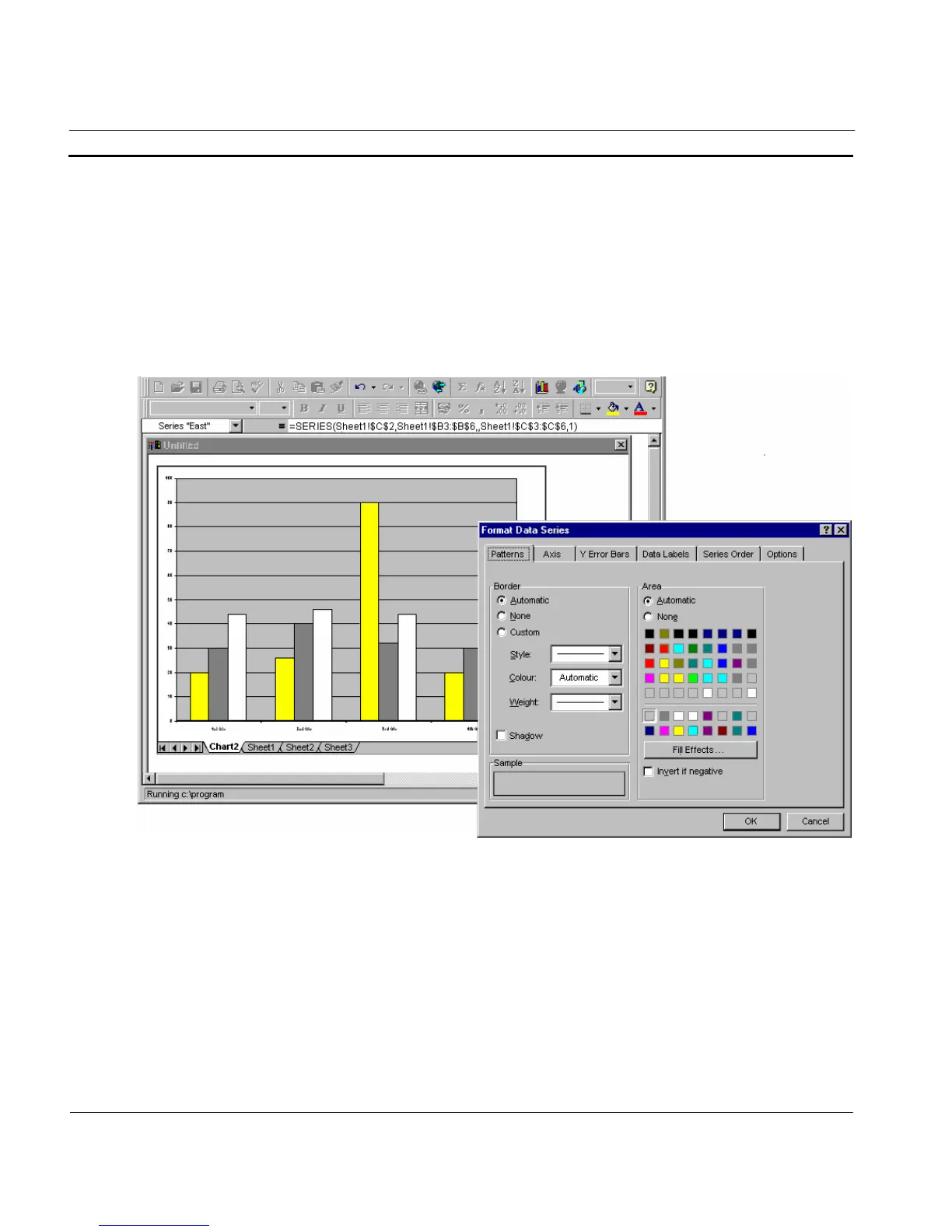
In the following example, the bitmap image when activated launches the Format Chart Area
application to allow editing:
When editing is complete, select Update and Exit from the application’s File menu to return to CX-
Supervisor.
Note: The Update and Exit command varies from application to application.
If the object is an animation or sound file, when activated it is played through until it ends, at which
point control is returned to CX-Supervisor.
Note: If the application which created the object no longer be available, CX-Supervisor
reports an error.




 To Next Page