MFP Options
Overview
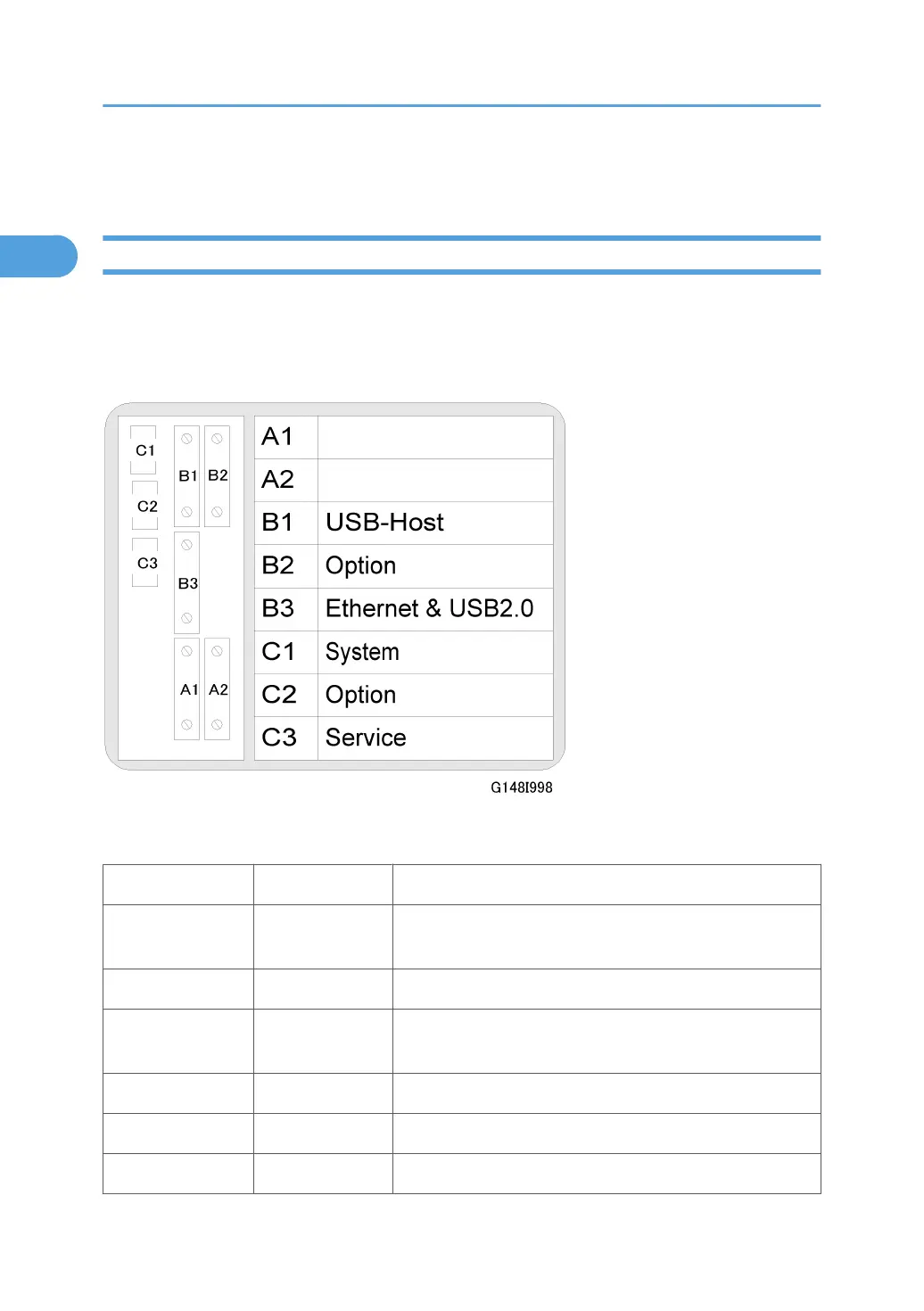
To make it easy to install MFP options, there are 5 slots for boards (B1, B2, B3, A1, A2) and 3 slots (C1,
C2, C3) for SD cards on the controller box. Each board or SD card must be inserted in its assigned slot.
The correct slots for each option are shown on the decal attached to the controller box cover (shown in
the diagram).
Here is a list of the controller options that can be installed on the machine.
Slot No. Name
C1 System
System Slot (Holds the system software. Never remove this
SD card!)
C2
2
B874 Data Overwrite Security Type G
C3 Service
SD card for machine firmware update by the customer engi-
neer.
B1 B819 USB Host Interface Unit Type A
B2
1
G813, G874 IEEE 802.11b
B2
1
B679 IEEE1284 B679
1. Installation
110



 To Next Page