• The transfer belt unit can be removed without removing the OPC drum unit.
• However, the transfer belt unit must be removed carefully to avoid scratching the surface of the transfer
belt on the OPC drum unit [D].
• Avoid touching the belt with bare hands.
Transfer Belt Removal
Remove:
• Transfer belt unit. See "Transfer Belt Unit Removal"
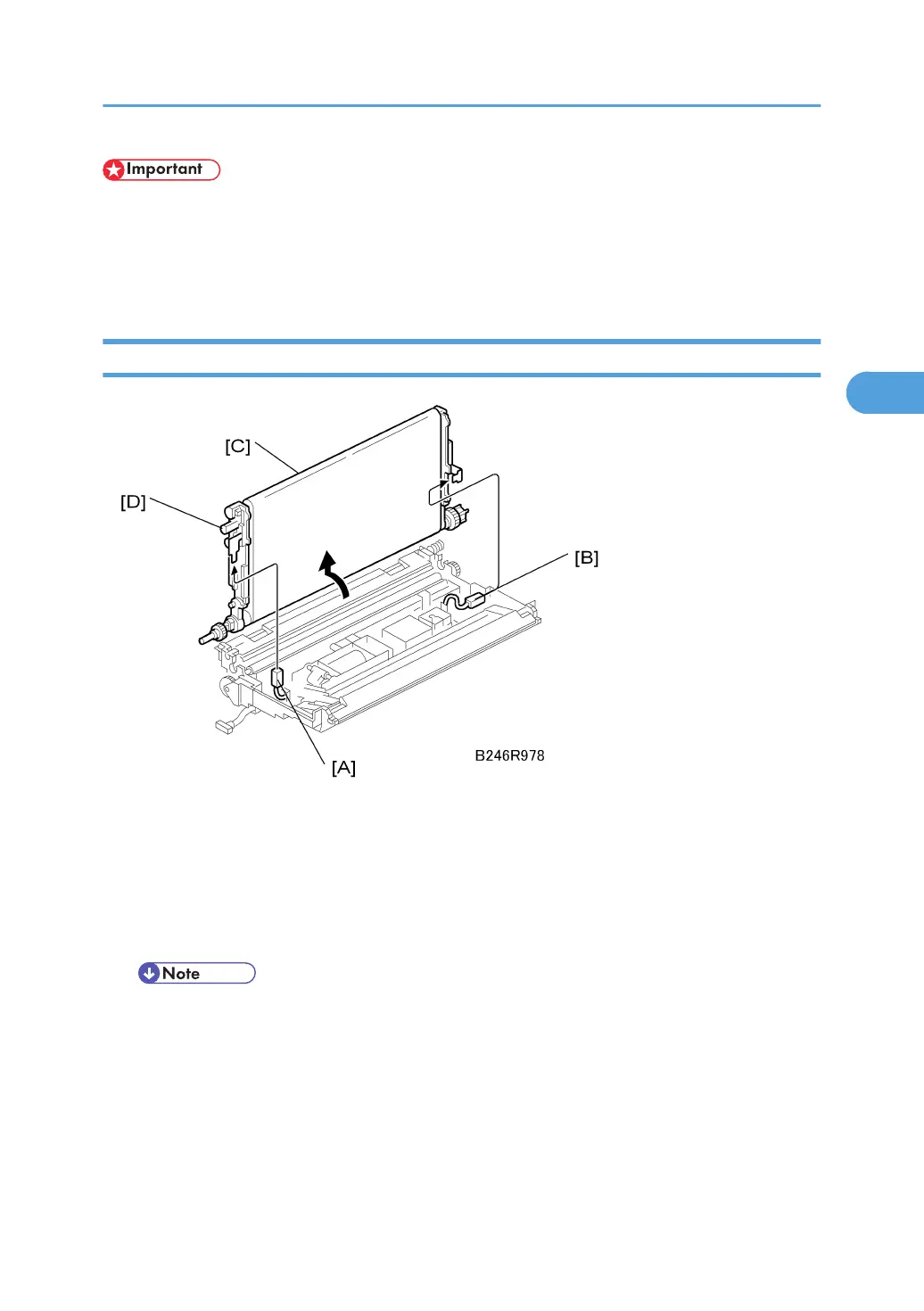
1. Disconnect the earth terminal [A] and transfer current terminal [B] ( x 2). While doing
this, hold the transfer belt unit [C] by its knobs [D].
2. Raise and stand the belt perpendicular to the unit and remove it.
• To avoid scratching the belt on the guide, never rotate the belt unit farther than 90 degrees.
Transfer Belt Unit
173



 To Next Page