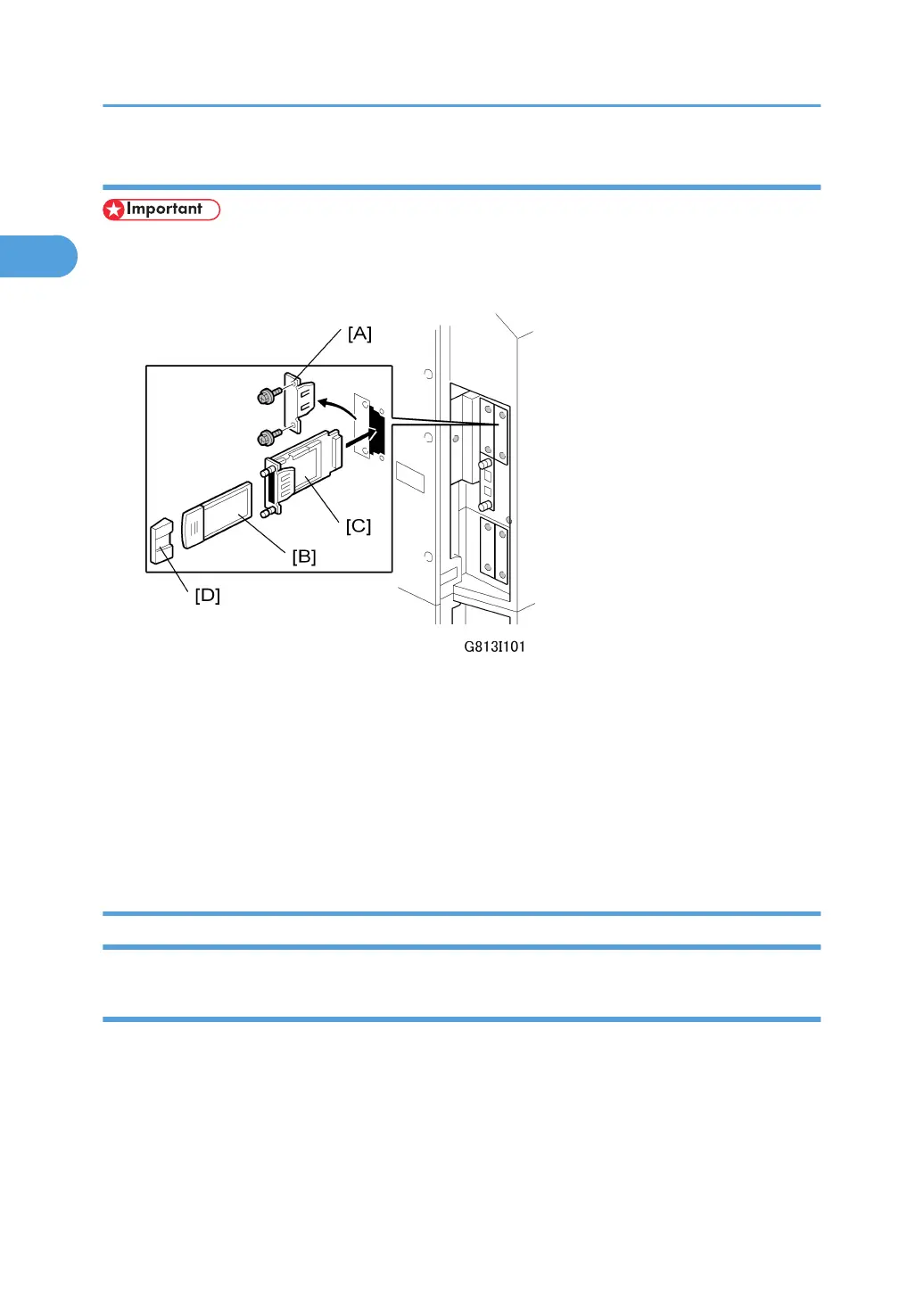
Installation
• If another card is installed in B2, you must remove it before installing this card.
1. Switch the machine off.
2. Remove the cover [A] of Slot B2 ( x 2).
3. Insert the PCI card [B] into the wireless LAN board [C].
4. Insert the wireless LAN board [C] into Slot B2 and fasten it with the screws.
5. Attach the cap [D].
6. Switch the machine on and print a configuration page to confirm that the machine recognizes
the installed board:
Push [Menu] then select > List/Test Print> Config Page
USB Host Interface Unit Type A (B819)
Accessory Check
Check the accessories and their quantities against this list:
Description Qty
1. USB Host Interface Type A 1
1. Installation
114



 To Next Page