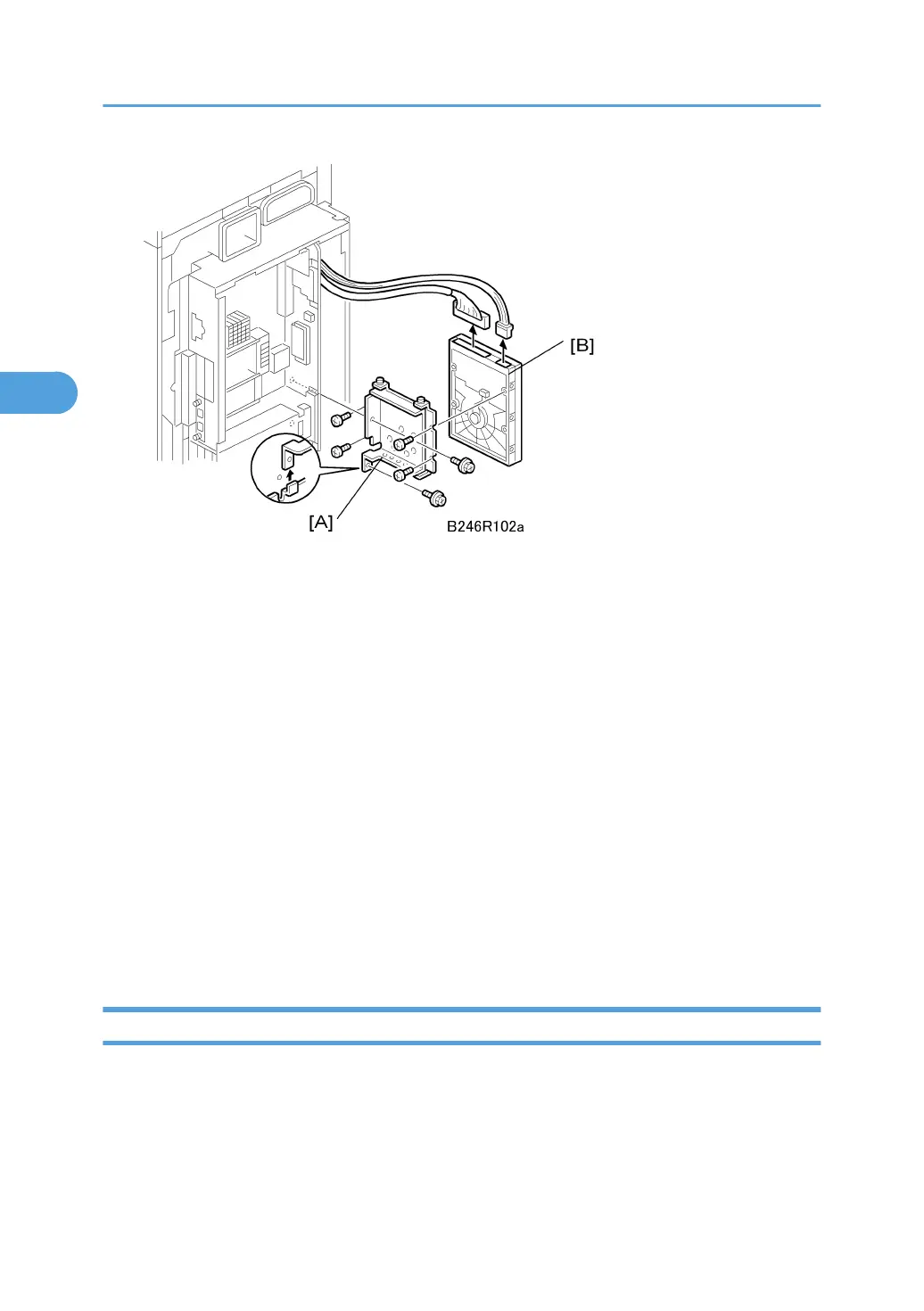
1. HDD unit [A] ( x2, x2)
2. HDD [B] ( x4)
3. Format the HDD with SP5832 001.
Disposal of HDD Units
Never remove an HDD unit from the work site without the consent of the client.
If the customer has any concerns about the security of any information on the HDD, the HDD must remain
with the customer for disposal or safe keeping.
The HDD may contain proprietary or classified (Confidential, Secret) information.
Specifically, the HDD data stored in temporary files created automatically during job sorting and jam
recovery.
Such data is stored on the HDD in a special format so it cannot normally be read but can be recovered
with illegal methods.
Reinstallation
If the customer is using the Data Overwrite Security feature, the DOS function must be set up again.
NVRAM
This machine has an electronic counting device that uses software to monitor the number of copies. In
addition to the electronic counter of the NVRAM on the controller board, the machine is also equipped
with a mechanical counter.
Before Removing the NVRAM
3. Replacement and Adjustment
230



 To Next Page