5. Service Tables
Service Program Mode
General Notes
The service program (SP) mode is used to check electrical data, change modes, and adjust values.
• Never turn off the power switch when the power LED is lit or flashing. To avoid damaging the hard
disk or memory, always check the operation panel LED to confirm that the power LED is not flashing
before your turn off the machine.
Entering and Leaving the Service Program Mode
1. To set the printer in the service mode:
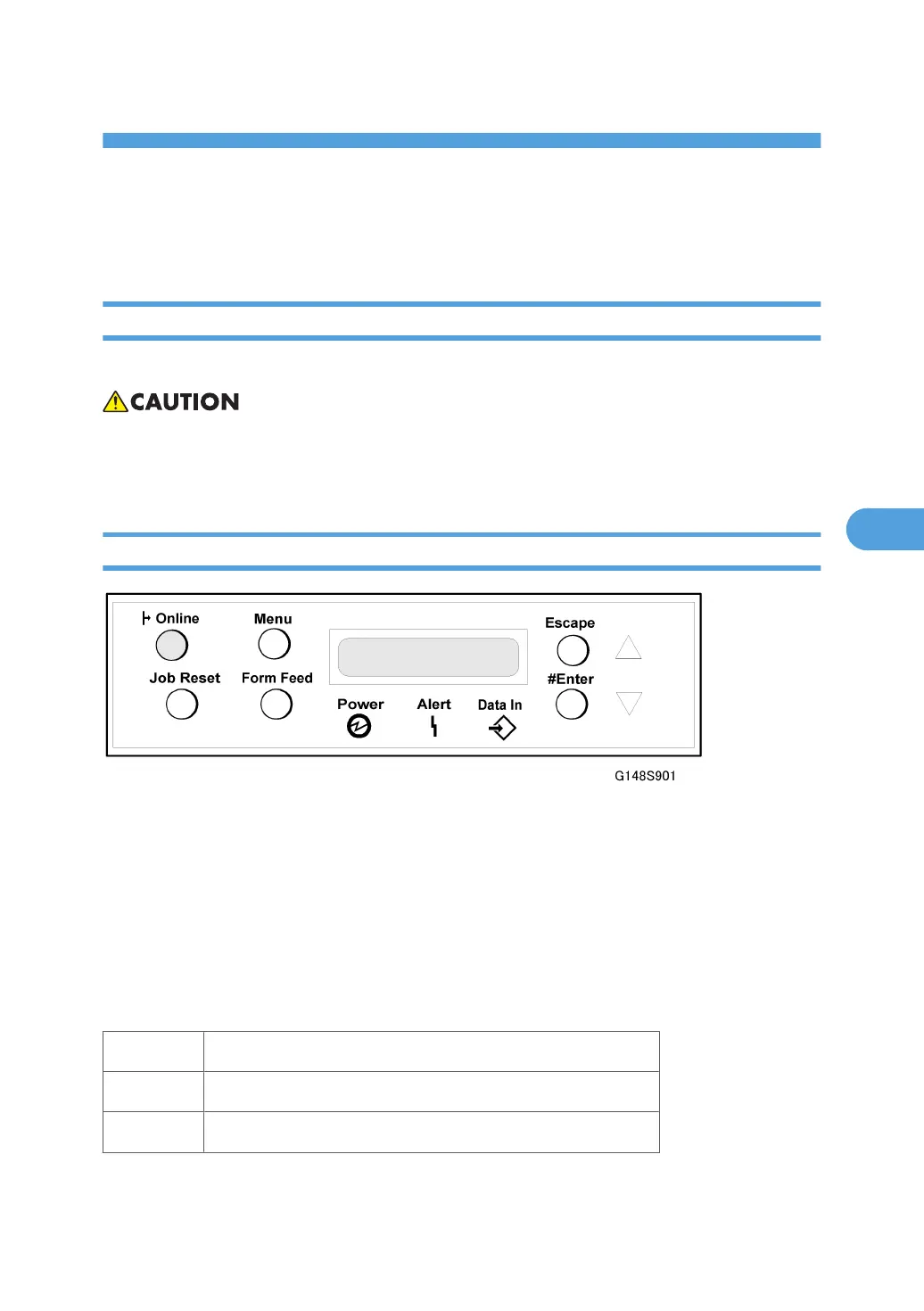
If the printer is off, press and hold down [Online] and [Escape] then switch the printer on. Release the
buttons when you see “1. Service” in the LCD.
-or-
If the printer is on, press and hold down and for over 5 seconds and release.
Press[#Enter]. You will see “1. Service” in the LCD. The printer is in the service mode.
2. Press or to display the menu titles.
1.Service Controller service settings.
2.Engine Engine service settings.
3.End Leave the SP mode and return to normal operation.
1. When the item that you want to open is displayed in the LCD, press[#Enter].
295



 To Next Page