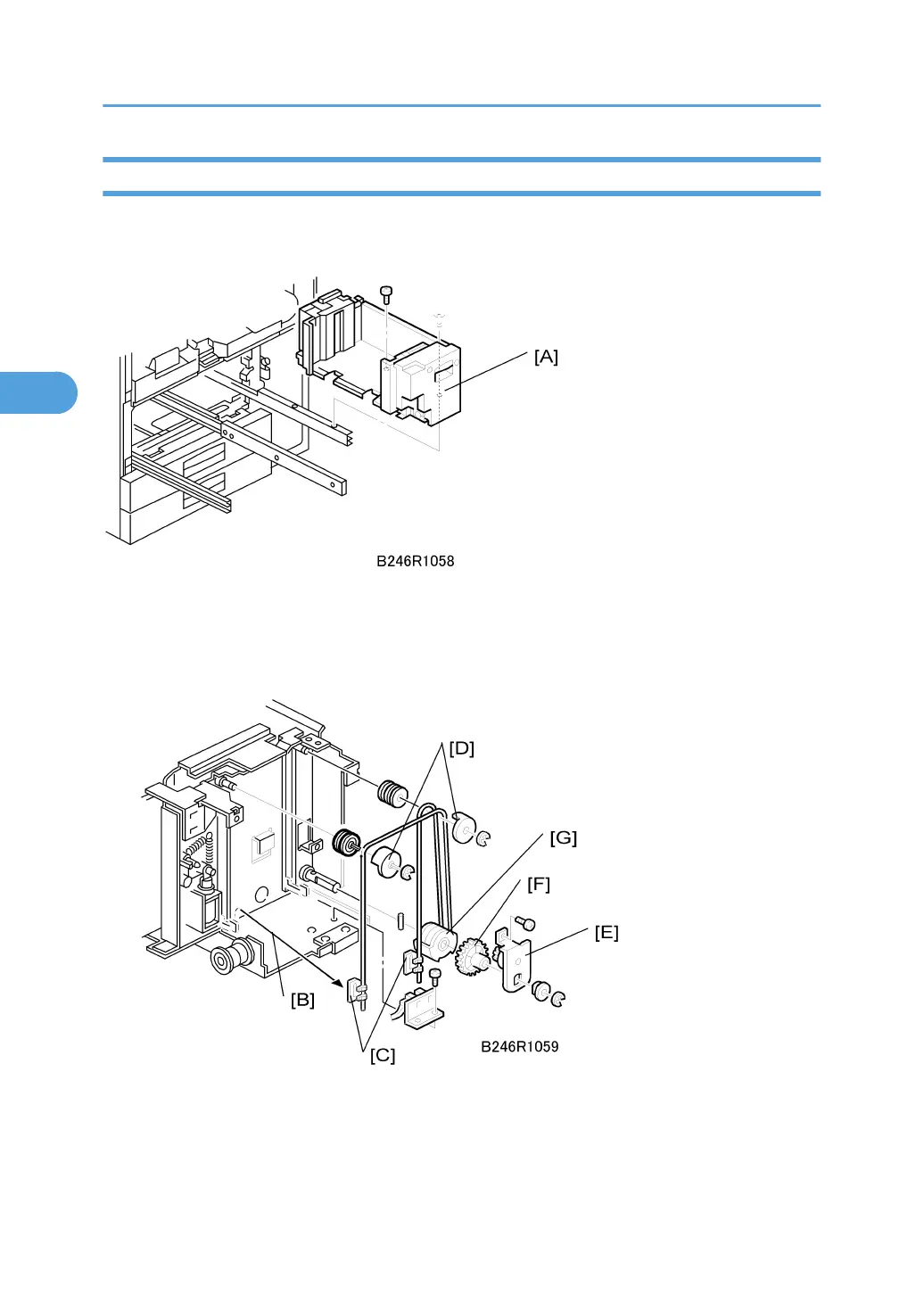
Bottom Plate Lift Wire Replacement
Before replacing the rear bottom plate lift wire, remove the front bottom plate lift wire. The shaft must be
removed to replace the lift wire of the bottom plate.
Remove:
• Right tandem tray. See "Paper Feed"> "Paper Tray Removal"
1. Remove the inner cover [A] ( x 2)
2. Remove the left stay [B].
3. Wire stoppers [C]
• Slightly lift the front bottom plate and unhook.
3. Replacement and Adjustment
210



 To Next Page