2. Pull out the tandem feed tray.
3. Rear bottom plate [A] ( x 1)
4. Return sensor [B] ( x 1).
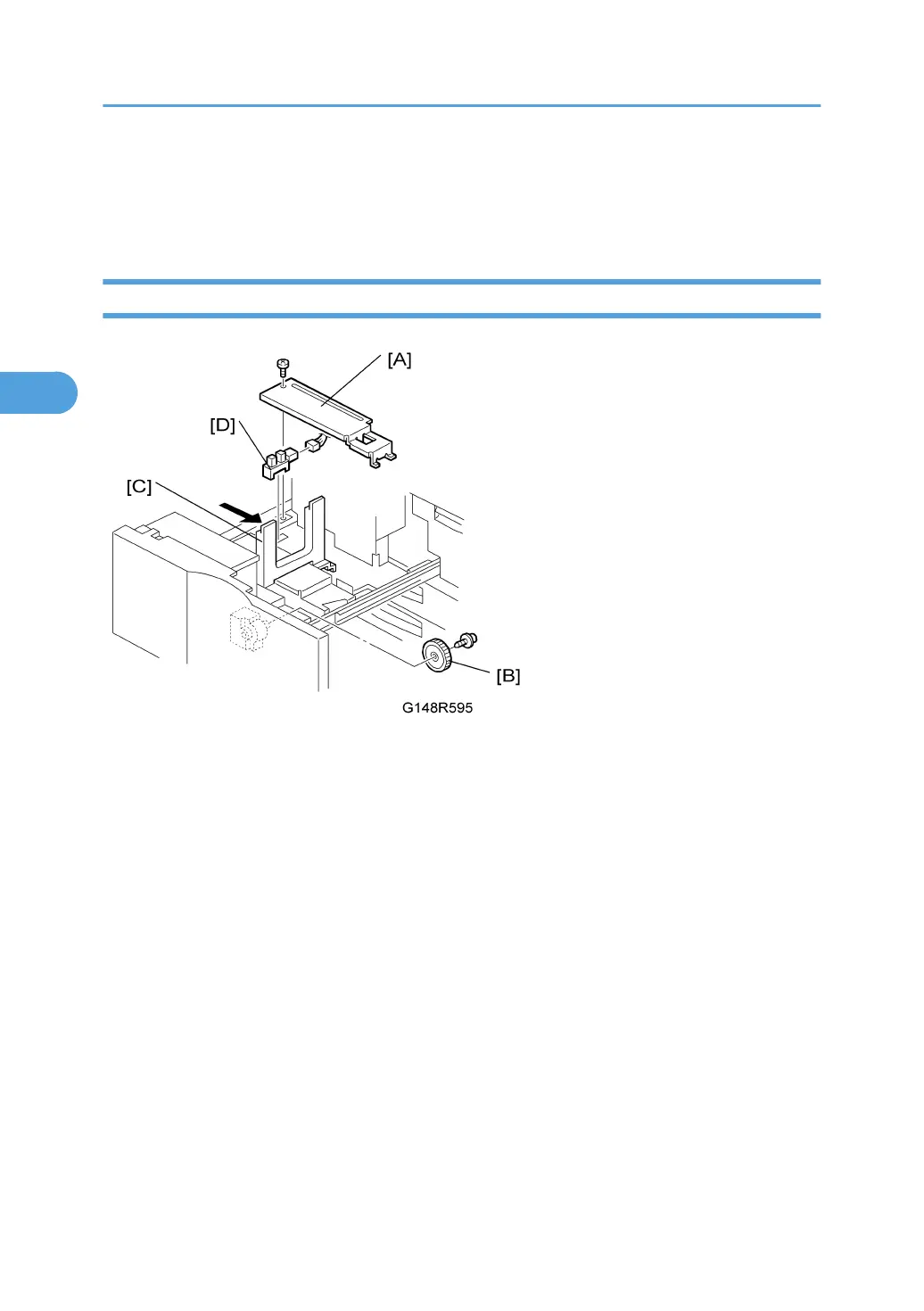
Rear Fence HP Sensor Replacement
1. Turn off the machine.
2. Pull out the tandem feed tray.
3. Rear bottom plate [A] ( x 1).
4. Back fence transport gear [B] ( x 1)
5. Move the back fence [C] to the right.
6. Rear HP sensor [D] ( x 1)
3. Replacement and Adjustment
208



 To Next Page