• Do not remove this label and make sure it is flat against the side of the LD unit.
3. Perform the printer adjustments. See "Print Image Adjustment"
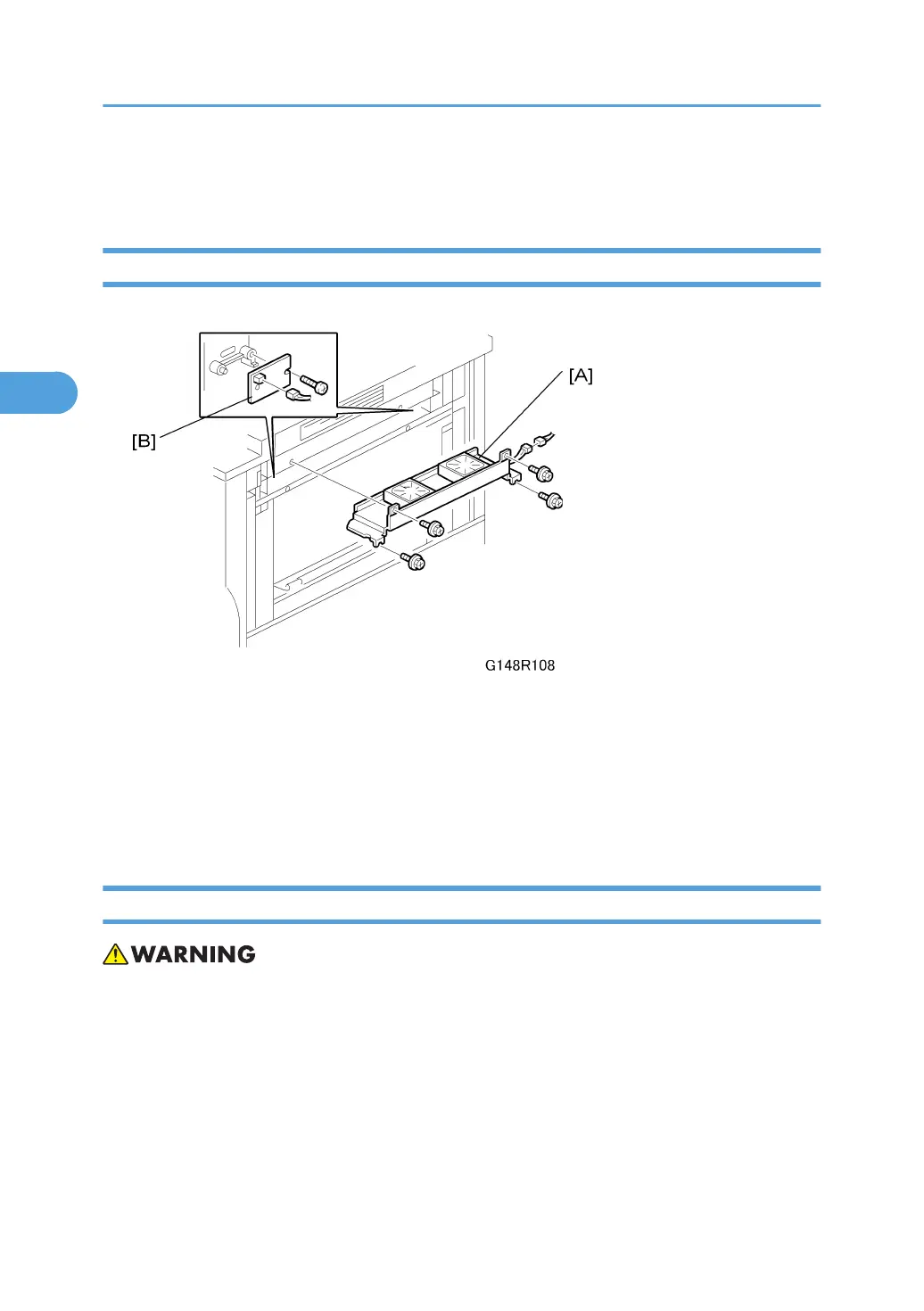
Laser Synchronization Detector Replacement
Remove the right side cover ( x 2)
1. If the optional LCT is installed, disconnect it ( x 1).
2. Development unit fans [A] ( x 4, x 1)
3. Synchronization detector [B] ( x 1, x 1)
4. After replacement, set SP1002-001~007 (Side-to-Side Registration) to the defaults.
Laser Unit Alignment
• If you have just disassembled the LD unit, to avoid serious damage to the eyes from accidental ex-
posure to laser beams you must confirm that the machine has been re-assembled completely before
operation.
This adjustment corrects the parallelogram pattern to the desired rectangular pattern for printing.
1. Execute SP2902-003 (Test Pattern – Printing Test Pattern) 018 to print the A4 LEF pattern.
Check the printed patterns and estimate the angle of adjustment required.
2. Remove the top cover. See "Top Cover"
3. Replacement and Adjustment
142



 To Next Page