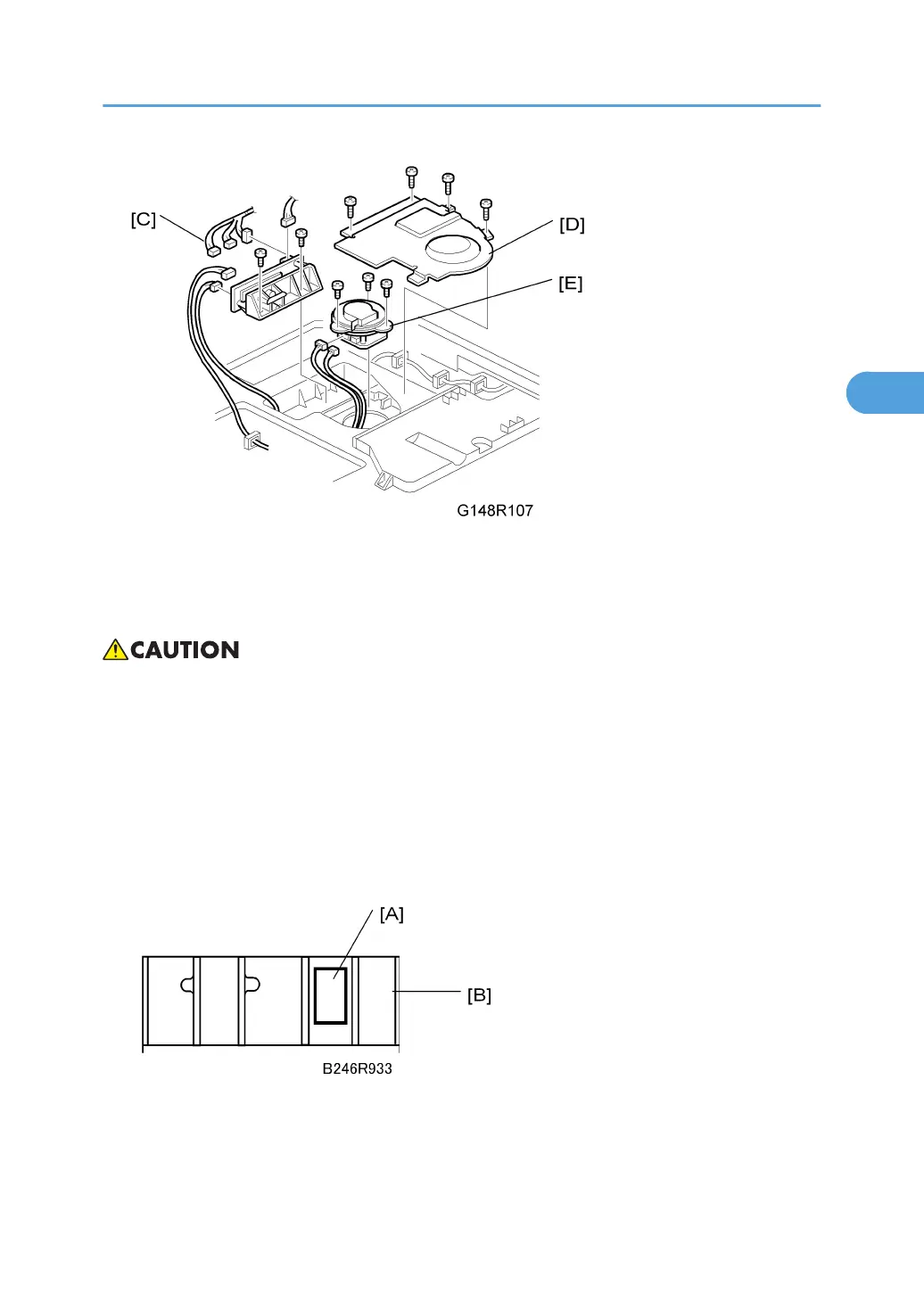
1. LDB unit [C] ( x 2, x 6)
2. Polygon motor cover [D] ( x 4)
3. Polygon motor [E] ( x 3, x 2)
• Before fastening the polygon motor in place ( x 3, x 2), make sure that the glass panel of the
laser port is facing to the right (toward the mirrors in the optical path).
SP Adjustments
1. Execute SP2962 (Automatic Adjustment of Drum Conditions) after replacing the LD unit, but
only if SP3901 – Auto Process Control – is on.
2. Read the label [A] attached to the LD unit [B]. Execute SP2115 (Main Scan Beam Pitch Ad-
justment) and enter the numbers printed on the label.
• The first line on the label is the machine number.
• The second line on the label includes three numbers separated by slashes. Reading from left to
right, these are the correct settings for SP2115 (Main Scan Beam Pitch Adjustment) 001, 002,
and 003.
Laser Unit
141



 To Next Page