Transfer Belt Unit
Transfer Belt Unit Removal
• Before you begin, spread a mat or some clean paper on the floor where you intend to set the transfer
belt unit.
Remove:
• OPC drum unit. See "OPC Drum Removal"
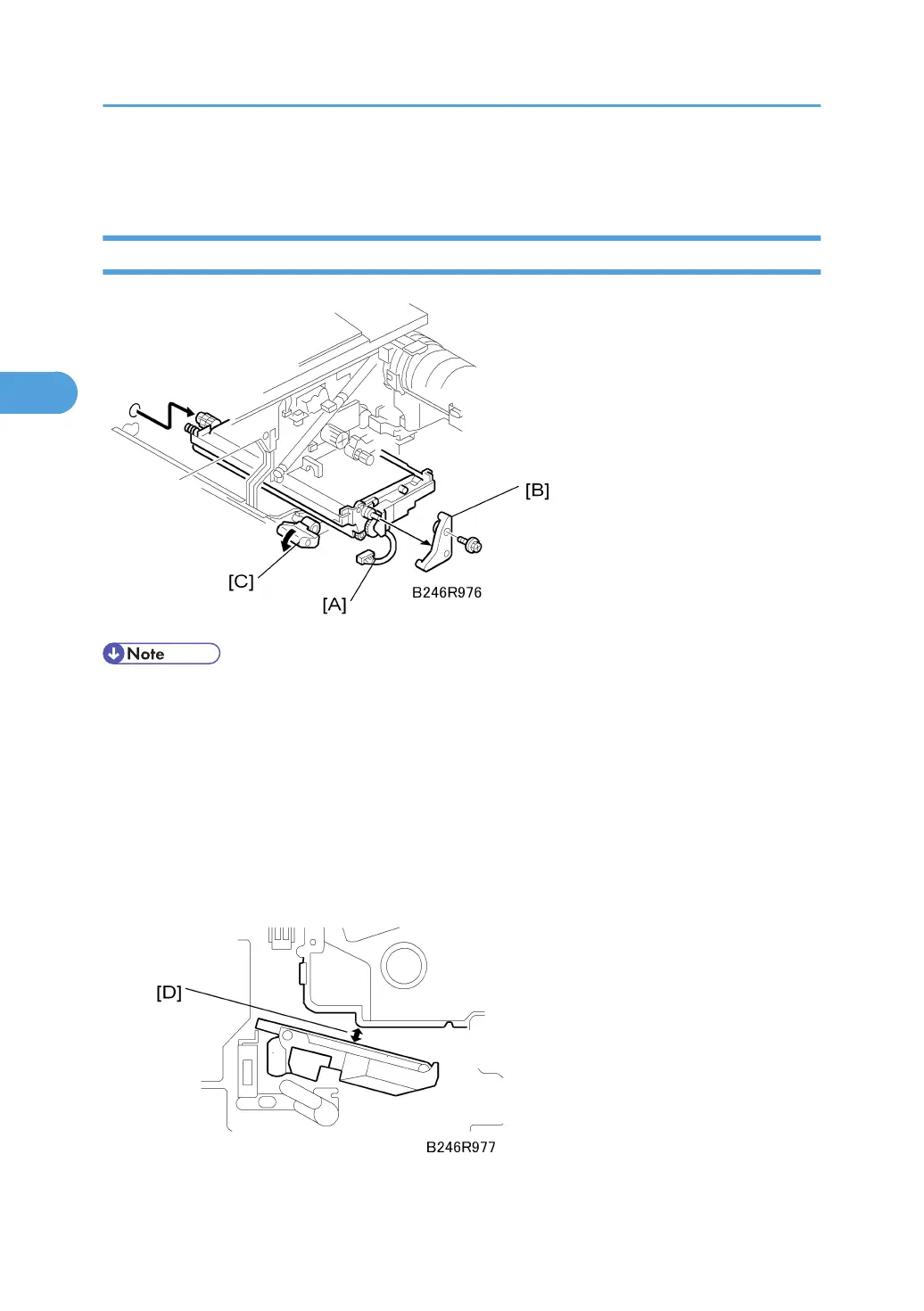
1. Disconnect the transfer belt unit [A] ( x 1).
2. Remove the transfer belt unit stay [B] ( x 1).
3. While supporting the transfer belt unit with your hand, turn the release lever [C] counter-
clockwise to release it, then pull the transfer belt unit out of the machine.
3. Replacement and Adjustment
172



 To Next Page