Call Light Installation Procedure
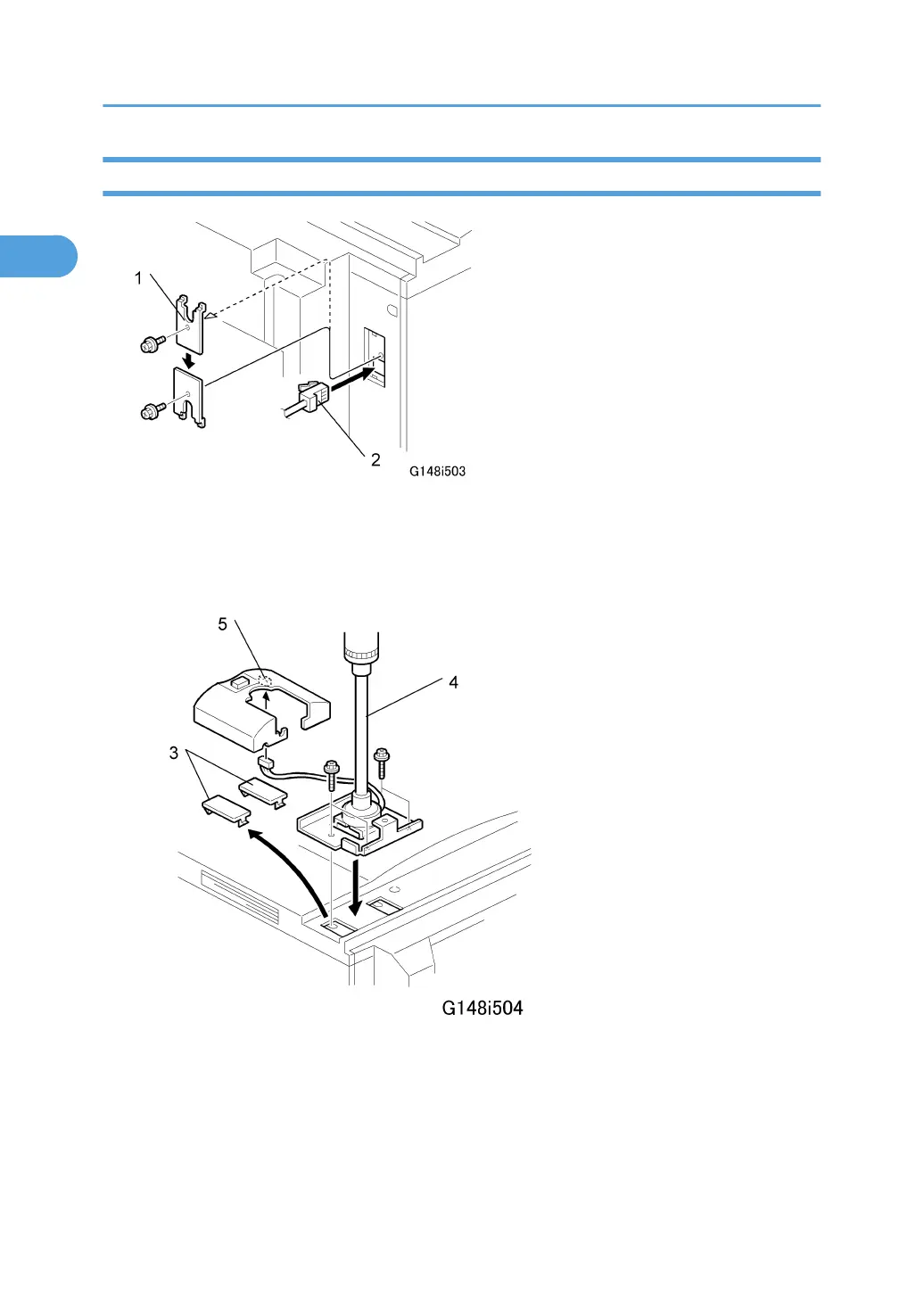
1. Remove the rear upper right cover [1] (x1).
2. Connect one end of the harness cable to the machine port [2].
3. Reattach the upper right cover [1] so that the cut-out is facing down as shown.
4. Remove the caps [3].
5. Attach the LED stand [4] ( x4).
6. Connect the harness of the call light to the LED stand cover [5] connector CN592.
1. Installation
44



 To Next Page