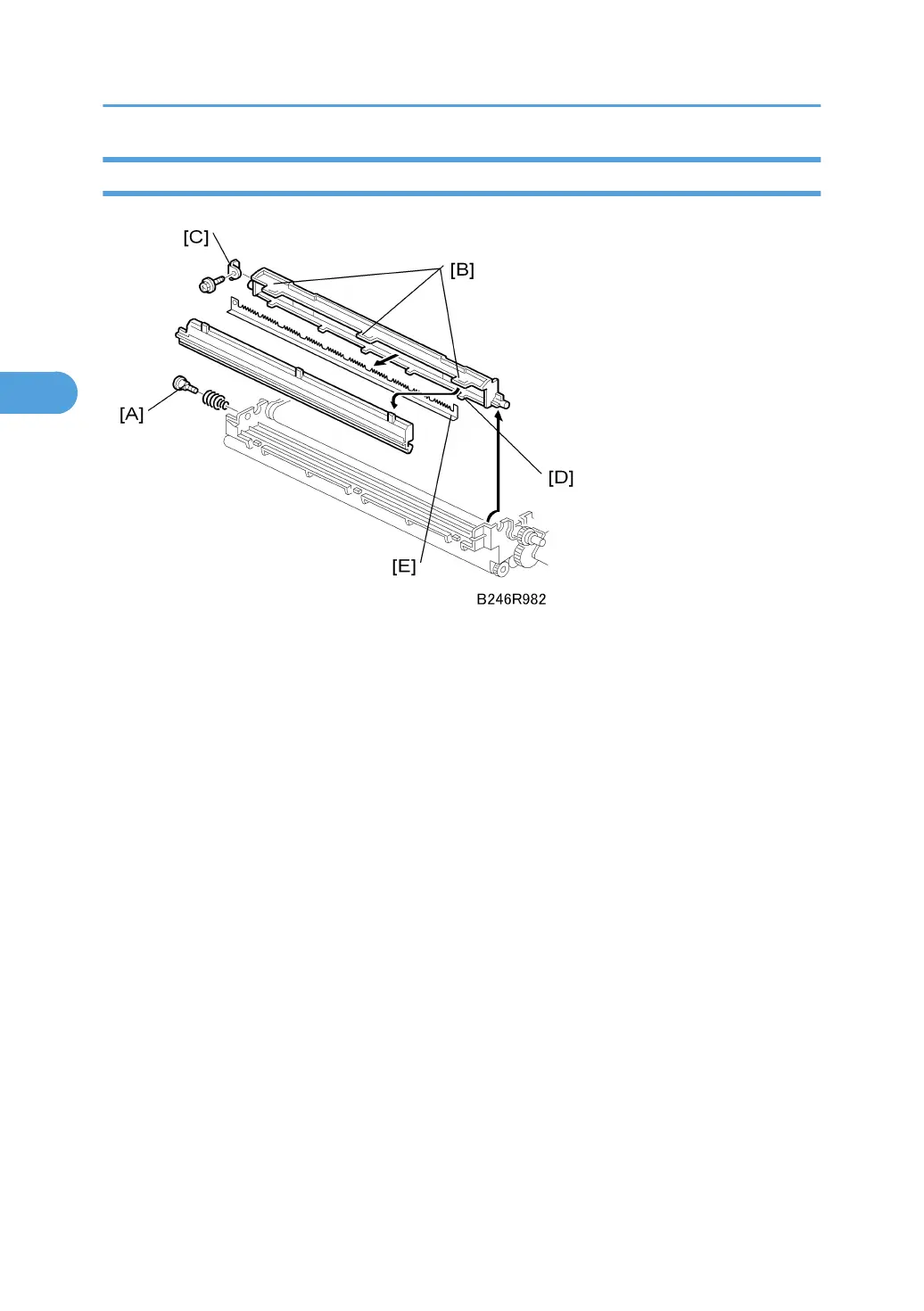
Discharge Plate
1. Remove the transfer belt unit. See "Transfer Belt Unit Removal"
2. Remove the shoulder screw and spring [A].
3. Rotate the discharge unit up, then lift it straight up to remove it.
4. Disconnect the three large tabs [B].
5. Remove the bracket [C] ( x 1).
6. Disconnect the 6 small seal case tabs [D].
7. Remove the discharge plate [E].
Reinstallation
1. Set the discharge plate and make sure that it is perfectly flat before re-connecting the tabs.
2. Before re-attaching the bracket [C], make sure that all the tabs are connected.
3. Replacement and Adjustment
176



 To Next Page