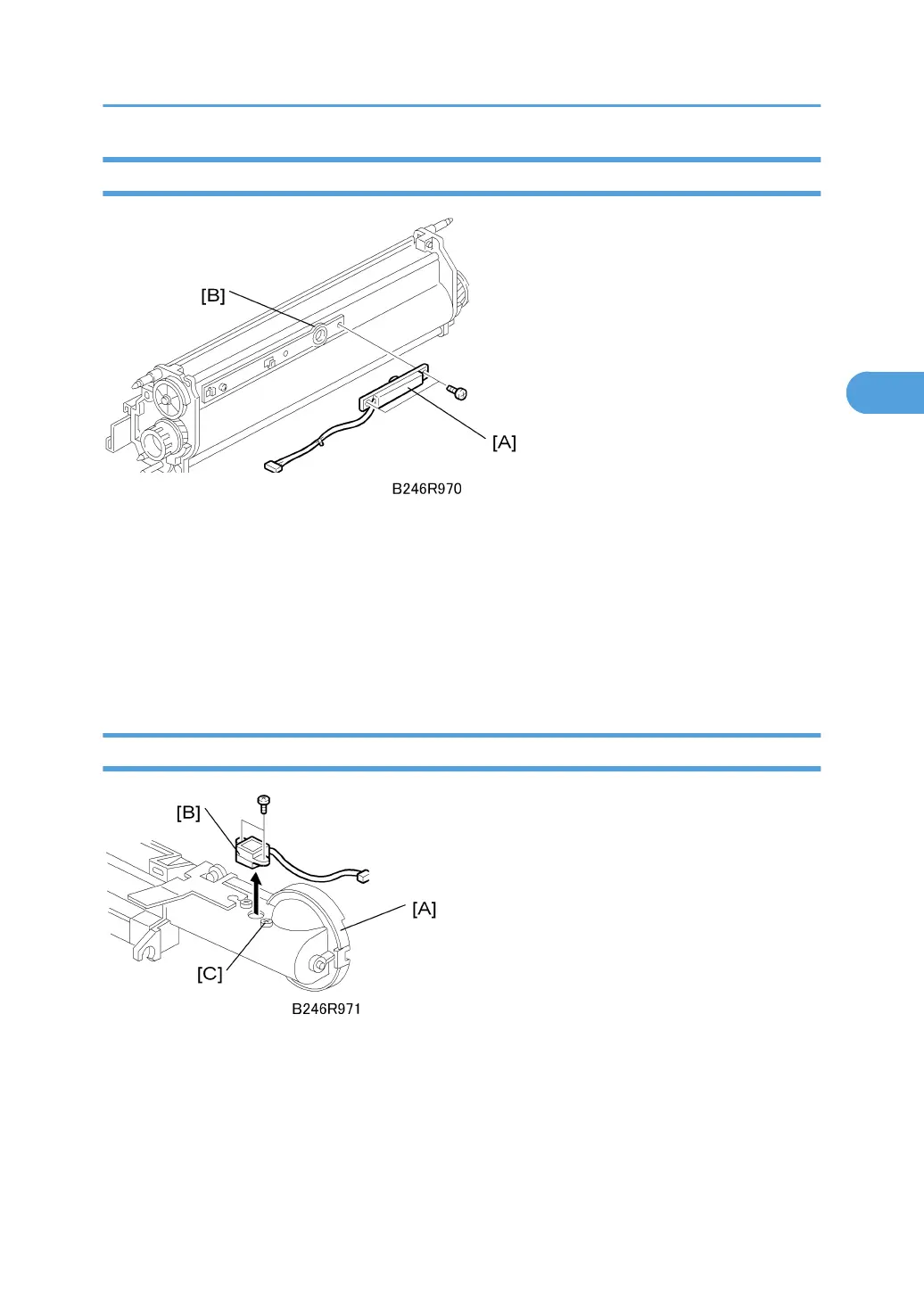
TD Sensor
Remove:
• Development unit. See "Development Unit Removal"
1. TD sensor ( x 1) [A]
2. Before installing a new TD sensor, clean the TD sensor port [B].
3. After replacing the TD sensor, do SP2801 TD Sensor Initial Setting and SP2962 Auto Process
Control (only if SP3901 – Auto Process Control – is on).
Toner End Sensor
Remove:
• Development unit. See "Development Unit Removal"
1. Toner hopper [A] ( x 2)
2. Toner end sensor [B] ( x 2)
• Remove the screws carefully to avoid stripping the holes.
Development Unit
167



 To Next Page