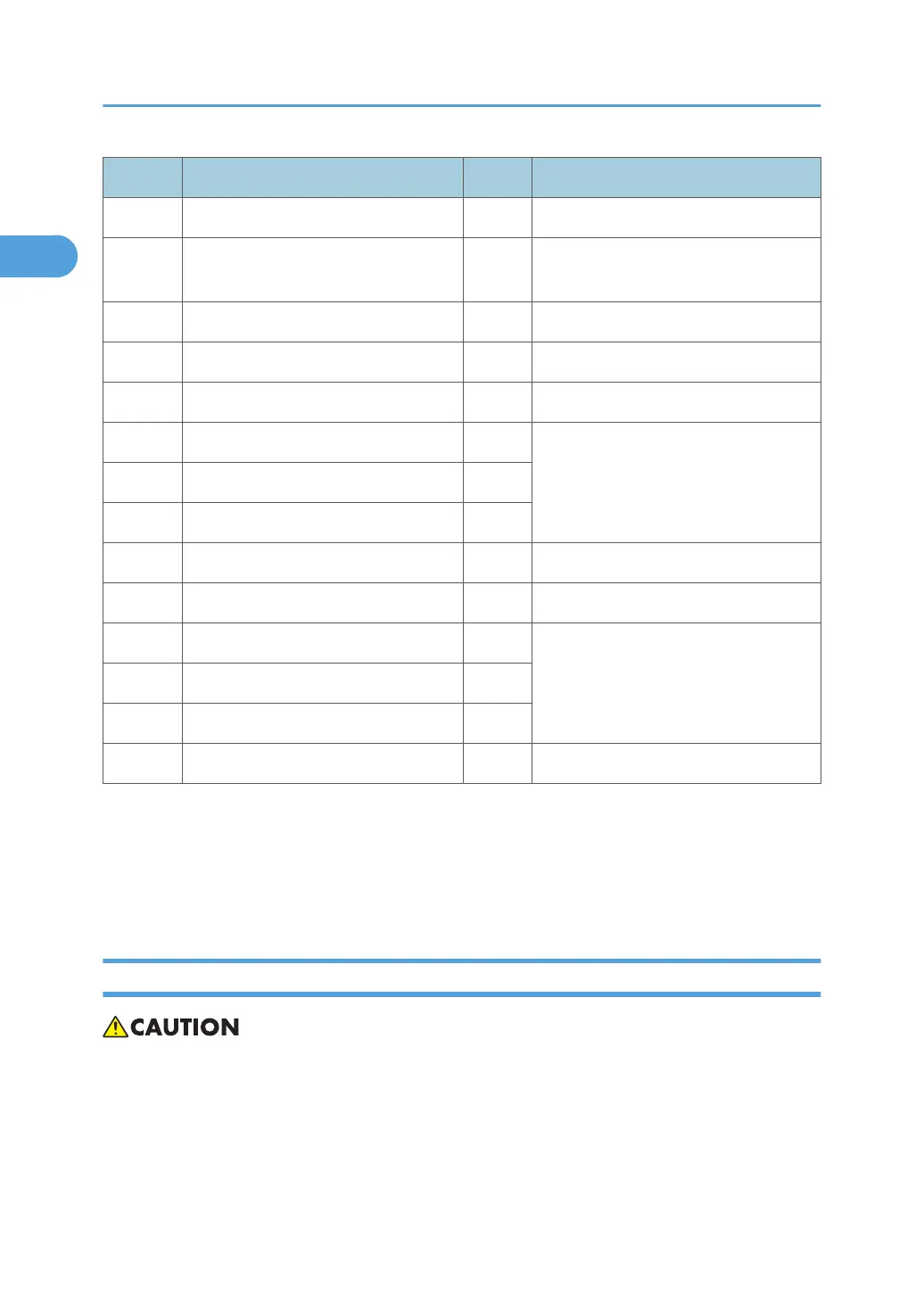
No. Name Class Comment
B706 3000-Sheet Finisher SR842 1
B531 Punch Unit Type 1075 NA 3/2, EU
2/4
2 For B706. 3 types (NA 3/2, EU 2/4)
A812 Punch Unit Type 850 SC 2 For B706. For Scandinavia.
B513 Output Jogger Unit Type 1075 2 For B706.
B700 2000-Sheet Finisher SR4000 1
B702 Punch Unit Type 3260 NA 2/3 2 For B700.
B702 Punch Unit Type 3260 EU 2/4 2
B702 Punch Unit Type 3260 SC 2
B703 Output Jogger Unit Type 3260 2 For B700.
G819 USB Host Interface Unit Type 7300 3 Installed on controller board.
G813 IEEE 802.11b Interface Unit Type H 3 Boards. Installed on controller board.
B874 Gigabit Ethernet Board Type A 3
B679 IEEE1284 Interface Board Type A 3
G874 Data Overwrite Security Unit Type G 3 SD card installed on controller board
Note:
• Class 1: Peripheral units connected directly to the mainframe
• Class 2: Components installed on or in peripheral units (punches, etc.)
• Class 3: MFP controller options (SD cards, boards)
Power Requirements
• Make sure that the wall outlet is near the main machine and is easily accessible.
• Make sure the plug is firmly inserted in the outlet.
• Avoid multi-wiring.
• Confirm that the machine is grounded.
• Never set anything on the power cord.
1. Installation
26



 To Next Page