• Clean the blade edge carefully with only a soft, clean cloth.
• Handle the blade carefully to avoid nicking its edge.
• New blades are treated with special setting powder, so avoid touching the edge of a new
cleaning blade. If the edge of a new blade is accidentally wiped clean, dust it lightly with some
toner before installing it.
• Before installing a new blade, make sure that the blade side seals are not pinched by the blade.
Cleaning Brush
Remove:
• OPC drum. See "OPC Drum Removal"
• Drum cleaning blade . See "Cleaning Blade"
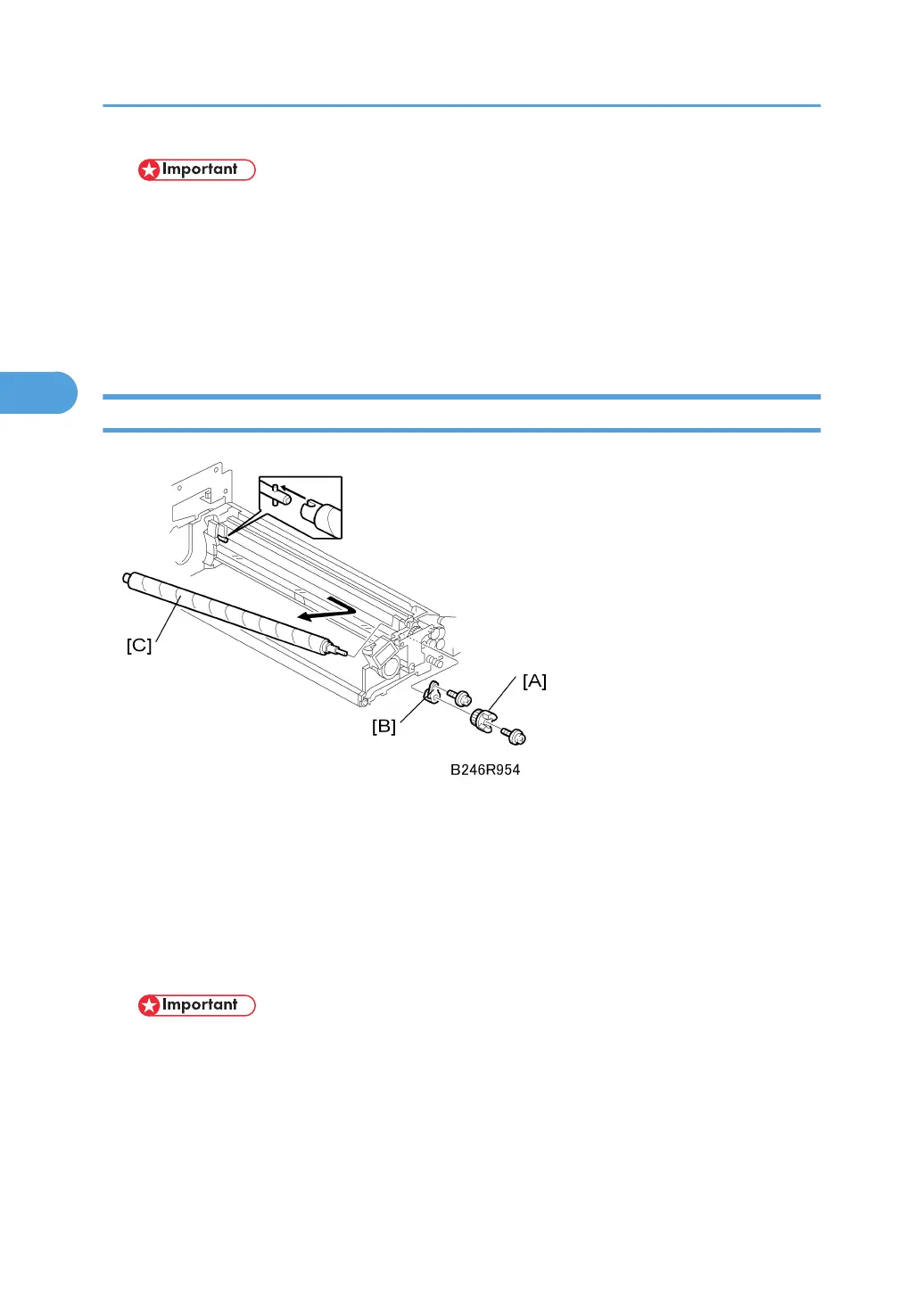
1. Coupling [A] ( x 1)
2. Inner bushing [B] ( x 1)
3. Cleaning brush [C]
• Pull the shaft toward the rear to disengage the front of the shaft, then pull out.
• After replacing the cleaning brush, clean the ID sensor to make sure that it is clean and free of
toner.
• Avoid touching the cleaning brush with bare hands.
• Check the entrance seals and confirm that they are not bent.
3. Replacement and Adjustment
156



 To Next Page