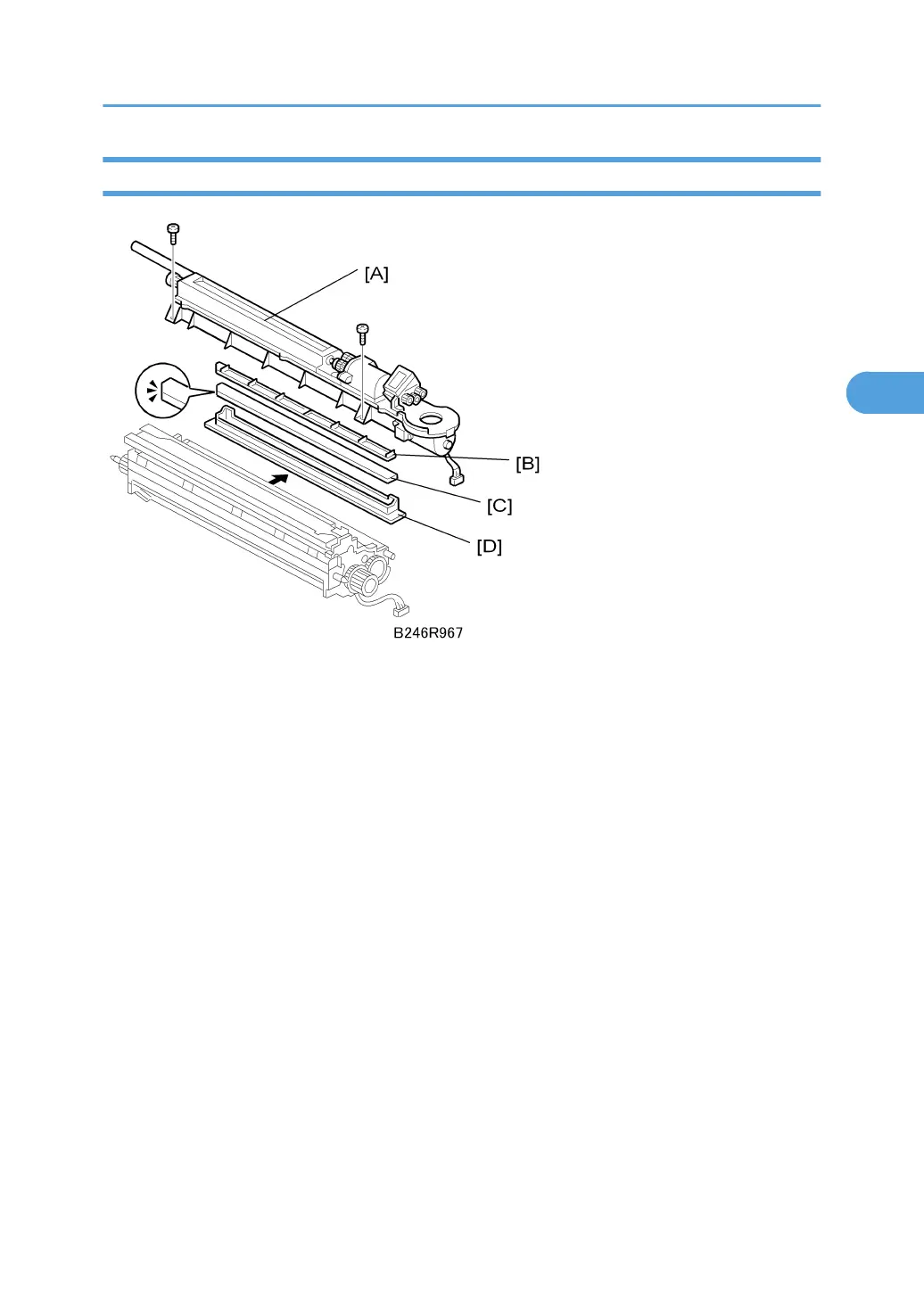
Development Filter
Remove:
• Development unit. See "Development Unit Removal"
1. Toner hopper [A]
2. Filter bracket top [B]
3. Filter bracket [C]
4. Development filter [D]
• Make sure that the rails where the development filter bracket [C] connects to the development
unit are clean and free of toner. If there is any toner in the rails, wipe them clean.
• When installing a new filter, set the filter inside the filter case then place the case on top of the
filter bracket [C]. The filter case closes any gaps at the edges of the filter to prevent toner scatter.
Development Unit
165



 To Next Page