4. Turn the knob [C] through several complete rotations to empty all the developer in the de-
velopment unit.
5. Clean the development sleeve and its side seals.
6. Turn the unit over and set it on another sheet of clean paper.
7. Clean the development roller shaft with a clean cloth and blower brush.
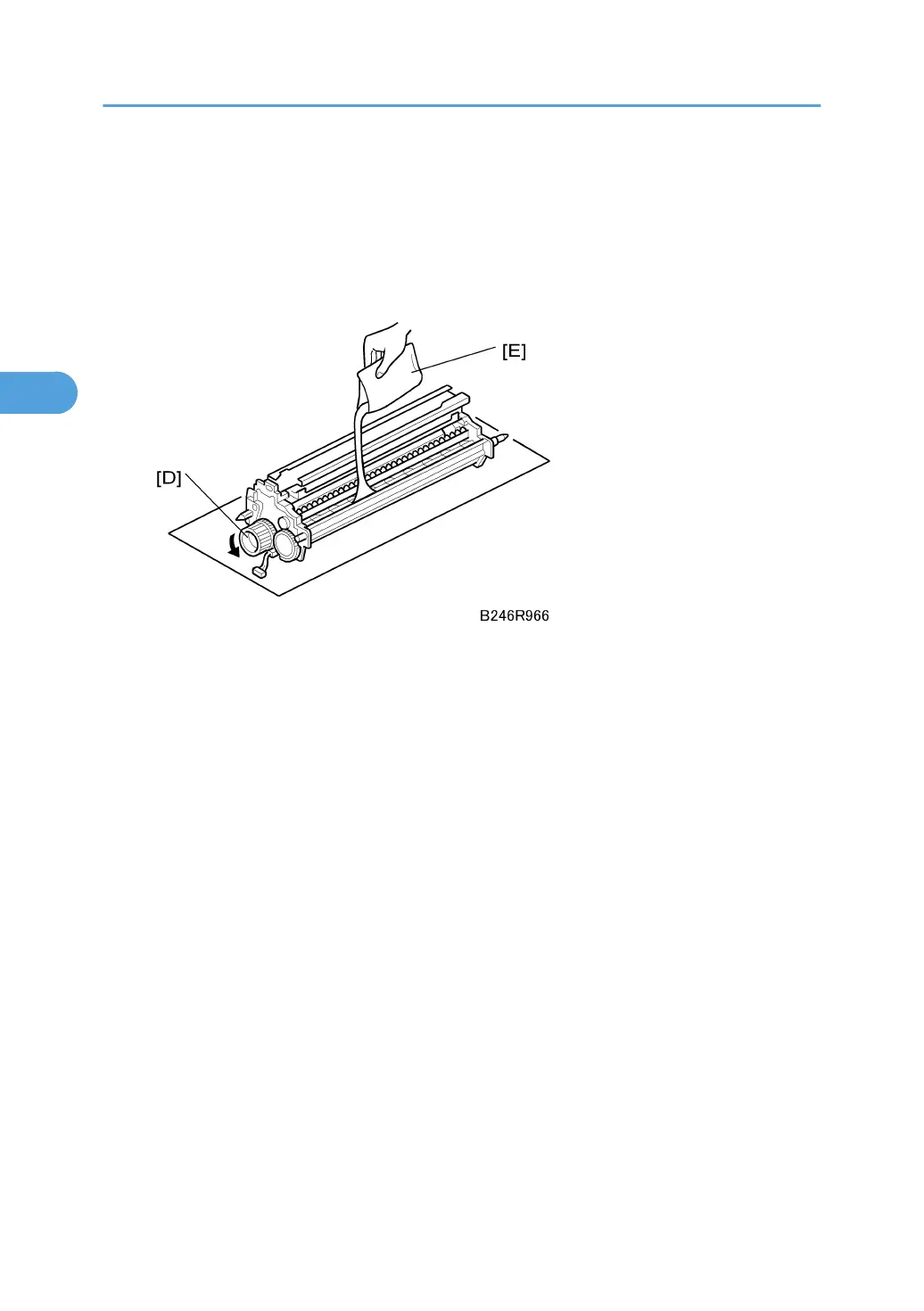
8. While turning the knob [D] slowly, pour in one pack of developer [E] from one end of the
development unit to the other.
9. Make sure that the developer is evenly distributed.
10. Continue to turn the knob several times to prevent clumping in the developer.
Reinstallation
1. Hold the hopper perfectly level when re-attaching it, to prevent toner from entering the rails
of the development filter.
2. Open the front door.
3. Turn the power switch on.
4. Go into the SP mode, then close the front door.
5. Do SP2801 (TD Sensor Initial Setting) to initialize the TD sensor.
3. Replacement and Adjustment
164



 To Next Page