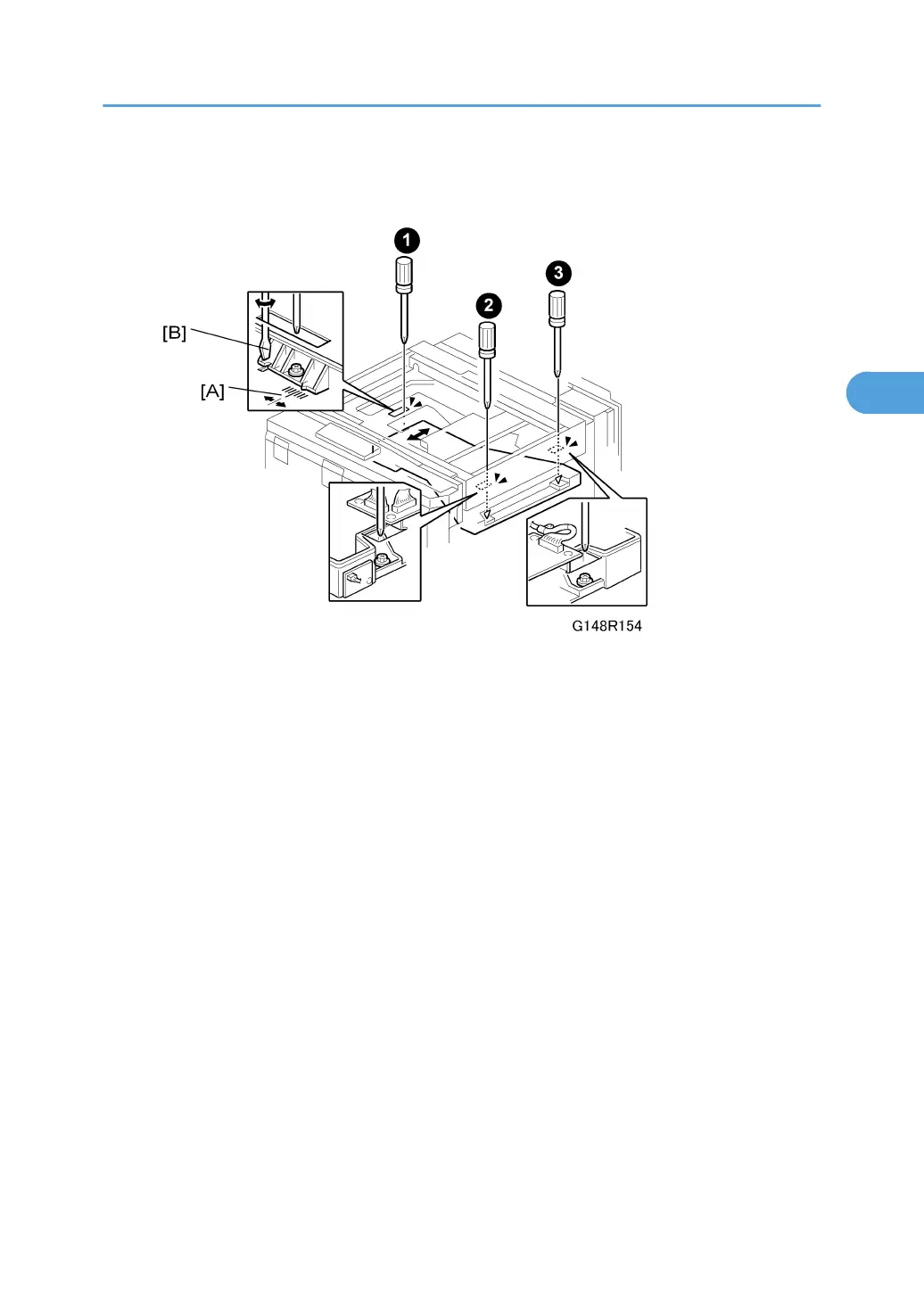
3. Remove the LD unit cover and polygon motor cover. See "LD Unit and Polygon Motor".
4. Remove the right cover
5. Loosen the screws of the laser exposure unit ¶, ·, ¸ ( x 3).
6. While watching the scale [A], use a flathead screwdriver [B] to move the laser exposure
unit left or right to adjust the position of the unit.
Laser Unit
143



 To Next Page