• Set SP2001-001 (Charge Roller Bias Adjustment – Applied Voltage for Image Processing) to
the default setting.
• SP2962 (Adjustment of Drum Conditions), only if SP3901 (Auto Process Control) is on.
• To avoid fingerprints on the surface of the OPC drum, never touch the surface of the drum
with bare fingers.
• Never use alcohol to clean the surface of the OPC drum. Blow dry the OPC drum, then
wipe clean with a clean, slightly damp cloth.
Dusting the Drum Surface
• The surface of a new drum is less smooth, so you must apply Drum Setting Powder (P/N: 54429101)
to the drum surface before installation.
• Failure to apply the drum powder before installation could damage the drum cleaning blade or scour
the drum surface.
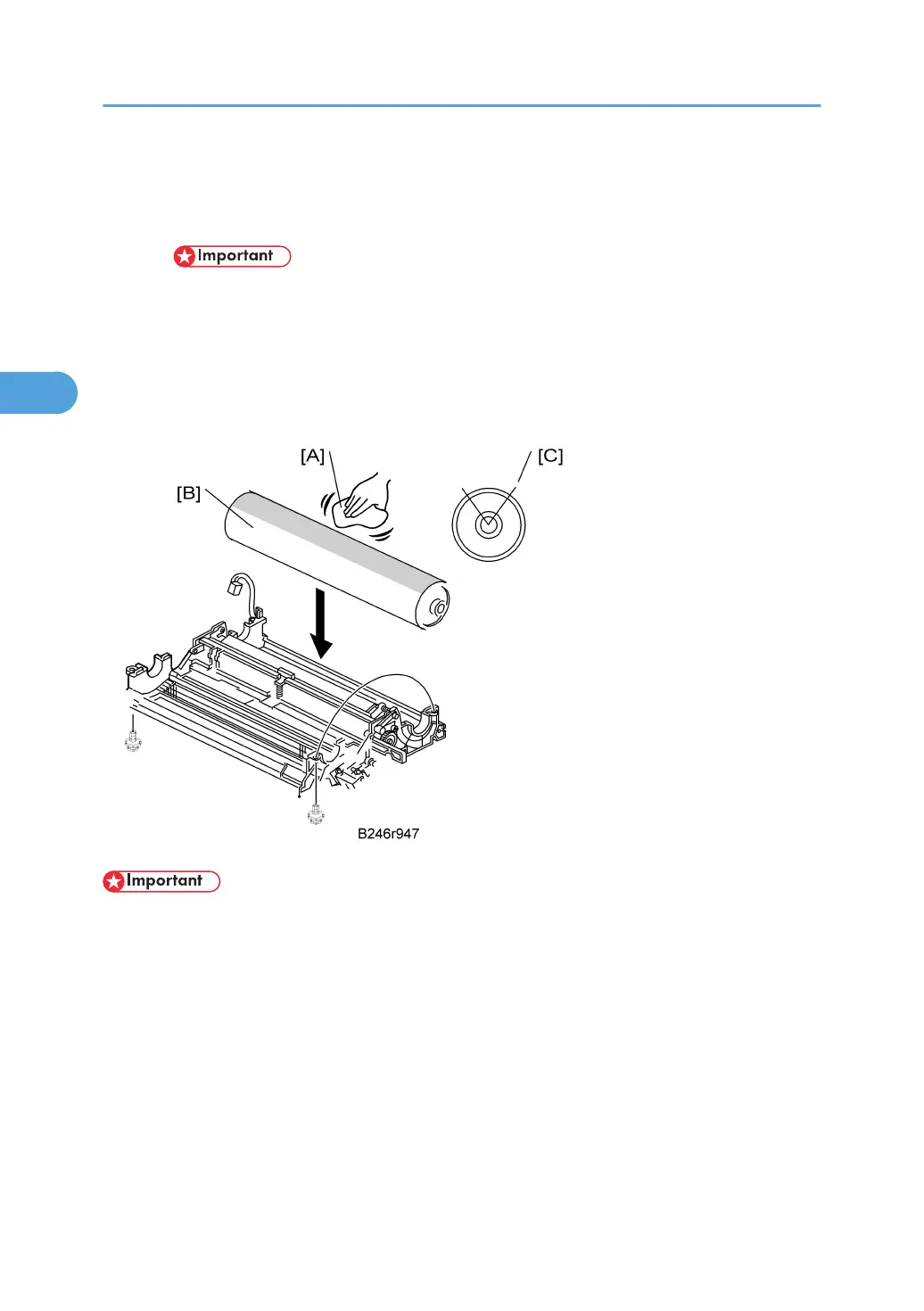
1. Apply the setting powder by tapping the powder bag [A] across the surface of the drum
[B].
2. Cover the entire length of the drum over a 45-90 degree portion [C] (about 1/4 of the total
drum surface). Apply enough powder so the area turns white.
3. Replacement and Adjustment
152



 To Next Page