010 Latest 9
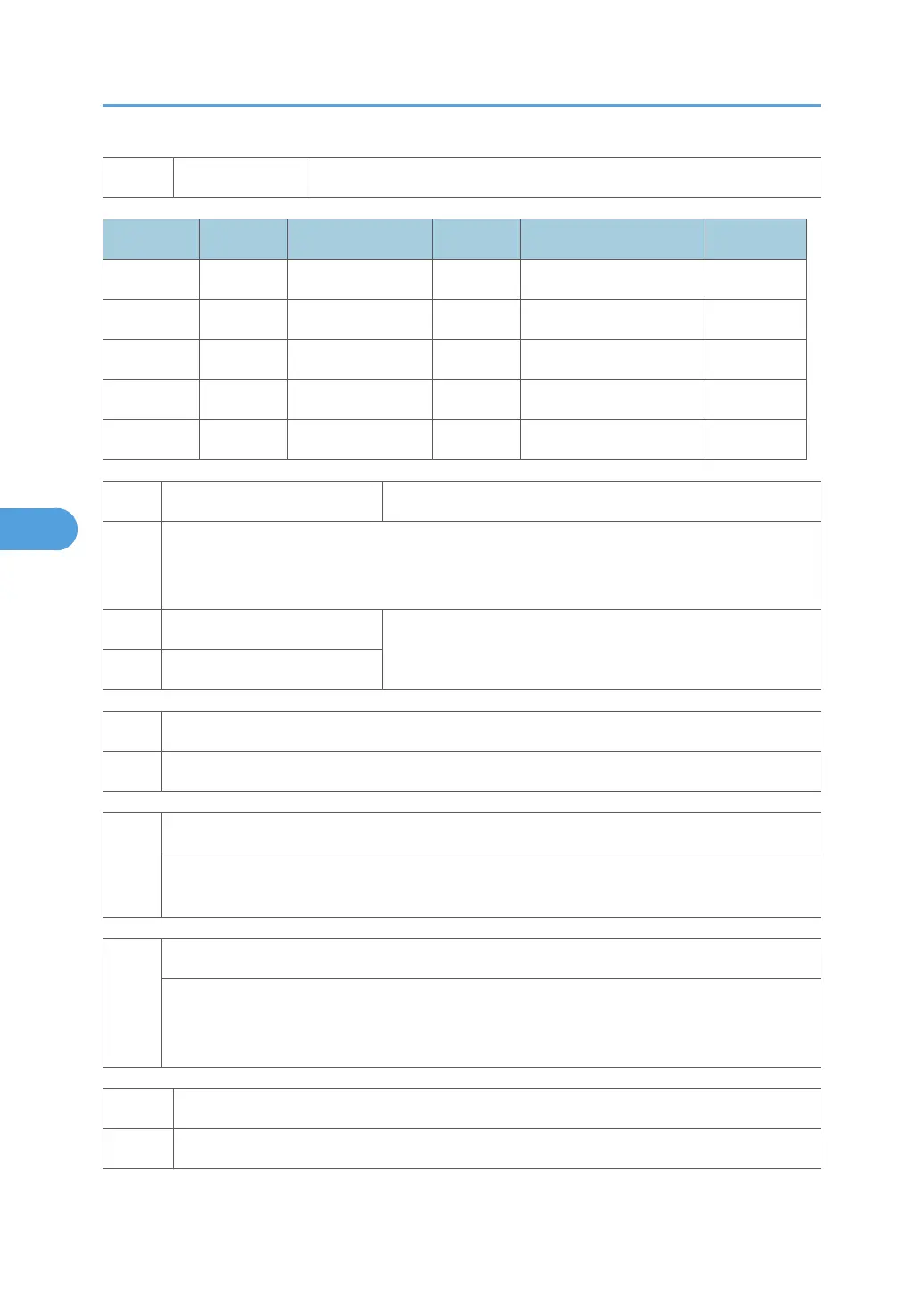
Size Code Size Code Size Code
A4 (S) 05 A3 (L) 84 DLT (L) A0
A5 (S) 06 A4 (L) 85 LG (L) A4
B5 (S) 0E A5 (L) 86 LT (L) A6
LT (S) 26 B4 (L) 8D HLT (L) AC
HLT (S) 2C B5 (L) 8E Others FF
7803 [PM Counter Displ] Displays the PM counter since the last PM.
Displays the PM counter since the last PM and resets the counter for PCU replacement to zero.
When the count exceeds the setting for SP5501-03, the PCU count warning for replacement is
displayed.
001 Paper
This count is for the number of pages that exit the machine.
Range: 0~9 999 999
002 PCU
7804 [PM Counter Reset]
Resets the PM counter. To reset, push [#Enter].
7807
[SC/Jam Clear]
Resets the SC and jam counters. To reset, push [#Enter].This SP does not reset the jam history
counters: SP7-507.
7832
[Diag. Result] Self-Display Diagnostic Test Result
This SP displays the results of the self-diagnostic test executed at start up, or executed manually
by switching the machine off, holding down [Online] and [#Enter], and then switching the
machine on.
7834 [P Coverage] Clear Pixel Coverage Data
These SPs clear the counters for the following items.
5. Service Tables
388



 To Next Page