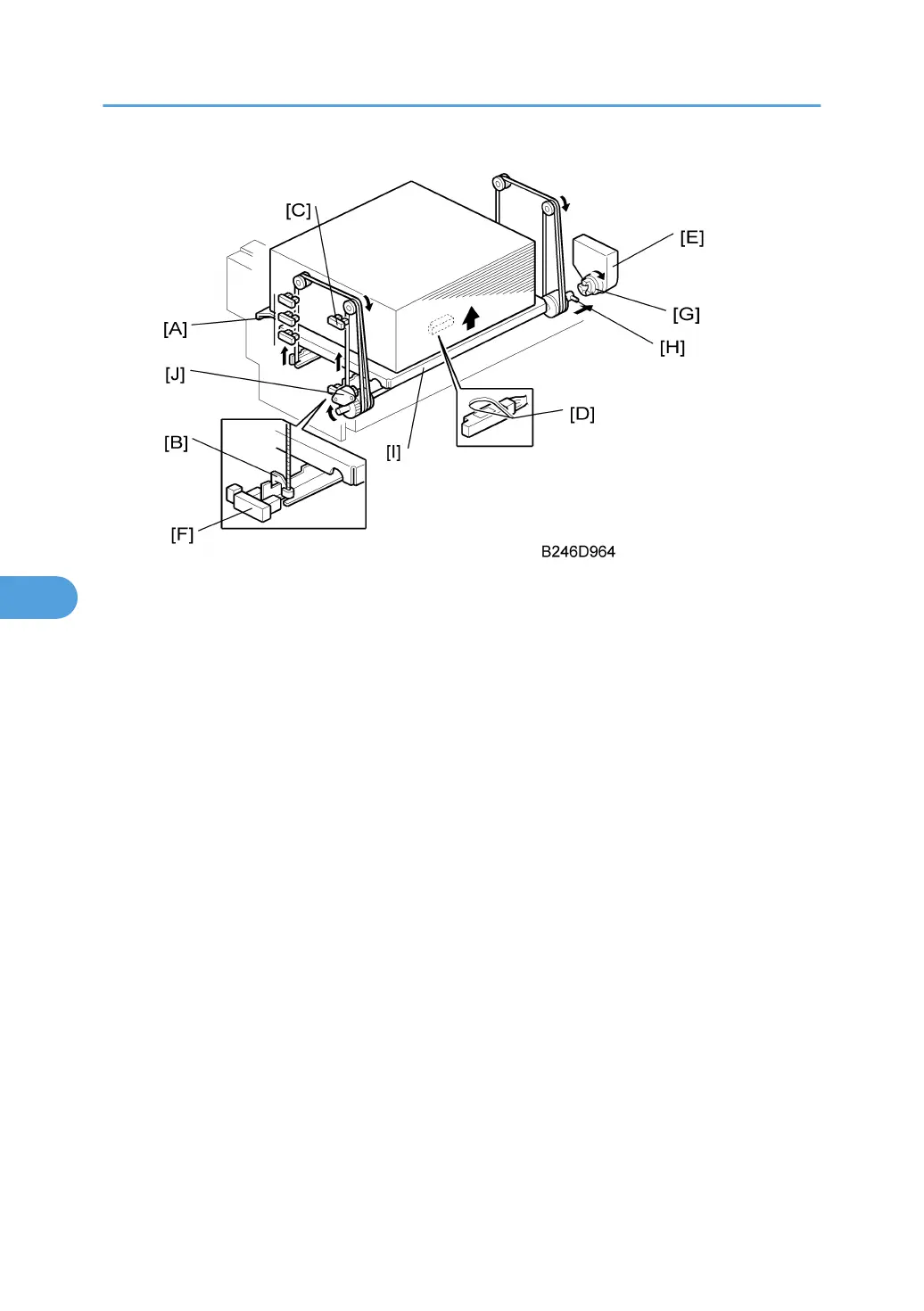
Paper remaining: The amount of paper remaining in the tray is detected by which combination of the three
paper height sensors [A] are actuated by the actuator on the left rail as the bottom plate rises.
• With the actuator below paper height sensor 1 (the bottom sensor), no sensor is actuated and the
display indicates the tray is full.
• When the actuator passes paper height sensor, the display indicates 50% of the paper supply re-
maining.
• When the actuator passes paper height sensor 2 (the middle sensor), the display indicates 30% of
the paper supply remaining.
• When the actuator passes paper height sensor 3 (the top sensor), the display does not change. This
prevents the signal from returning to the off state, which would indicate 100% of the paper remaining
(the same state as when the sensor is below paper sensor 1.
Paper near-end: Detected when the actuator [B] on the right rail activates the paper near end sensor [C].
When the actuator passes this sensor, the display indicates 10% of the paper supply remaining.
Paper end: After the last sheet feeds, the paper end sensor at the top (by the feed roller) signals paper end.
When paper runs out in the right tray, the stack must be moved across from the left tray. To do that, the tray
must first be lowered. The 1st tray lift motor [E] reverses until actuator [B] activates the right tray down sensor
[F].
When removing the tray manually, if paper is still present, the tray lowers under its own weight as follows:
• Coupling [G] separates from pin [H] > Tray bottom plate [I] moves down.
• Damper [J] lets the tray bottom plate drop slowly.
6. Details
494



 To Next Page