When all of the web has been used (after about another 30k copies), the actuator rotates, its feeler actuates
the web end sensor, and SC550 (Fusing Unit Web End) is logged. After replacing the web with a new
one, reset SP1902-001 to 0 to release SC550.
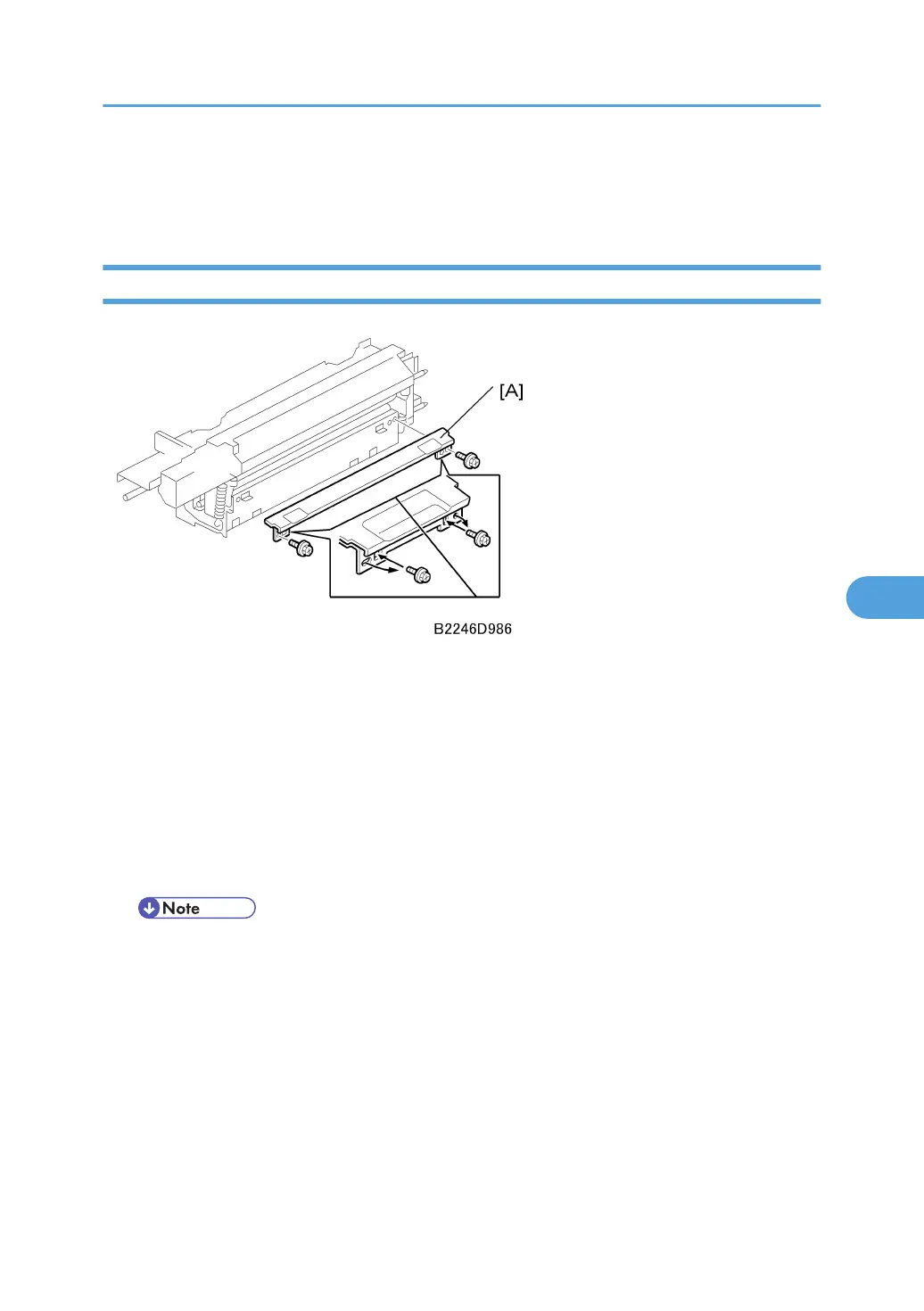
Fusing Unit Entrance Guide
The height of the entrance guide [A] can be adjusted.
• Normal or thick paper. For normal or thick paper, the guide should be up with the screws in the outer
holes (this is the standard or default position). Thick paper does not bend easily and is less likely to
crease. The standard position also allows direct access to the gap between the hot roller and pressure
roller. This prevents thick paper from buckling against the hot roller, which can lead to blurring at the
leading edge of the copy.
• Thin paper. If wrinkling occurs with thin paper, adjust the guide down by removing both screws and
moving them to the inner holes. This lengthens the paper path slightly to prevent the paper from
wrinkling in the unit.
• Before shipping, the screws are set in the outer holes.
• If the customer is experiencing problems with paper sizes larger than A4, then use the inner
holes.
Image Fusing and Paper Exit
505



 To Next Page