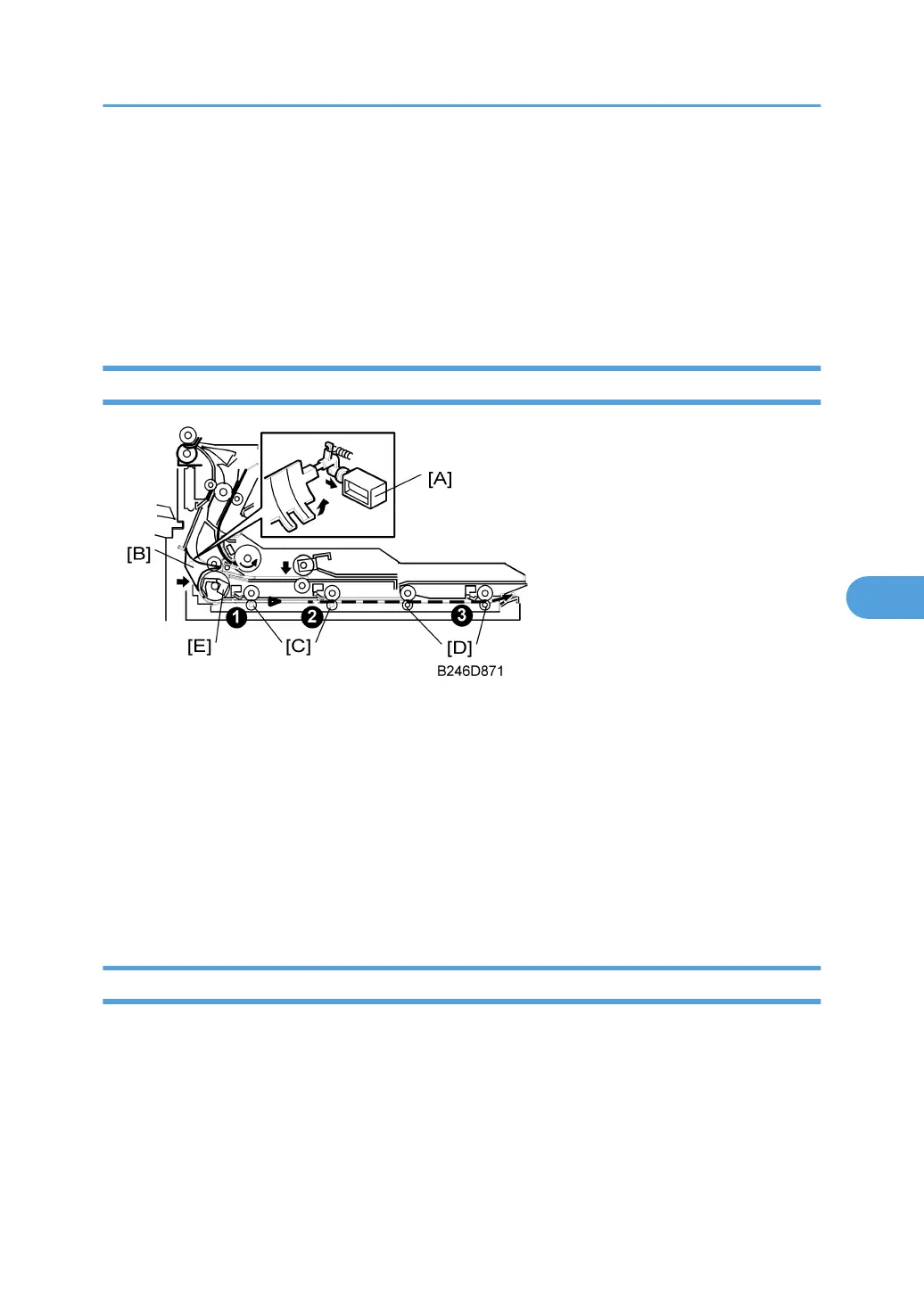
After jogging, each page is fed back as follows:
• Solenoid [A] pushes down roller [B].
• Roller [B] contacts roller [C], catching the paper between the two rollers.
• Roller [C] always turns counter-clockwise, and feeds the paper [D] backwards to roller [E].
When the leading edge of the paper, now caught by roller [E], passes duplex inverter sensor [F], solenoid
[A] switches off and roller [B] returns to its home position.
Duplex Tray Feed
After inversion:
• If duplex mode is not selected, the duplex junction gate solenoid [A] does not switch on to open the
duplex junction gate [B]. The paper goes to the output tray or finisher face down.
• If duplex mode is selected, after the paper leaves the inverter, the solenoid [A] switches on and opens
the junction gate [B]. The paper goes down to the duplex tray.
For details about how the transport rollers [C] and [D] and the inverter sensor [E] operate to control duplex
feed, refer to the sections above.
Duplex transport sensors ¶, ·, ¸ detect jams in the paper path.
Duplex Interleave Feed
The number of sheets that can be processed at a time depends on the size of the paper.
The table below shows the order of page processing for a 14-page job. Odd numbers are the front sides
of the pages, even numbers are the back sides. A number in a black circle means printing on the second
side of a sheet of paper (black 1 means printing on side 2 of sheet 1).
Duplex Unit
515



 To Next Page