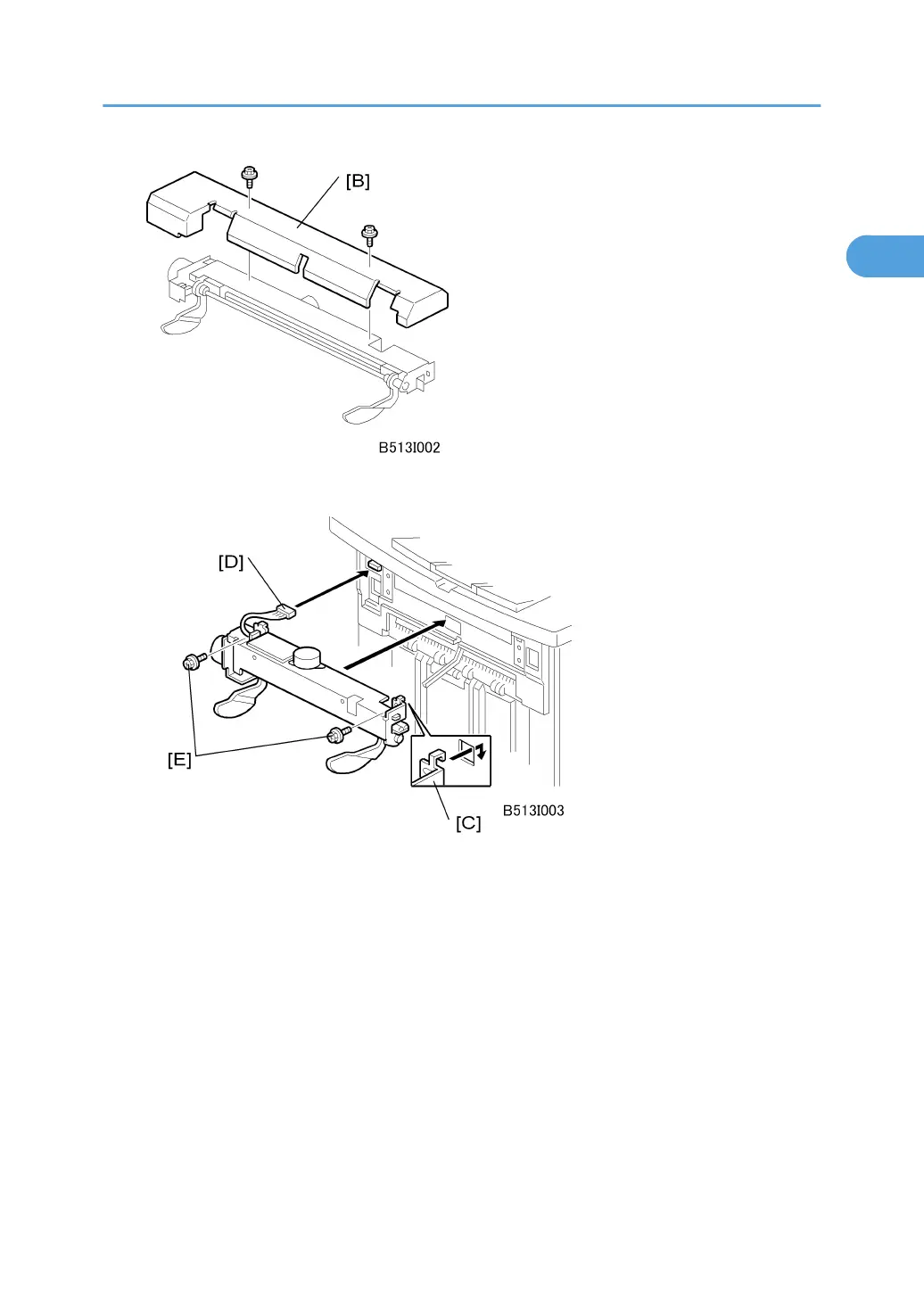
3. Remove the cover plate [B] from the jogger unit ( x 2). Keep the screws.
4. With the jogger unit connector on the left side, hook the frame of the jogger unit [C] into the
holes on the left and right side of the finisher frame.
5. On the left side, fasten the connector [D] to the socket ( x 1).
6. On the left and right side, attach the jogger unit frame to the side of the finisher with the
screws [E] provided ( x 2).
7. Re-attach the jogger unit cover to its frame with the screws removed in Step 2 ( x 2).
Output Jogger Unit (B513)
79



 To Next Page