Chapter 5 Useful Functions
99
5
1
Touch [Idling Action] in the [Func-
tions] tab screen of the master
making basic screen.
When you place an original and press the
[START] key, [Idling Action] is performed during
master making.
Preventing Copying of Confiden-
tial Documents [Confidential]
1
Touch [Confidential] in the [Func-
tions] tab screen.
2
Touch [OK].
The master on the print drum (cylinder) is dis-
carded and a blank master is loaded.
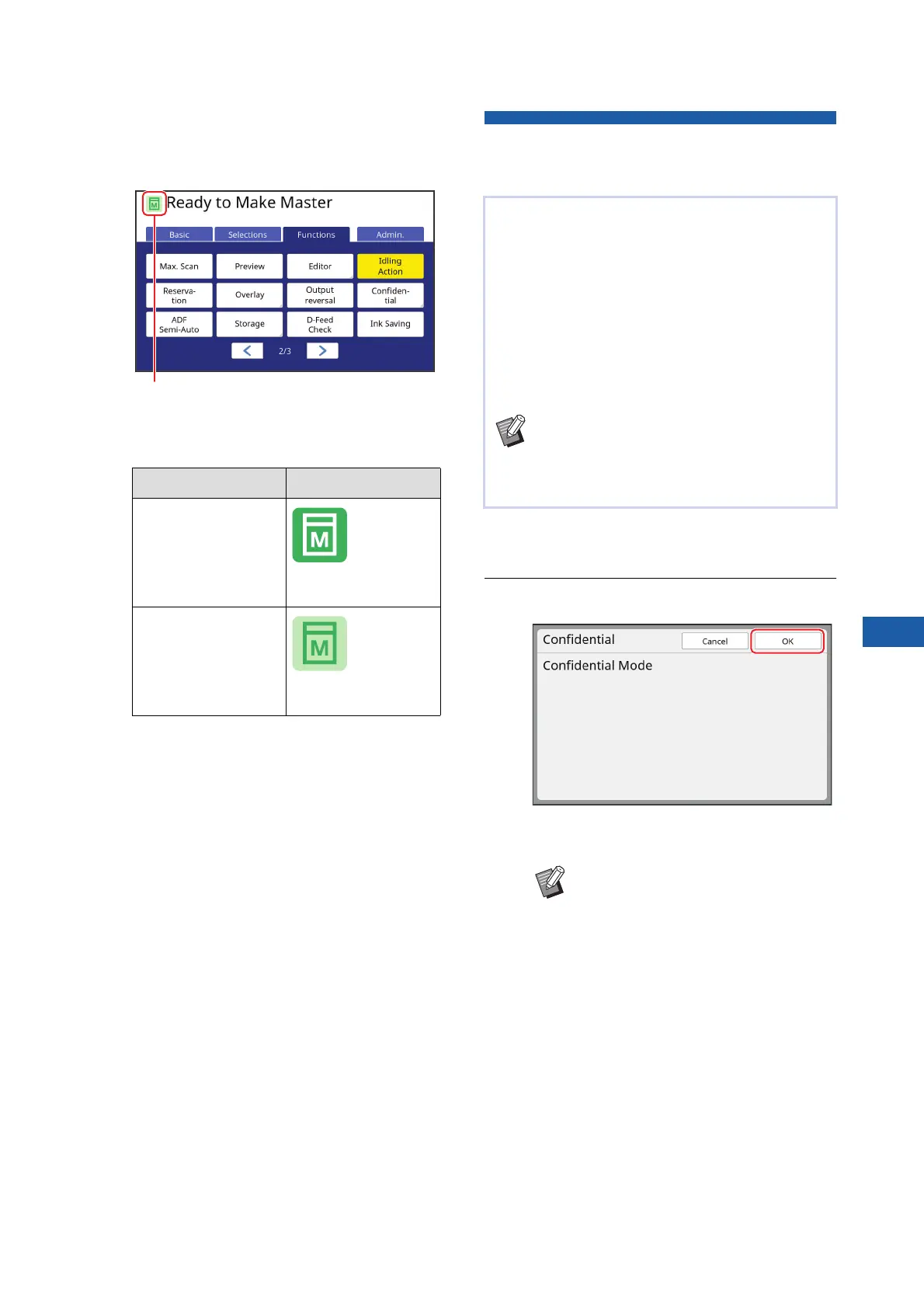
[Idling Action] Icon
OFF
(White icon on green
base)
ON
(Green icon on yel-
low green base)
When [Idling Action] is turned on, the icon that
is displayed in the message area of the master
making basic screen is changed.
After printing, the master that has been made is still
loaded on the print drum (cylinder) in the print ready
status.
When [Confidential] is turned on, the master that
has been made is discarded. Therefore, you can
prevent improper printing of confidential docu-
ments.
As a blank master is loaded on the print drum (cylin-
der), the master also plays the role of a cover to
prevent ink in the print drum (cylinder) from drying
out when printing is not performed for a long time.
BYou can make a setting for the [Confiden-
tial] process, which is recommended after
printing.
(A 135 “Managing the Used Master [Pro-
tect]”)
BThe [Confidential] process erases
the image that is temporarily stored
in this machine. As a result, [Renew
Page] (A 81) cannot be performed
for the print drum (cylinder) on
which [Confidential] is executed.



 To Next Page