Chapter 2 Basic Operations
44
4
Attach the cover.
Return the cover to its original position, and
then turn the thumbscrew clockwise to tighten
it.
Removing the memory card
1
Push in the card until you hear a
click sound.
2
Slowly release your finger.
The card is ejected.
With your fingers, pinch and pull out the card.
Scanning the paper originals
1
Switch to the scan mode.
In the [HOME] screen (A 25), touch [Scan-
ning].
2
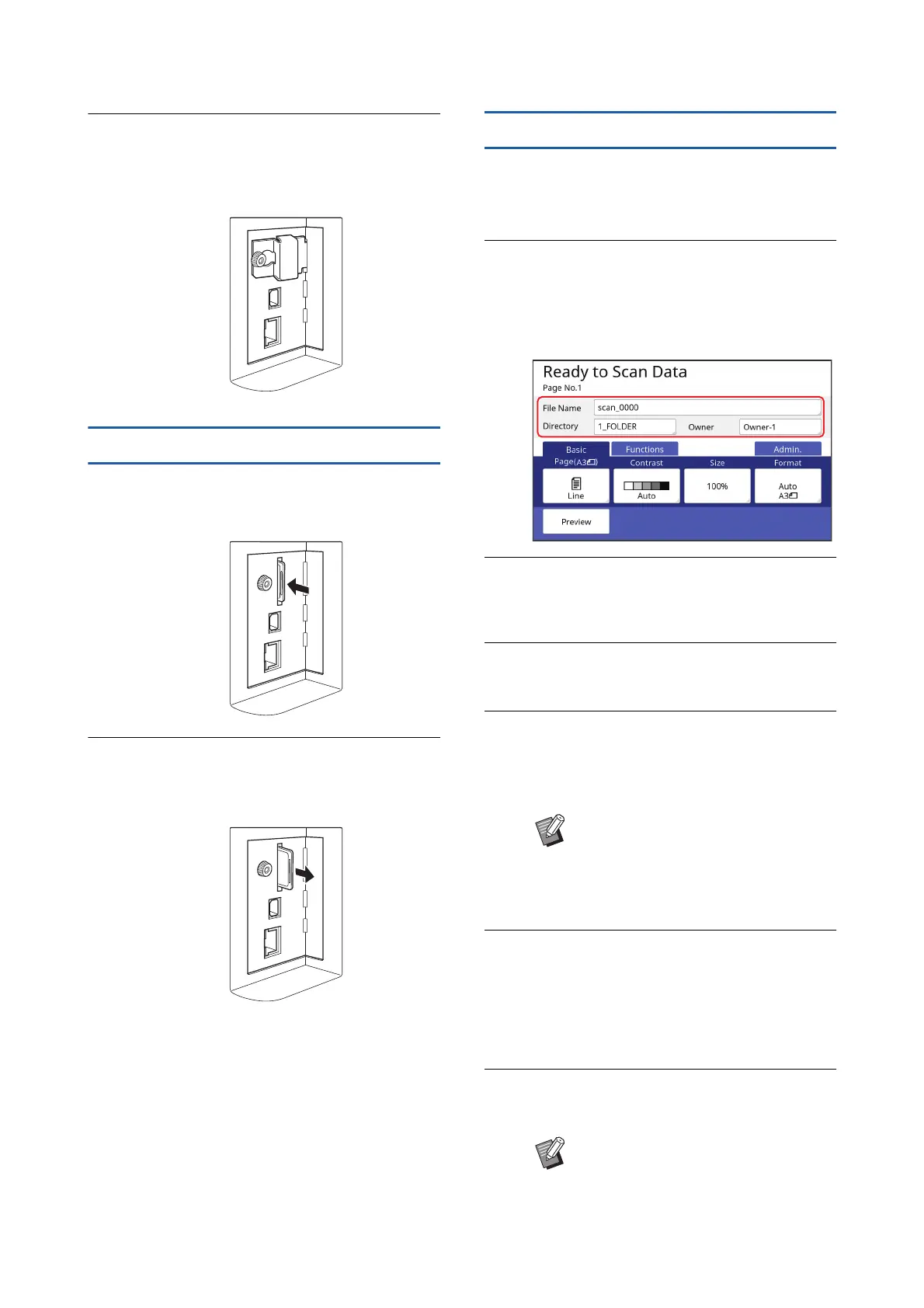
Set the information for the data to
be saved.
• [File Name] (A 111)
• [Directory] (A 111)
• [Owner] (A 112)
3
Place the original.
(A 32 “Setting up the paper feed tray and the
paper”)
4
Set the scanning conditions.
(A 110 “Functions for Scanning”)
5
Press the [START] key.
Scanning of the original starts.
When there are multiple originals, repeat steps
3 to 5.
6
Touch [Exit].
After completing scanning of the originals that
you want to save as a single data set, touch
[Exit].
A screen is displayed to confirm whether you
want to save the original data.
7
Touch [Yes].
The original data is saved.
BWhen you place several originals on
the optional auto document feeder
at the same time, the same scan-
ning conditions are applied to all of
the originals.
BTo exit the scan mode, press the
[HOME] key.



 To Next Page