Chapter 5 Useful Functions
94
4
Touch [OK] in the confirmation
screen.
The [Program] setting screen is displayed.
• When you touch [OK], printing can be per-
formed according to the changed program
settings.
• When you touch [Cancel], the basic screen is
displayed with [Program] remaining off.
Changing the name of [Program]
1
Touch [Program] in the [Functions]
tab screen.
The [Program Type] screen is displayed.
2
Touch [Program List].
3
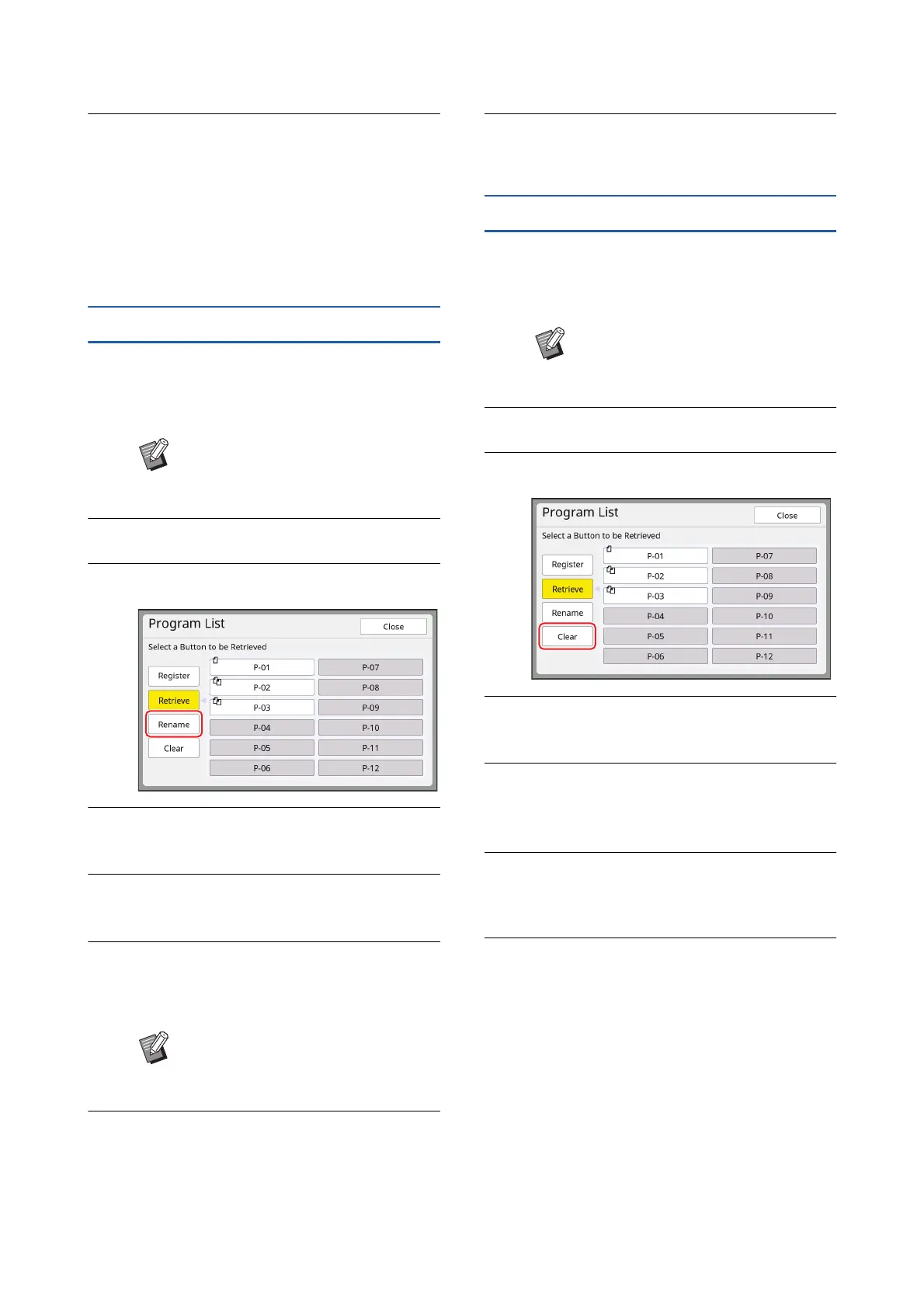
Touch [Rename].
4
Touch the button whose name you
want to change.
5
Change the name.
(A 28 “[Rename] screen”)
6
After entering a new name, touch
[OK].
The [Program List] setting screen is displayed.
7
Touch [Close].
The [Program Type] setting screen is dis-
played.
8
Touch [Close].
The basic screen is displayed.
Erasing [Program]
1
Touch [Program] in the [Functions]
tab screen.
The [Program Type] screen is displayed.
2
Touch [Program List].
3
Touch [Clear].
4
Touch the button that you want to
erase.
5
Touch [OK] in the confirmation
screen.
The [Program List] setting screen is displayed.
6
Touch [Close].
The [Program Type] setting screen is dis-
played.
7
Touch [Close].
The basic screen is displayed.
BYou can also display the [Program
Type] screen by pressing the [P]
key.
BIf the name does not fit in the dis-
play area, the latter part of the name
is displayed as “...”.
BYou can also display the [Program
Type] screen by pressing the [P]
key.



 To Next Page