Chapter 2 Basic Operations
48
How to print the ID data
The following types of original data are referred to as
“ID data”.
• Original data with [ID Print] set in the scan mode
(A 43 “Saving Paper Original as Data”)
• Original data with [ID print] set in the printer driver
For the setting procedure, see the “RISO Printer
Driver User’s Guide” (DVD-ROM).
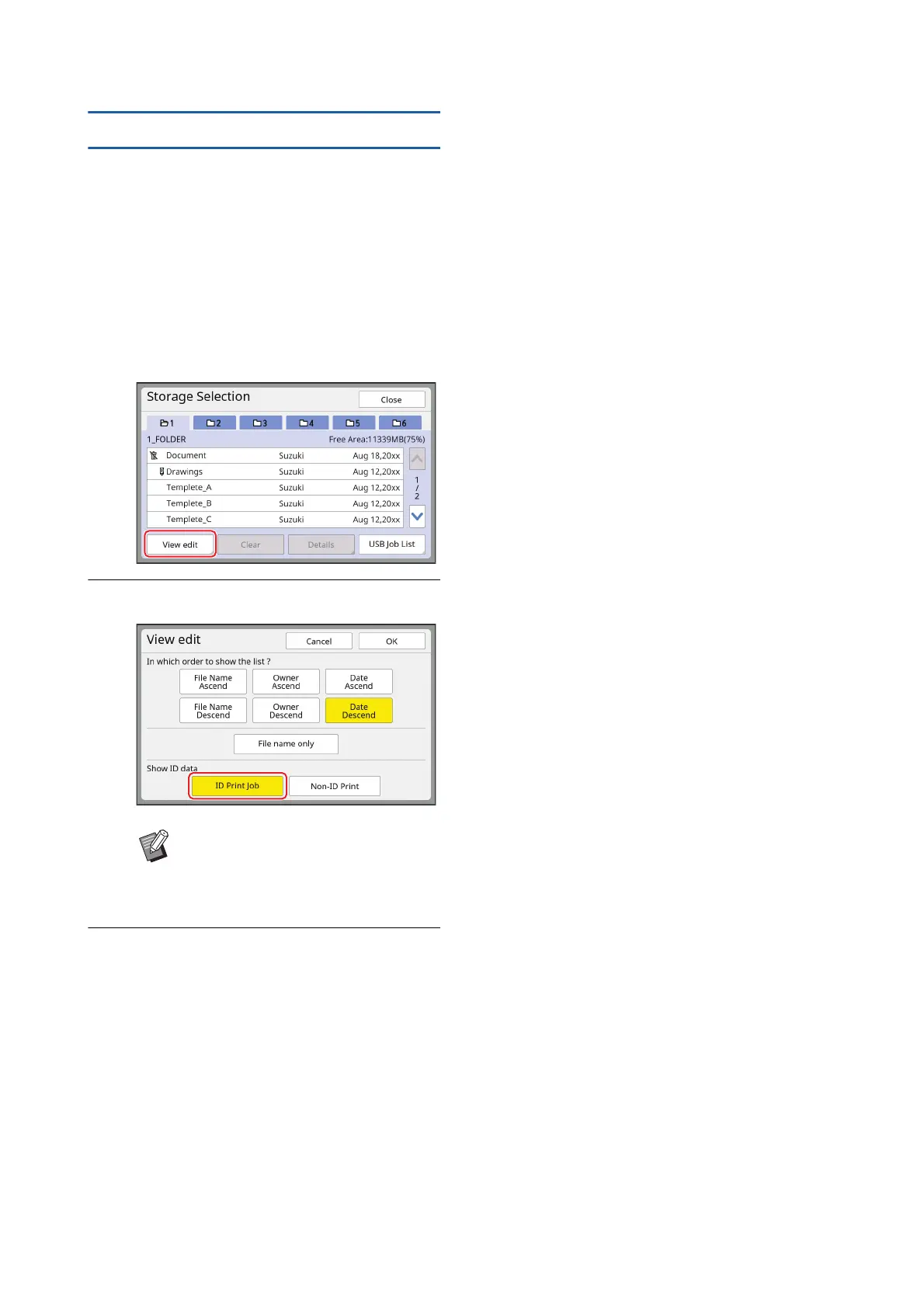
Follow the steps below to display ID data in the [Stor-
age Selection] screen or the [USB Job List] screen.
1
Touch [View edit].
2
Touch [ID Print Job].
3
Touch [OK].
The ID data is displayed in the [Storage Selec-
tion] screen or the [USB Job List] screen.
•A [L] (key mark) icon is displayed on the tab
buttons.
• To display original data other than ID data,
touch [Non-ID Print].
The subsequent operations are the same as
steps 6 (A 45) and later in “Printing from [Stor-
age]”.
B[Show ID data] is displayed when
[High/Full Management] or [Mid/ID
Print Only] is set in [User Manage-
ment] (A 129) under [Admin.].



 To Next Page