Chapter 7 Setting the Operation Conditions
136
• The master disposal box is locked so that it cannot
be removed. However, you can remove the master
disposal box if a master is jammed in the master dis-
posal section or the master disposal box becomes
full.
Setting [Protect]
1
Touch [Protect] in the [Admin.]
screen.
[Protect] is set to [ON].
Canceling [Protect]
1
Touch [Protect] in the [Admin.]
screen.
After the message “Please Wait a Moment” is
displayed, [Protect] is set to [OFF].
B[Cancel] is not displayed in the following
cases:
CWhen a new print drum (cylinder) for
which [Confidential] has not been exe-
cuted is installed.
CWhen this machine has been restored
from sleep mode that was activated
while a confirmation screen prompting
you to execute [Confidential] was dis-
played.
CWhen the power is turned on while a
print drum (cylinder) for which [Confi-
dential] has not been executed is
installed.
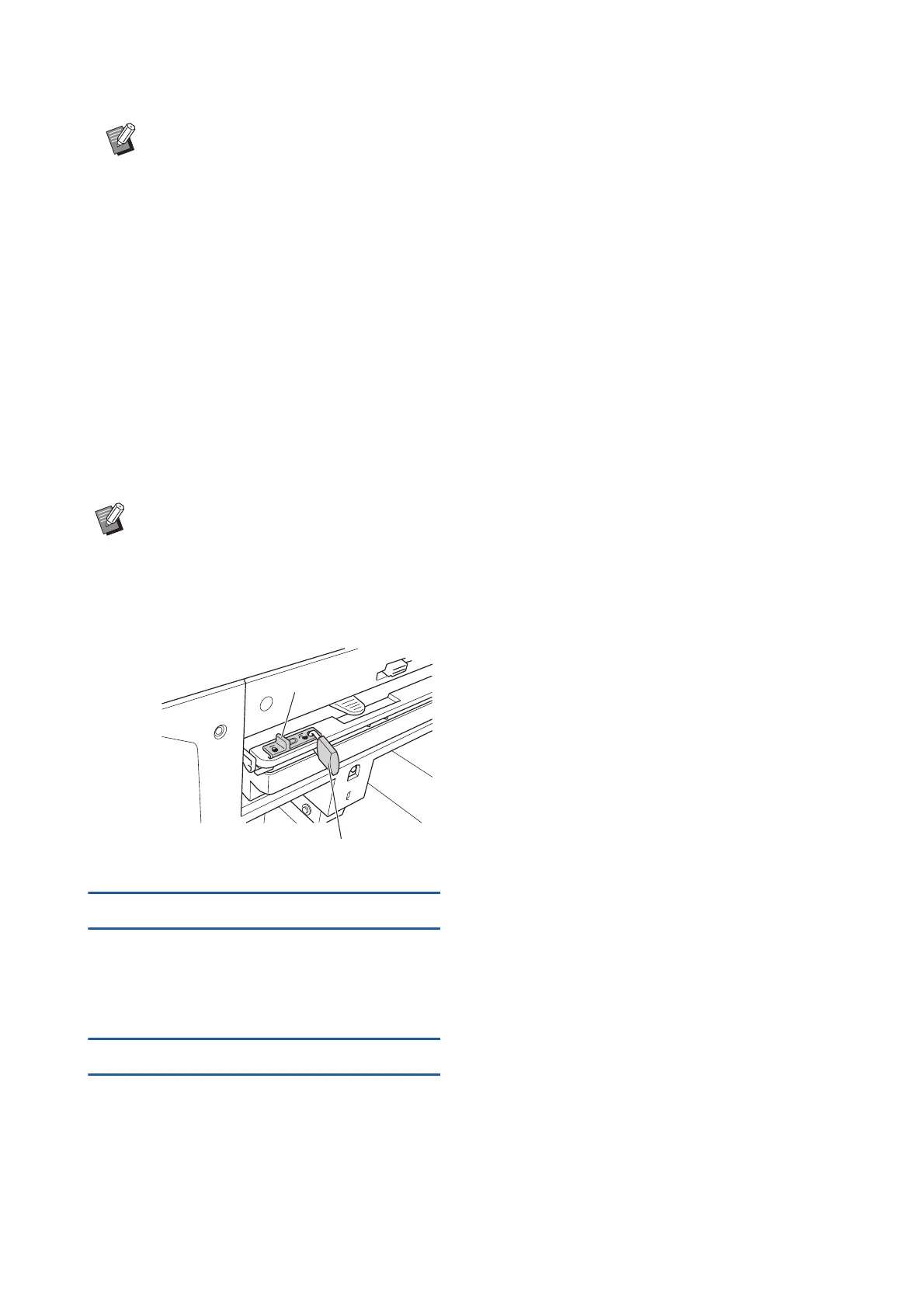
BThe master disposal box can be locked
with a padlock, etc., so that it cannot be
removed by anyone except for the adminis-
trator. When locking, insert the padlock into
the lock lever hole as illustrated below.
(Purchase a commercially available pad-
lock. The diameter of the hole for inserting
the padlock is 7 mm [9/32 inches].)
Lock lever
Padlock



 To Next Page