17
Printing area
■ Maximum Printing Area
The maximum printing area of this machine is as fol-
lows:
SF9490
SF9390
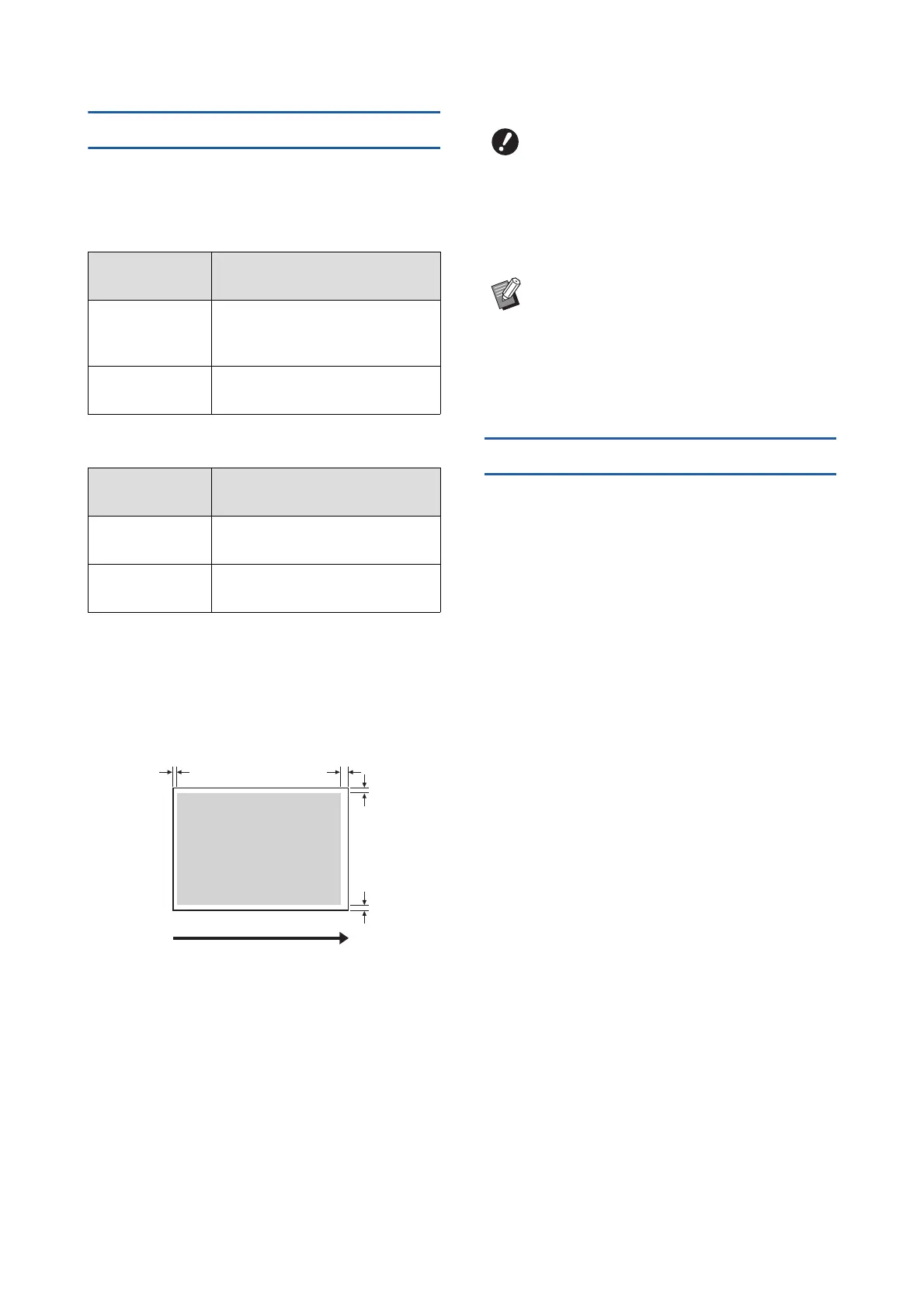
■ Master making area
The master making area is determined according to
the paper size placed on the paper feed tray. The
master making area is an area that equals the paper
size excluding the margin shown in the illustration
below.
*
These values are for cases when using standard size
paper. When using custom size paper, these values are
5 mm (3/16 inches).
When creating originals, take above margins into con-
sideration.
The same master making area is applied when print-
ing by sending original data from a computer.
Materials not to be printed
Do not use this machine in any manner which violates
the laws or infringes on established copyrights, even
when making copies for personal use. Consult your
local authorities for further details. In general, use dis-
cretion and common sense.
Drum (cylinder)
size
Maximum printing area
Ledger 291 mm × 425 mm
(11 15/32 inches × 16 23/32
inches)
A4/Letter 291 mm × 203 mm
(11 15/32 inches × 8 inches)
Drum (cylinder)
size
Maximum printing area
A3 291 mm × 413 mm
(11 15/32 inches × 16 1/4 inches)
A4/Letter 291 mm × 203 mm
(11 15/32 inches × 8 inches)
Paper feeding direction
Master making area
3mm
*
(1/8 inches)
3mm
*
(1/8 inches)
2mm (3/32 inches) 5mm (3/16 inches)
BThe master making area does not
exceed the maximum printing area even
when you set large paper.
BEven when you set [Max. Scan] (A 60),
master making is not performed within
the area of 5 mm (3/16 inches) from the
paper edge.
BWhen printing an original with little margin
around the original, it is useful to reduce
the original by setting [Margin+] (A 57).
BYou can set [Max. Scan] (A 60) to enlarge
the master making area up to the maxi-
mum printing area, regardless of the paper
size.



 To Next Page