Chapter 2 Basic Operations
32
Overview
■ Preparation
■ Operation
Preparation before Printing
Setting up the paper feed tray and
the paper
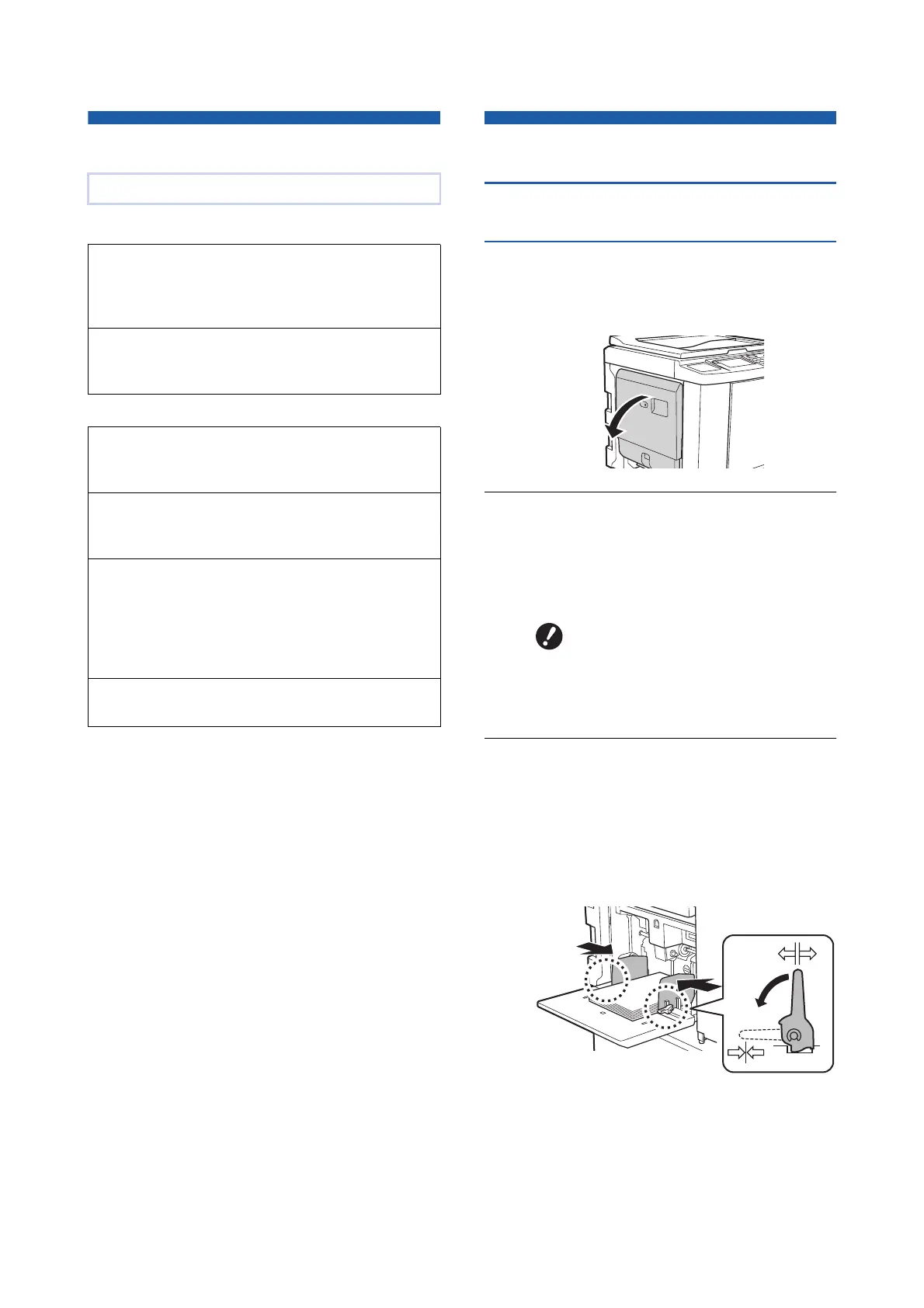
1
Open the paper feed tray.
While holding the paper feed tray with your
hand, open it until it stops.
2
Place the paper on the paper feed
tray.
Place the paper with the printing side facing up.
Use the same orientation as that of the original.
(A 36 “Placement of Originals”)
3
Adjust the feed-tray paper guides.
Raise the lock levers on both sides of the feed-
tray paper guides so that you can slide the
feed-tray paper guides by hand.
Tightly fit the feed-tray paper guides to the
paper, and then push down the lock levers on
both sides to lock the guides.
This chapter describes the following procedures.
Preparation before printing (A 32)
Describes the procedure to set up the paper feed
tray and paper, and the procedure to set up the
paper receiving tray.
Placement of originals (A 36)
Describes the procedure to place originals on the
glass platen and the optional auto document feeder.
Printing of paper originals (A 38)
Describes the procedure to scan and print paper
originals.
Printing from a computer (A 39)
Describes the procedure to print original data from a
computer connected to this machine.
Saving paper originals as data (A 43)
Describes the procedure to scan paper originals
using this machine’s scanner, and then saving it as
original data.
Also describes the procedure to install the memory
card in order to save original data to this machine.
Printing saved original data (A 45)
Describes the procedure to print saved original data.
BDo not use inappropriate paper or
mix paper of different sizes. It
may cause a paper jam or dam-
age your printer.
(A 15 “Printing papers”)



 To Next Page