Chapter 3 Functions for Master Making
64
9
Touch [Next].
10
Touch the number of copies to be
laid out on a single sheet of paper.
11
Touch [OK].
12
Set the other required printing
conditions.
(A 50 “Functions for Master Making”)
13
Press the [START] key.
Scanning of the original starts.
The rest of the procedure is the same as the
normal printing operation of paper originals.
(A 38 “Printing of Paper Originals”)
If a message that asks you to place the next
original is displayed, place the original that is to
be scanned next, and then press the [START]
key.
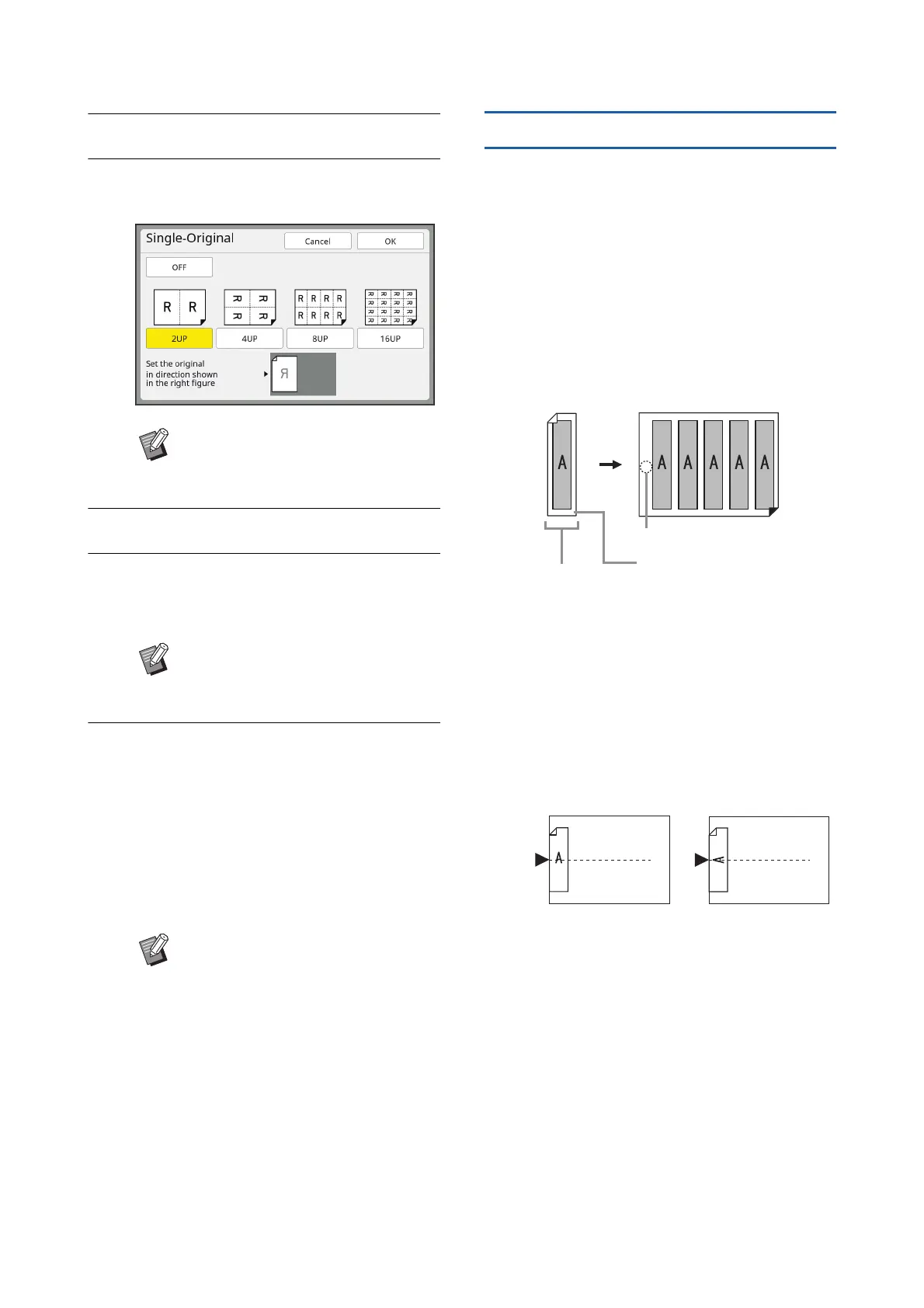
[Multi-Up Tickets]
The number of copies to be laid out on a single sheet
of paper is determined automatically simply by speci-
fying the short side size (width) of the original.
The number of copies is calculated by dividing the
long side size of the paper by the short side size of the
original. The remaining area is output as a blank
space.
The width of the original can be specified between
50 mm and 210 mm (2 inches and 8 1/4 inches). Note
that a margin of 5 mm (3/16 inches) or more is
required around the original.
Example:
Short side of the original: 50 mm (2 inches)
Long side of the paper: 297 mm (11 11/16 inches) (A4
size)
297 / 50 = 5 remainder 47
Five copies of the original are laid out on a single
sheet of paper and the remaining area will be a blank
space.
1
Placement of Originals
Place an original on the glass platen.
BCheck that the original is placed in
the direction shown at the bottom of
the screen.
BTo cancel [Multi-Up Print], perform
step 5 again and display the setting
screen. Touch [OFF] and then [OK].
BIf a certain amount of time has
elapsed without the next original
being placed, master making starts
automatically. The range that has
not been scanned is output as a
blank space.
This certain amount of time is
referred to as [Multi-Up Interval].
The factory default is 15 seconds.
You can change the interval in
[Multi-Up Interval] (A 121) under
[Admin.].
Original Printed paper
50 mm
(2 inches)
Remaining area
Margin of 5 mm (3/16 inches)
around the original



 To Next Page