Chapter 4 Functions for Printing
84
3
Adjust as necessary.
■ [Auto]
The receiving-tray paper guides and paper
stopper automatically move to the standard
position according to the paper size.
■ [Wider] / [Narrower]
You can make the [Side] (receiving-tray paper
guides) and [End] (paper stopper) wider or nar-
rower from the standard position.
The adjustment results are applied to subse-
quent movement when starting to make mas-
ters or to print.
Registering the adjustment values
It is useful if you register the adjustment values that
you have set in [Paper Feed Adj.], [Paper Eject Adj]
and [Receive Tray] as the values can be used repeat-
edly.
1
Change the settings for [Paper
Feed Adj.], [Paper Eject Adj] and
[Receive Tray].
For the procedure to perform settings, see
A 82.
2
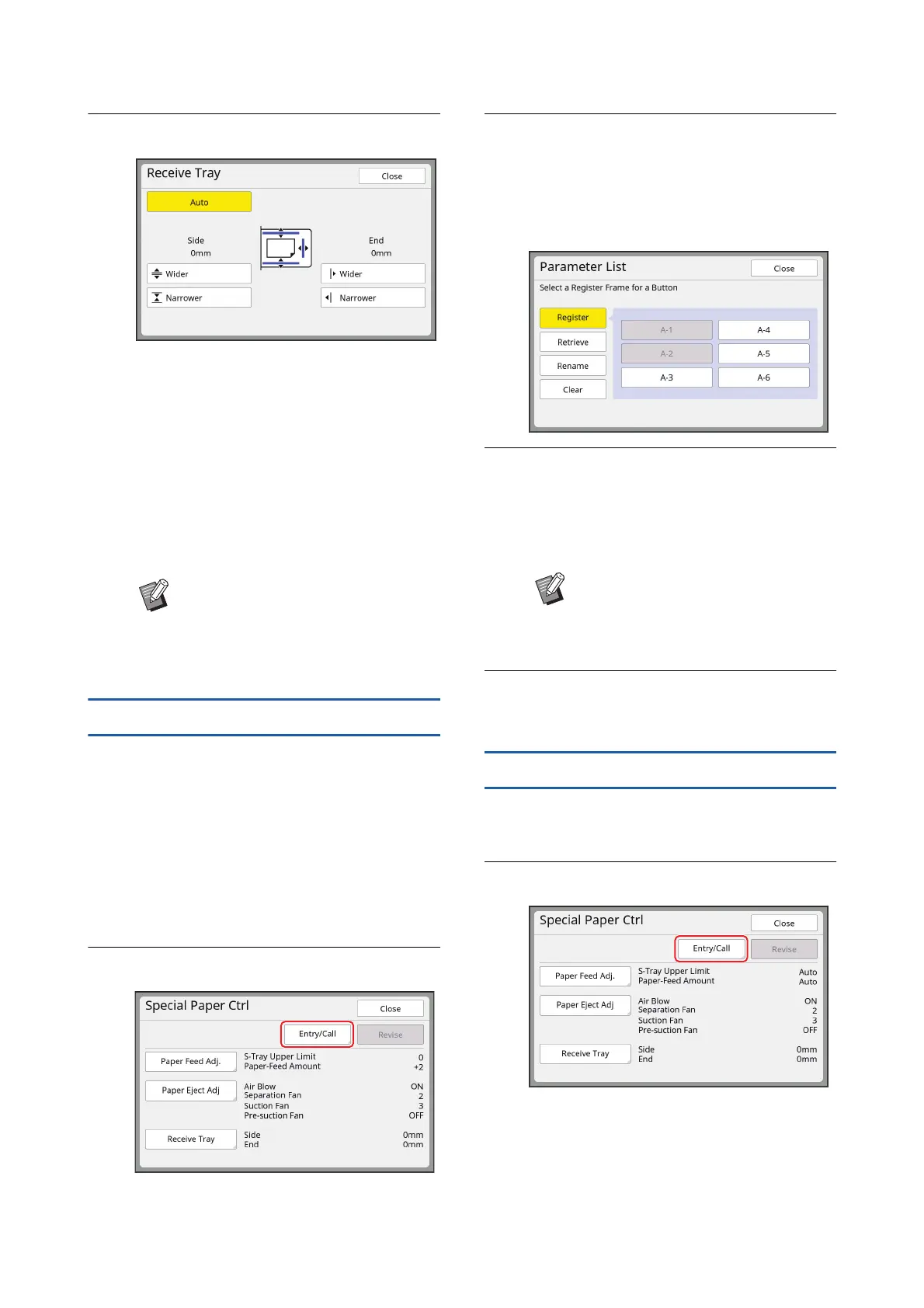
Touch [Entry/Call].
3
Touch a button for which nothing
has been registered.
The button for which nothing has been regis-
tered is outlined with a solid line.
(You cannot touch a grayed button as the set-
tings have already been registered.)
4
Touch [OK] in the confirmation
screen.
The adjustment values that you have set are
registered, and the [Parameter List] screen is
displayed.
5
Touch [Close].
The [Special Paper Ctrl] screen is displayed.
Retrieving the adjustment values
1
Touch [Special Paper Ctrl] in the
[Functions] tab screen.
2
Touch [Entry/Call].
BYou can also widen the [Side]
(receiving-tray paper guides) by
pressing the [Paper guides position-
ing button] (A 23) during the print-
ing process.
BYou can change the name of the
registered adjustment values.
(A 85 “Changing the name of
adjustment values”)



 To Next Page